Back to marketplace
E-LITE shaders (MakeUp edit)
Modrinth Shader

E-LITE shaders (MakeUp edit)

A MakeUp - Ultra Fast shaders edit that is highly customizable, beautiful, and fast!

Minecraft product info

Important product information

Compatibility, Minecraft versions, loaders, and external source data.

Type

Shader

Access

Free

Latest version

ELT511

Downloads

1 066 555

Loaders / Platforms

iris optifine

Minecraft versions

1.12 – 1.21.11 26.1 26.1.1 26.1.2 26.2

Categories

potato semi-realistic shadows

Description

Detailed information

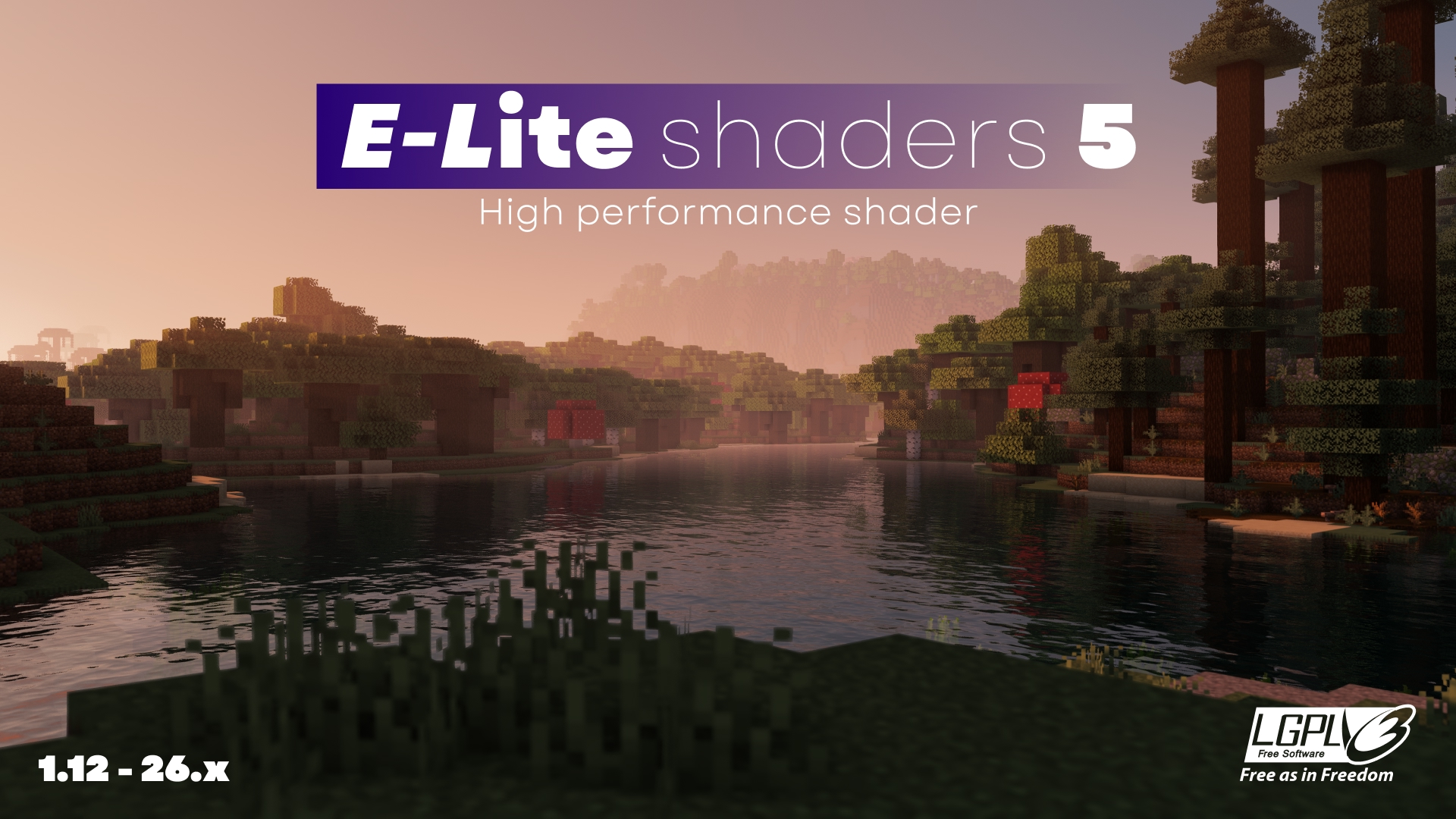
![E-LITE 5](https://cdn.modrinth.com/data/cached_images/20136478b4568176829c5af5b16b2f7a32dc8540.jpeg) # There is a bug in sky in Minecraft 26.1+ (Iris 1.11.1). Install Iris 1.11.2 to fix. # ABOUT E-LITE shaders (formerly known as LITE) is a modification of [MakeUp - Ultra Fast](https://modrinth.com/shader/makeup-ultra-fast-shaders) that aims to make it fancier while maintaining great performance. It adds a lot of customisation as well as a Portuguese translation, and is ideal for use on most PCs, with highly adaptable graphics profiles. **_DO NOT use OptiFine preview versions, they are very buggy._** # TESTED ON: - Minecraft 1.12.2 - 26.1.x - NVIDIA, AMD and Intel, NO warranty that it works on all hardware. - Windows 10 and 11. # Features: Majority of these features can be turned off or reduced to enhance performance. - Shadow casting and colored shadows. - Style button for fast switching of Realistic looks and Vanilla. - Godrays. - Smart sharpening TAA and FXAA. - Screen-Space reflections on blocks and water. - Realistic and Vanilla clouds/water. - Ambient occlusion. - Bloom, Motion blur and Depth of Field. - +5 customized color schemes. - Optional auto-exposure. - Distant horizons and Voxy support (Iris only) - LabPBR support. - And more... # [Gallery](https://modrinth.com/shader/lite-shaders/gallery) <details> <summary>How to config?</summary> ## PROFILES: - Minimum: Pure shader. - Very low - MAX: Progressively increase the quality and amount of effects at the cost of performance. - Choose the best for you! ## COLOR SCHEME: - Change the color of sky and lighting. Realistic+ is the default and most recommended. ## STYLE: - By clicking on the style button, you switch between Enhanced and Vanilla, Enhanced aims to be realistic, and Vanilla preserves the Minecraft aesthetic. ## SCREENS: - Basic: Basic features of shader. - Lighting: Shadow quality, distance, light intensity, etc. - Effects: Majority of options of shader, separed into sub-screens, such as Rendering, Camera, etc. - Misc: Extra options, like seasons, selection line, etc. - Info: Information about the shader. </details> # How to install? - First, you need Iris shaders or OptiFine: https://irisshaders.dev/ https://optifine.net/downloads - Put E-LITE shaders.zip folder at .minecraft/your_instance/shaderpacks - Launch Minecraft with Iris or OptiFine installed. - Open: "Options -> Video Settings -> Shaders" - Choose E-LITE shaders. # Recommendations: - Minecraft Java 1.12.2, previous versions works but with some bugs. - "Medium" profile. - Smart leaves turned off, as it can break lighting. # CREDITS: MakeUp - Ultrafast original creator: Javier Garduño.\ Links: https://www.planetminecraft.com/mod/makeup-ultra-fast-shader https://www.curseforge.com/minecraft/customization/makeup-ultra-fast-shader https://github.com/javiergcim/MakeUpUltraFast Modified and translated by Entokito. ## Credits for forks of E-LITE shaders: - Add the credits of MakeUp and these links: (https://modrinth.com/shader/lite-shaders) (https://www.curseforge.com/minecraft/shaders/lite-shaders) plus creator credit: Modified and translated by @Entokito Made in Brazil! # WARNING: _**This shader is only available on MODRINTH, CURSEFORGE and PLANET MINECRAFT. Downloading it from any other site may not be safe. I haven't officially uploaded it to any other site.**_

Developer

Entokito

Profile and data retrieved from Modrinth

Open on Modrinth

Product gallery

Project images

Screenshots and images from the original Modrinth page.

E-LITE shaders 5

Walkway.

Cherry blossoms.

Glow!

Enclosed lake.

Vanilla water and sky.

Sunset.

Night.

Little house.

Rainy.

The End.

Profile: Medium + DOF

Nether.

LITE shaders 4

Change log

Project versions

Published versions and original Modrinth files.

ELT511 Current Release 24.06.2026

E-LITE shaders 5.1.1

Supported Minecraft versions
1.12 1.12.1 1.12.2 1.13 1.13.1 1.13.2 1.14 1.14.1 1.14.2 1.14.3 1.14.4 1.15 1.15.1 1.15.2 1.16 1.16.1 1.16.2 1.16.3 1.16.4 1.16.5 1.17 1.17.1 1.18 1.18.1 1.18.2 1.19 1.19.1 1.19.2 1.19.3 1.19.4 1.20 1.20.1 1.20.2 1.20.3 1.20.4 1.20.5 1.20.6 1.21 1.21.1 1.21.2 1.21.3 1.21.4 1.21.5 1.21.6 1.21.7 1.21.8 1.21.9 1.21.10 1.21.11 26.1 26.1.1 26.1.2 26.2
Loaders / Platforms
iris optifine
Show changes
# SPECIAL THANKS TO BETA TESTERS: - tasxatzial - avc1657 # OVERVIEW - Small patch to fix bugs and improve shader's look. # General changes: - Crimson and warped stems and hyphae now glow. - Removed unused files. - Nether fog has been reworked. - Small changes in how LabPBR materials reflect light. - Small improvements on how blocks reflect light w/block reflection (without LabPBR). - Small sky color changes. - Reduced depth-based godrays intensity. # Bugfixes: - Fixed some missing translations in Portuguese and Spanish versions. - Fixed Aurora borealis having a "square-shaped" look when boxy clouds were enabled. - Fixed a bug that made translucent particles and entities very dark. - Fixed raindrops on the "Particle rain" mod being too dark. - Fixed Nether fog having wrong colors. - Fixed stretched reflections when water texture is enabled. - Fixed a bug that made lighting very dark when using LabPBR with POM disabled. - Fixed a bug that made boxy clouds not work on The End. - Fixed Voxy fog not working on Nether. - Fixed "Fullbright" mode broken on caves and Nether. Version code: ELT511 Based on MakeUp Ultrafast 9.5b Olá de Entokito :)
Sign in

0.51 MB

ELT51 Release 12.06.2026

E-LITE shaders 5.1

Supported Minecraft versions
1.12 1.12.1 1.12.2 1.13 1.13.1 1.13.2 1.14 1.14.1 1.14.2 1.14.3 1.14.4 1.15 1.15.1 1.15.2 1.16 1.16.1 1.16.2 1.16.3 1.16.4 1.16.5 1.17 1.17.1 1.18 1.18.1 1.18.2 1.19 1.19.1 1.19.2 1.19.3 1.19.4 1.20 1.20.1 1.20.2 1.20.3 1.20.4 1.20.5 1.20.6 1.21 1.21.1 1.21.2 1.21.3 1.21.4 1.21.5 1.21.6 1.21.7 1.21.8 1.21.9 1.21.10 1.21.11 26.1 26.1.1 26.1.2 26.2
Loaders / Platforms
iris optifine
Show changes
`E-LITE shaders 5.1` # SPECIAL THANKS TO BETA TESTERS: - tasxatzial - avc1657 # OVERVIEW - This update improves the overall look and feel, refining what arrived in 5.0 and adding new features such as LabPBR and Voxy support. # General changes: - Remade fog adjustment in the Nether; now it works better. - Small color changes. - Small adjustments to the round sun. - Sharpness effect intensity was reduced in dark and bright places. - Blocklight dispersion and color were slightly changed. - Sky reflection was upgraded and now reflects with higher fidelity. - Some code was rewritten. - "Extreme" profile is discontinued due to its similarity to "High". - "Medium" profile no longer has AO, Motion Blur, Bloom, and Godrays, improving performance by up to 10%. - Automatic quality adjustment while on low FPS (introduced in version 4.6) has been removed. - (INHERITED) Added support for some mods (Create, Botania, etc.). - Indirect lighting was improved, becoming more realistic. - "Enhanced" style is now "Natural". - "Vanilla" style water now has small relief details on reflections. - Armor trims now glow. - Rainy weather now looks and feels better. - End portal now has parallax. - Water now has a blue tint when viewed from outside. - Title now disappears when GUI is hidden. # New feature: LabPBR support! - Supports reflections, normal mapping on lighting, and POM. # Lighting changes: - Material gloss now uses a more advanced and sophisticated model, looking better in all scenarios (GGX). - Indirect light was reworked; now it looks less flat. # Bugfixes: - Fixed Aurora Borealis texture cutting off in the sky. - Fixed some flickering issues on specular block reflections. - Fixed big caves having weird lighting in distant places. - Fixed caves changing brightness during day/night cycle. - Fixed big caves showing too bright fog and clouds on the horizon when using low render distances. - Fixed square sun reflection not having the correct angle. - Fixed failure on AMD/Intel GPU hardware when using pixel-locked shadows. - Fixed a bug that made Title/Profile splash too small on 4K resolution and too big on low resolutions. - A tentative attempt was made to fix light leaking in caves. - Fixed a bug that made boxy clouds reflection on water stretched. Version code: ELT51 Based on MakeUp Ultrafast 9.5a Olá de Entokito :)
Sign in

0.51 MB

ELT501 Release 14.03.2026

E-LITE shaders 5.0.1

Supported Minecraft versions
1.12 1.12.1 1.12.2 1.13 1.13.1 1.13.2 1.14 1.14.1 1.14.2 1.14.3 1.14.4 1.15 1.15.1 1.15.2 1.16 1.16.1 1.16.2 1.16.3 1.16.4 1.16.5 1.17 1.17.1 1.18 1.18.1 1.18.2 1.19 1.19.1 1.19.2 1.19.3 1.19.4 1.20 1.20.1 1.20.2 1.20.3 1.20.4 1.20.5 1.20.6 1.21 1.21.1 1.21.2 1.21.3 1.21.4 1.21.5 1.21.6 1.21.7 1.21.8 1.21.9 1.21.10 1.21.11 26.1 26.1.1 26.1.2
Loaders / Platforms
iris optifine
Show changes
# OVERVIEW - Small patch to fix bugs and make minor adjustments. # General changes: - Vines now wave. - Round sun now has antialiasing and is bigger. - Small changes to ambient occlusion. - Fullbright mode was reworked to work better during night. # Bugfixes: - Fixed "Reflection info" compilation failure on AMD hardware. - Fixed "dither13" failure on AMD hardware. - Fixed a bug that caused aurora borealis to be distorted at far world positions, e.g., 30K+. - Fixed blown image on Vanilla color scheme when using simpler exposure. - Fixed a bug that caused soul lights to be too strong in hands. - Fixed weird look on trees when using fullbright mode. - Fixed fog intensity adjust not working on Nether. - Fixed an issue that caused water reflections (when viewed from underwater) to be too bright.
Sign in

0.48 MB

ELT5 Release 28.02.2026

E-LITE shaders 5

Supported Minecraft versions
1.12 1.12.1 1.12.2 1.13 1.13.1 1.13.2 1.14 1.14.1 1.14.2 1.14.3 1.14.4 1.15 1.15.1 1.15.2 1.16 1.16.1 1.16.2 1.16.3 1.16.4 1.16.5 1.17 1.17.1 1.18 1.18.1 1.18.2 1.19 1.19.1 1.19.2 1.19.3 1.19.4 1.20 1.20.1 1.20.2 1.20.3 1.20.4 1.20.5 1.20.6 1.21 1.21.1 1.21.2 1.21.3 1.21.4 1.21.5 1.21.6 1.21.7 1.21.8 1.21.9 1.21.10 1.21.11
Loaders / Platforms
iris optifine
Show changes
![Lake.](https://cdn.modrinth.com/data/cached_images/397fb3c532c815e46747cea69ede141e0c13e1e7.jpeg) ``` E-LITE shaders version 5.0 ``` # SPECIAL THANKS TO BETA TESTERS: - tasxatzial - avc1657 # OVERVIEW - This version is a major update, bringing several features and improving the appearance of the shader in several areas, such as fog and sky, in addition to a rebrand. # Rebrand: LITE is now E-LITE. - "E-" stands for Entokito, my nickname :) # New feature - Block reflection. - Makes blocks reflect light like water. - Medium performance impact. - Integrated with Material Gloss. # New feature - Pixel-locked shadows. (Inherited from MakeUp) - Makes shadows pixel-locked in the world. - Adjustable pixel size. - Works with caustics. # New feature - Aurora Borealis. - Optional feature. - Fast and fancy! # New feature - Round sun. - Optional feature. # New feature - Near fog. - Adds a small fog near the player, increasing immersion. - Optional feature. # New feature - Seasons. - Adjustable season length. - Fancy! Enable it at: Misc -> Seasons. # New tonemap - Uchimura. - Better contrast and colors than Lottes. Now it is the default. # Color scheme changes: - The following color schemes were removed in E-LITE: Ethereal, Shoka, Legacy (MakeUp), Captain, Psychedelic, Testigo, and Realistic (pollution). - LITE Cursed, LITE Vanilla, and LITE Legacy are now: Cursed, Vanilla, and Legacy. - New color scheme: Realistic (Simple), simulates Realistic+, but introducing a slight performance gain. # Lighting changes: - Subsurface scattering of leaves has been modified, making trees look better at long distances. - Grass lighting is improved. Now it is smoother. - Main lighting is clearer during the day. # Fog change: - Fog is now influenced by the sun, giving a more volumetric look to sunsets/rises. # General changes: - Sugar cane does not wave anymore. - Selection lines are now white by default. They can be RGB-like too (Misc -> Selection lines). - Motion blur code has been restored to the same as in version 4.7.3, as this works better. - Improved bloom quality. - Sky now has a bit of noise to avoid color banding (Realistic+ and Cursed). - PS1 effect does not render at 50% quality anymore due to some bugs and "blur". - Small optimizations have been made to the code. - Auto-exposure now avoids overly bright blocks when the player is in a cave or a dark place. - Vanilla sun look was enhanced. - Realistic+ sky now simulates sun glow, even in rain. - Improved godrays during rain at sunsets. - Reduced TAA ghosting. - Added waving support to the [Wilder Flowers](https://modrinth.com/mod/wilder-flowers/gallery) mod (Thanks to Tas). - Added support for the [Aurora’s Lanterns](https://www.curseforge.com/minecraft/mc-mods/auroraslanterns/comments) mod (Inherited). - AMD FSR 1.0 has been removed because it did not meet expectations and caused (MANY) problems. - Some typos were fixed. - Reduced noise on clouds. - FXAA is now enabled by default. - Cleaned up unused code. # Interface changes: - New screen: Misc. Some options have been moved here. # Profile changes: - Shadowless profiles are discontinued. - "No effects" is now "Minimum". # Bugfixes: - Fixed cherry and pale leaves not waving. - Fixed a bug that made fire cast by entities almost black. - Fixed a bug that made the bottom of trees / caves in the LITE Cursed color scheme too bright. - Fixed a bug that made the screen zoom when enabling PS1-Like on Oculus 1.8.0. (#5 GitHub) - Fixed some inconsistencies in glowing ores and materials. - Fixed a bug that caused clouds to be stretched in older versions of Minecraft. - Fixed a bug that caused vanilla clouds above 1.21.6 to appear in DH chunks. # Known issue: - Colored glass is not visible through water when viewed from outside.
Sign in

0.48 MB

LT49 Release 02.01.2026

LITE shaders 4.9

Supported Minecraft versions
1.12 1.12.1 1.12.2 1.13 1.13.1 1.13.2 1.14 1.14.1 1.14.2 1.14.3 1.14.4 1.15 1.15.1 1.15.2 1.16 1.16.1 1.16.2 1.16.3 1.16.4 1.16.5 1.17 1.17.1 1.18 1.18.1 1.18.2 1.19 1.19.1 1.19.2 1.19.3 1.19.4 1.20 1.20.1 1.20.2 1.20.3 1.20.4 1.20.5 1.20.6 1.21 1.21.1 1.21.2 1.21.3 1.21.4 1.21.5 1.21.6 1.21.7 1.21.8 1.21.9 1.21.10 1.21.11
Loaders / Platforms
iris optifine
Show changes
# OVERVIEW: - This version makes minor adjustments to the shader. # General changes: - Vanilla water has now a smoother texture. - Bit reduced samples on Blocky clouds, improving performance (no visual impact.) - Slightly adjusted cloud colors on rain. # Bugfixes: - Fixed ghosting on Smart TAA. - Fixed excessive fog on Distant Horizons + Snowy biome with "Biome fog" enabled. - Fixed some typos in Portuguese language.
Sign in

0.52 MB

LT48 Release 31.12.2025

LITE shaders 4.8

Supported Minecraft versions
1.12 1.12.1 1.12.2 1.13 1.13.1 1.13.2 1.14 1.14.1 1.14.2 1.14.3 1.14.4 1.15 1.15.1 1.15.2 1.16 1.16.1 1.16.2 1.16.3 1.16.4 1.16.5 1.17 1.17.1 1.18 1.18.1 1.18.2 1.19 1.19.1 1.19.2 1.19.3 1.19.4 1.20 1.20.1 1.20.2 1.20.3 1.20.4 1.20.5 1.20.6 1.21 1.21.1 1.21.2 1.21.3 1.21.4 1.21.5 1.21.6 1.21.7 1.21.8 1.21.9 1.21.10 1.21.11
Loaders / Platforms
iris optifine
Show changes
``` LITE shaders 4.8 ``` - Thanks to tasxatzial and ediortiz for beta testing this version. # OVERVIEW: - This version adds Upscale by FSR, as well as fixing bugs and tweaking some features. # New Feature! - AMD FSR - Adjusts the resolution that the shader is rendered. - Reducing quality can greatly improve performance, especially in 4K. - A low-resolution image is reconstructed with FSR 1.0. - Artifacts and jagged edges are expected. # New language! - Spanish - Translated by ediortiz. Thanks! - Translation is available in Latin American and European Spanish. # General changes: - Image quality is improved when using Smart TAA. - Sun/moon reflections are now square, and the circular style is optional. To adjust it, go to Basic -> Sun Reflection. - The "PS1-Like" option now literally renders on lower resolution, improving performance. - Small color changes on Vanilla clouds and the End portal. - Sea pickles does not wave anymore. - Small color changes on Vanilla clouds and the End portal. - Sea pickles does not wave anymore. - Blocky clouds now has better quality by default (very low performance impact). # Bugfixes: - Fixed compilation failure when using Distant Horizons (again.) - Fixed the pinkish aspect on white, gray, and black glass. - Fixed emerald ore with some dark pixels when Glowing ores was enabled. - Fixed FULLBRIGHT mode not working.
Sign in

0.52 MB

LT473 Release 09.12.2025

LITE shaders 4.7.3

Supported Minecraft versions
1.12 1.12.1 1.12.2 1.13 1.13.1 1.13.2 1.14 1.14.1 1.14.2 1.14.3 1.14.4 1.15 1.15.1 1.15.2 1.16 1.16.1 1.16.2 1.16.3 1.16.4 1.16.5 1.17 1.17.1 1.18 1.18.1 1.18.2 1.19 1.19.1 1.19.2 1.19.3 1.19.4 1.20 1.20.1 1.20.2 1.20.3 1.20.4 1.20.5 1.20.6 1.21 1.21.1 1.21.2 1.21.3 1.21.4 1.21.5 1.21.6 1.21.7 1.21.8 1.21.9 1.21.10 1.21.11
Loaders / Platforms
iris optifine
Show changes
- Thanks to tasxatzial for beta testing this version. ### This version fails with Distant Horizons, install it on GitHub for bugfix. https://github.com/EntokitoDezonze/LITE-shaders/ # OVERVIEW: - This version fixes bugs and adjusts some features. # INHERITED from MakeUp 9.3h: - Much of the broken compatibility with previous versions of Minecraft (from 1.12 onward) has been fixed. - Fixed an issue that made the beacon beam invisible from certain distances or angles when using Distant Horizons. # General changes: - MAX stars on overworld are disabled on old versions of Minecraft. (below 1.16.4) - Reduced brightness of MAX stars. # Bugfixes: - Fixed weird lighting when enabling simpler exposure. - Fixed too bright scene when using simpler exposure + LITE Vanilla color scheme. - Fixed sky flickering when exiting pale garden or any gray sky biome.
Sign in

0.47 MB

LT472 Release 06.12.2025

LITE shaders 4.7.2

Supported Minecraft versions
1.12 1.12.1 1.12.2 1.13 1.13.1 1.13.2 1.14 1.14.1 1.14.2 1.14.3 1.14.4 1.15 1.15.1 1.15.2 1.16 1.16.1 1.16.2 1.16.3 1.16.4 1.16.5 1.17 1.17.1 1.18 1.18.1 1.18.2 1.19 1.19.1 1.19.2 1.19.3 1.19.4 1.20 1.20.1 1.20.2 1.20.3 1.20.4 1.20.5 1.20.6 1.21 1.21.1 1.21.2 1.21.3 1.21.4 1.21.5 1.21.6 1.21.7 1.21.8 1.21.9 1.21.10 1.21.11-pre5 1.21.11
Loaders / Platforms
iris optifine
Show changes
- Thanks to tasxatzial for beta testing this version. # OVERVIEW: - This version fixes bugs and adjusts some features. # General Changes: - Some enhancemntes on End portal. - New adjustment: Vibrance, similar to saturation, but does not saturates very bright elements. - Reworked light scatter under structures and trees. - Reduced ambient light intensity during daytime. - Small color changes. - Automaitic fps correction now has threshold on 10fps. # Interface Changes: - "HDR" options name were changed. (Because it was not technically correct.) # Bugfixes: - Fixed compliation failure on Distant Horizons in Iris, The End, above 1.21.9 - An tentative was made to fix flicker on motion blur on some hardware. - Fixed translucent blocks not appearing at 1.21.11 - Fixed compilation failure when turning off end stars. - Fixed End stars above 1.21.9 - Fixed flicker when AO was enabled.
Sign in

0.47 MB

LT471 Release 02.12.2025

LITE shaders 4.7.1

Supported Minecraft versions
1.12 1.12.1 1.12.2 1.13 1.13.1 1.13.2 1.14 1.14.1 1.14.2 1.14.3 1.14.4 1.15 1.15.1 1.15.2 1.16 1.16.1 1.16.2 1.16.3 1.16.4 1.16.5 1.17 1.17.1 1.18 1.18.1 1.18.2 1.19 1.19.1 1.19.2 1.19.3 1.19.4 1.20 1.20.1 1.20.2 1.20.3 1.20.4 1.20.5 1.20.6 1.21 1.21.1 1.21.2 1.21.3 1.21.4 1.21.5 1.21.6 1.21.7 1.21.8 1.21.9 1.21.10
Loaders / Platforms
iris optifine
Show changes
- Thanks to tasxatzial for beta testing this version and reviewing the interface. # OVERVIEW: - This version fixes bugs and adjusts some features. # General Changes: - The transition on Vanilla - DH terrain is now smoother. - Small adjustments to colors in the morning. - Adjustments to shadow color during the day. - Reduced godray intensity during the night. - Small changes to stars. - Depth of Field option is now on the "Camera Screen." - Chroma aberration can now be adjusted in Effects -> Camera. - Redstone wire brightness was reduced. - Fog when using Distant Horizons was reduced. - Underwater vision is clearer for better visibility. - Cloud brightness at night was little reduced. # Interface Changes: - Some typos in menu were fixed, thanks to tasxatzial for reviewing. # Bugfixes: - An attempt was made to fix the End Gateways look. - Fixed MAX stars disappearing when brightness was 0.5x or lower. - Fixed End Portal and The End stars swaying when view bobbing was enabled. - Fixed compilation failure when enabling "Vanilla water" - Fixed wrong language comment on the Biome Fog option. - Fixed fake shadows not working with Distant Horizons. - Fixed "black" MAX stars appearing at sunset.
Sign in

0.47 MB

LT47 Release 29.11.2025

LITE shaders 4.7

Supported Minecraft versions
1.12 1.12.1 1.12.2 1.13 1.13.1 1.13.2 1.14 1.14.1 1.14.2 1.14.3 1.14.4 1.15 1.15.1 1.15.2 1.16 1.16.1 1.16.2 1.16.3 1.16.4 1.16.5 1.17 1.17.1 1.18 1.18.1 1.18.2 1.19 1.19.1 1.19.2 1.19.3 1.19.4 1.20 1.20.1 1.20.2 1.20.3 1.20.4 1.20.5 1.20.6 1.21 1.21.1 1.21.2 1.21.3 1.21.4 1.21.5 1.21.6 1.21.7 1.21.8 1.21.9 1.21.10
Loaders / Platforms
iris optifine
Show changes
![New End portal.](https://cdn.modrinth.com/data/cached_images/f229a4f0fd50f66999156a401f7675f166232c5d.png) New End portal! ![Stars on The End.](https://cdn.modrinth.com/data/cached_images/b76b8789f416a79f004e54bc4b6828a784c4e496.png) Stars on The End! # KNOWN BUG: End stars sways when View Bobbing is enabled. # OVERVIEW: - This version adds many new features and improvements. # New feature! - Caustics - It is very lightweight and fancy! - Based on water waves (Enhanced style) or Vanilla water (Vanilla style). - Customize it in: Effects -> Water -> Caustics. # New feature! - Biome-Based Sky, fog, and sandstorm. - It changes sky color and fog by biomes. Also adds a sandstorm on arid biomes. - Enable or disable it in: Effects -> Sky -> Biome-based sky, Biome-based fog, Sandstorm. - ~3% Performance impact, optional feature only available on Realistic+ and LITE Cursed color schemes. - May not work in old Minecraft versions with OptiFine. # WARNING: - The smooth transition to rainy -> clear weather was removed because it caused many bugs in older versions of Minecraft. Sorry! # Interface changes: - New screen: Sky - Set sky options. Replaces Fog screen. - Fog settings now can be found at Effects -> Rendering. # General changes: - Reworked End portal look. May not work in old Minecraft versions with OptiFine. - The shader now has custom stars, and also adds them to The End. Customize it in: Effects -> Sky - Godrays are more intense. - Adjusted gloss (reflection) on metals, it is smoother. - Shader is faster on Very low profile ~10% more fps. - The dynamic hand light now looks more like the lights emitted by normal blocks. - Distant Horizons chunks are now more similar to normal chunks. - Night vision effect is a bit brighter. - Small optimizations have been made to the code. - Drowned eyes now glows. - Volumetric Vanilla clouds are lower on height. - Fog on nether got slightly reduced by default for better visibility. - Night is brighter on new moon, and variants for better visibility. # Bugfixes: - Fixed a bug that made the blocks on hand and entities too bright when using a dynamic lights mod. - Fixed some fog issues on Distant Horizons. - Fixed flowing lava with some dark "dots" - Fixed white screen on old Minecraft versions when using OptiFine. - Fixed snowy grass brighter than snow path ahead.
Sign in

0.47 MB

LT463 Release 06.11.2025

LITE shaders 4.6.3

Supported Minecraft versions
1.12 1.12.1 1.12.2 1.13 1.13.1 1.13.2 1.14 1.14.1 1.14.2 1.14.3 1.14.4 1.15 1.15.1 1.15.2 1.16 1.16.1 1.16.2 1.16.3 1.16.4 1.16.5 1.17 1.17.1 1.18 1.18.1 1.18.2 1.19 1.19.1 1.19.2 1.19.3 1.19.4 1.20 1.20.1 1.20.2 1.20.3 1.20.4 1.20.5 1.20.6 1.21 1.21.1 1.21.2 1.21.3 1.21.4 1.21.5 1.21.6 1.21.7 1.21.8 1.21.9 1.21.10
Loaders / Platforms
iris optifine
Show changes
# OVERVIEW: - Hotfix for Distant Horizons. This update is not relevant if you are not using Distant Horizons. # Bugfix: - Fixed failure when using Distant Horizons.
Sign in

0.45 MB

LT462 Release 06.11.2025

LITE shaders 4.6.2

Supported Minecraft versions
1.12 1.12.1 1.12.2 1.13 1.13.1 1.13.2 1.14 1.14.1 1.14.2 1.14.3 1.14.4 1.15 1.15.1 1.15.2 1.16 1.16.1 1.16.2 1.16.3 1.16.4 1.16.5 1.17 1.17.1 1.18 1.18.1 1.18.2 1.19 1.19.1 1.19.2 1.19.3 1.19.4 1.20 1.20.1 1.20.2 1.20.3 1.20.4 1.20.5 1.20.6 1.21 1.21.1 1.21.2 1.21.3 1.21.4 1.21.5 1.21.6 1.21.7 1.21.8 1.21.9 1.21.10
Loaders / Platforms
iris optifine
Show changes
# OVERVIEW: - Hotfixes for some bugs and small improvements. # Bugfixes: - Fixed a bug that prevented particles from rendering behind glass. - Fixed too bright fog on Very Low profile. - Fixed failure when using Distant Horizons. - Fixed "Square" on The End sky on Iris above 1.21.9 versions. - An attempt was made to reduce visual bugs with glowing ores in custom resource packs. # General changes: - Improvements on blocklights. - Slight brighter clouds at night. - The End sky has now the "noise" like Vanilla.
Sign in

0.45 MB

LT461 Release 02.11.2025

LITE shaders 4.6.1

Supported Minecraft versions
1.12 1.12.1 1.12.2 1.13 1.13.1 1.13.2 1.14 1.14.1 1.14.2 1.14.3 1.14.4 1.15 1.15.1 1.15.2 1.16 1.16.1 1.16.2 1.16.3 1.16.4 1.16.5 1.17 1.17.1 1.18 1.18.1 1.18.2 1.19 1.19.1 1.19.2 1.19.3 1.19.4 1.20 1.20.1 1.20.2 1.20.3 1.20.4 1.20.5 1.20.6 1.21 1.21.1 1.21.2 1.21.3 1.21.4 1.21.5 1.21.6 1.21.7 1.21.8 1.21.9 1.21.10
Loaders / Platforms
iris optifine
Show changes
# OVERVIEW: - Hotfixes for some bugs. # Bugfixes: - Fixed bad blending on grayscale skies on older versions of Minecraft. (Bugfix now works on 1.16.4 and above.) - Fixed a bug that prevented fog from being turned off even when disabled in the settings. - Fixed a bug that prevented fog from being adjusted in the rain. - Fixed too strong fog. - Fixed bad look on LITE Vanilla color scheme during rain.
Sign in

0.45 MB

LT46 Release 31.10.2025

LITE shaders 4.6

Supported Minecraft versions
1.12 1.12.1 1.12.2 1.13 1.13.1 1.13.2 1.14 1.14.1 1.14.2 1.14.3 1.14.4 1.15 1.15.1 1.15.2 1.16 1.16.1 1.16.2 1.16.3 1.16.4 1.16.5 1.17 1.17.1 1.18 1.18.1 1.18.2 1.19 1.19.1 1.19.2 1.19.3 1.19.4 1.20 1.20.1 1.20.2 1.20.3 1.20.4 1.20.5 1.20.6 1.21 1.21.1 1.21.2 1.21.3 1.21.4 1.21.5 1.21.6 1.21.7 1.21.8 1.21.9 1.21.10
Loaders / Platforms
iris optifine
Show changes
![New color scheme: LITE Cursed](https://cdn.modrinth.com/data/cached_images/c572df6f111e14cabd9b38411da0b17ddf162bcc.png) New color scheme: LITE Cursed! # OVERVIEW: - This edition features several improvements and bug fixes, as well as new Halloween-themed color scheme. # General changes: - Sky now flickers with lightning. (Only Iris.) - Added support for "End flashes" on 1.21.9 and above. (Only Iris.) - Emissive blocks' look was reworked. - Tinted glass is now more colorful. - Ice is now more transparent. - Colored shadows are now more colorful. - When FPS is below 15, the shader automatically reduces the quality of Godrays, Raymarching, AO, and Motion blur. This can avoid crashes and severe lag on low-end PCs. - Moon is slightly brighter by default. - Small performance improvement on all profiles: ~5% faster. - Added support for new copper blocks of 1.21.9. - Increased water refraction. - Rewrite to emissive material and ore code (improved performance) - Increased water refraction. # New thematic color scheme: LITE Cursed! - It features (very) dark colors and a blood moon. # Bugfixes: - Fixed a bug that prevented entity armor (like Armor Stands) from rendering correctly when underwater or viewed through water/translucent blocks on some hardware. (Thanks to Artem for reporting that bug) - Fixed a bug that made translucent blocks other than glass, ice, and portals too bright. (Thanks to tinytoadflax for reporting that bug) - Fixed a bug that leaved grayscale skies (vanilla) besides Pale Garden with bad blending. - An attempt was made to fix a bug that caused flickering on distant blocks when using Smart TAA. - Fixed overly bright rails. (Emissive redstone) - Fixed failure when using the "Vanilla" color scheme. - Fixed some issues related to fog. # Clouds changes: - Volumetric clouds are now rendered at a greater distance. (No performance impact) # Color scheme changes: - The following color schemes are now more similar to MakeUp: Ethereal, New Shoka (MakeUp default), Shoka, Legacy, Captain, Psychedelic, Cocoa, Testigo. - No changes to Realistic (Pollution) and LITE Legacy. - Realistic+ sky during twilight got small changes. # Customization: - Sun and moon brightness can now be adjusted. (Effects -> Sun & Clouds) - The clouds density can now be adjusted. (Effects -> Sun & Clouds) - New option: Godray steps, adjusts the quality of godrays.
Sign in

0.45 MB

LT45 Release 05.10.2025

LITE shaders 4.5

Supported Minecraft versions
1.12 1.12.1 1.12.2 1.13 1.13.1 1.13.2 1.14 1.14.1 1.14.2 1.14.3 1.14.4 1.15 1.15.1 1.15.2 1.16 1.16.1 1.16.2 1.16.3 1.16.4 1.16.5 1.17 1.17.1 1.18 1.18.1 1.18.2 1.19 1.19.1 1.19.2 1.19.3 1.19.4 1.20 1.20.1 1.20.2 1.20.3 1.20.4 1.20.5 1.20.6 1.21 1.21.1 1.21.2 1.21.3 1.21.4 1.21.5 1.21.6 1.21.7 1.21.8 1.21.9 1.21.10
Loaders / Platforms
iris optifine
Show changes
![New sunrise/set colors.](https://cdn.modrinth.com/data/cached_images/26d81a185880bd1395d5a94903460c78ef4b9e4c.png) ``` LITE shaders version 4.5 ``` _**This version has many bugs that will be fixed in the future.**_ _**KNOWN BUGS:**_ - Armor Stands armor not rendering correctly when underwater or viewed through water/translucent blocks on very specific hardware. - Too bright translucent blocks besides glass and portals - Flickering on distant blocks when using Smart TAA. - Too bright rails. (Emmisive redstone) - Failure when using "Vanilla" color scheme. # OVERVIEW: - This update improves the look of the shader and fixes so many bugs. # General changes: - Redstone wires now glow (with Glowing Materials enabled). - Pixels around the Sun and Moon (Vanilla) have been reduced. - Gravel and stone/concrete variants reflect more light with Material Gloss enabled. - Night is foggier and clearer. - Water waves are more realistic. - Small changes in colors. # Optimizations: - The shader is slightly faster when bloom and DoF are turned off. - Clouds now require fewer samples to look the same, improving performance in Medium, High, Extreme, and MAX profiles (including shadowless variants). - Small optimizations have been made to the code. - Small performance improvement. # Clouds changes: - Colors are a bit different. - Removed pixelization on clouds when the number of steps was low (same for cirrus); now clouds with low samples only look less detailed. # Bugfixes: ## Minor bugs: - Fixed a bug that prevented water in Distant Horizons from creating reflections when the reflections option was on "High". - Fixed too dark night when simpler exposure was enabled. - Fixed a bug that made clouds change their density abruptely in 0 ticks worldtime. - Fixed a bug that made stars too dark. - Fixed a bug that prevented the Realistic+ sky to work in Minecraft versions below 1.16.4. - Fixed bad look on clouds at 1.13 and below. - Fixed too dark night when using simpler exposure. ## Critical bugs: - Fixed a bug that caused shader failure on AMD hardware. - Fixed "Mirrored" sky in older versions of Minecraft. # Sky changes: - New horizon colors (Realistic+ color scheme). - The sunset/rise transition got reworked (Realistic+ color scheme). - Big changes to the "LITE Vanilla" color scheme; now it looks much more similar to vanilla Minecraft (NOT identical).
Sign in

0.42 MB

LT44 Release 31.08.2025

LITE shaders 4.4

Supported Minecraft versions
1.12 1.12.1 1.12.2 1.13 1.13.1 1.13.2 1.14 1.14.1 1.14.2 1.14.3 1.14.4 1.15 1.15.1 1.15.2 1.16 1.16.1 1.16.2 1.16.3 1.16.4 1.16.5 1.17 1.17.1 1.18 1.18.1 1.18.2 1.19 1.19.1 1.19.2 1.19.3 1.19.4 1.20 1.20.1 1.20.2 1.20.3 1.20.4 1.20.5 1.20.6 1.21 1.21.1 1.21.2 1.21.3 1.21.4 1.21.5 1.21.6 1.21.7 1.21.8
Loaders / Platforms
iris optifine
Show changes
``` LITE shaders version 4.4 ``` ![Glowing!](https://cdn.modrinth.com/data/cached_images/bd7e918816776fb30d0a4c1c823ed11db8f69d01.png) Glow! ### KNOWN BUG: FAILURE ON AMD HARDWARE (Affects 4.4 and 4.3), use 4.2 version if you are on AMD, the bug will be fixed in next version. # OVERVIEW: This update is focused on fixing bugs and improving the look of the shader in all dimensions. # New feature: Emissive ores and materials! - If activated, ores will glow to help you find them. - Some blocks will glow as well, such as: Repeaters, Enchanting tables, Sculk, etc. - This is an optional feature with low performance impact. # INHERITED FROM MakeUp 9.3a - Revised TAA (Temporal Anti-Aliasing): - Ghosting effects when looking through a translucent surface have been resolved. - General ghosting has been slightly reduced. - An inaccurate calculation of the volumetric light position has been corrected, which previously caused light to appear behind certain surfaces. - Notice: FXAA has not been added because it can cause severe screen shake (in my tests). Adaptive sharp TAA is maintained. # INHERITED FROM MakeUp 9.3d - Micro-optimizations have been applied in various parts of the code. - (The new MakeUp TAA was not inherited because it blurs the screen too much.) # Nether enhancements. - The Nether is foggier now. - The Nether has brighter lava and emissives. # Bugfixes. - Fixed a bug that made the shader fail when wave strength was set to "Very low." - Fixed a bug that made The End clouds stretched. - Fixed a bug that made Depth-Based Godrays not work in The End. - Fixed a bug that made fire cast shadows. - Fixed a bug that made the screen flicker when looking at clouds. - Fixed a bug that made "Realistic (Pollution)" zenith too bright at night. - Fixed a bug that made clouds flicker when motion blur was enabled. - Fixed a shader failure when using Distant Horizons. # General changes: - Small adjustments to colors. - Water was adjusted for a better look. - Stars shine brighter. - Godrays are weaker. - Fixed some typos. - Small optimizations have been made to the code. - The sky and light are now clearer. - Improved the look of Distant Horizons water. - Adjustments to light colors to make block colors more similar to vanilla. - The Nether portal's visual has been significantly enhanced. - AO (Ambient Occlusion) is now default in the High, Extreme, and MAX profiles. # New Cirrus clouds and clouds improvements: - New cloud type: Cirrus, a second layer of clouds. This is an optional feature. - Cloud lighting has been upgraded and is more realistic. - Small changes to cloud colors. - The way that cloud density changes dynamically has been reworked. # More custom. - Contrast, Saturation, Brightness, Gamma, and Exposure adjustments now have 5x more precision (0.01 steps). - The shader now has options to turn off HDR and adjust the amount of color bits, which can improve performance. Version code: LT44 Based in MakeUp Ultrafast 9.3d Olá de Entokito :)
Sign in

0.42 MB

LT43 Release 21.07.2025

LITE shaders 4.3

Supported Minecraft versions
1.12 1.12.1 1.12.2 1.13 1.13.1 1.13.2 1.14 1.14.1 1.14.2 1.14.3 1.14.4 1.15 1.15.1 1.15.2 1.16 1.16.1 1.16.2 1.16.3 1.16.4 1.16.5 1.17 1.17.1 1.18 1.18.1 1.18.2 1.19 1.19.1 1.19.2 1.19.3 1.19.4 1.20 1.20.1 1.20.2 1.20.3 1.20.4 1.20.5 1.20.6 1.21 1.21.1 1.21.2 1.21.3 1.21.4 1.21.5 1.21.6 1.21.7 1.21.8
Loaders / Platforms
iris optifine
Show changes
``` LITE shaders version 4.3 ``` Sorry for near launches! # OVERVIEW: This update is a Hotfix to adapt LITE shaders for MakeUp Ultrafast 9.3. # INHERITED from MakeUp 9.2 - The way fog is applied has been improved so that it looks better during transitions between open and enclosed areas, eliminating some strange behaviors such as when looking through a window or the sensation of fog existing indoors. - Water transparency viewed from inside has been adjusted. - Some colors have been subtly fine-tuned. # INHERITED from MakeUp 9.3 - Increased compatibility and support for some custom dimensions (Iris only). Tested in Ad Astra, The Aether, Deeper and Darker. - Fixed the brightness of enchanted objects in darkness. - Fixed an issue with the sky color when the player was in a pale garden biome and other similar biomes that adjust the sky color. - Fixed a compilation error message that only appeared in OptiFine. # ABOUT PALE GARDEN SKY. - I mentioned that in version 4.2 the bug was fixed, but it wasn't because of a typo on the code. My bad again! - Stars are back! Version code: LT43 Based in MakeUp Ultrafast 9.3
Sign in

0.4 MB

LT42 Release 20.07.2025

LITE shaders 4.2

Supported Minecraft versions
1.12 1.12.1 1.12.2 1.13 1.13.1 1.13.2 1.14 1.14.1 1.14.2 1.14.3 1.14.4 1.15 1.15.1 1.15.2 1.16 1.16.1 1.16.2 1.16.3 1.16.4 1.16.5 1.17 1.17.1 1.18 1.18.1 1.18.2 1.19 1.19.1 1.19.2 1.19.3 1.19.4 1.20 1.20.1 1.20.2 1.20.3 1.20.4 1.20.5 1.20.6 1.21 1.21.1 1.21.2 1.21.3 1.21.4 1.21.5 1.21.6 1.21.7 1.21.8
Loaders / Platforms
iris optifine
Show changes
``` LITE Shaders version 4.2 ``` # OVERVIEW: This update focuses on improving the shader's look, as well as its performance (especially in MAX profile). The night is clearer now for better gameplay, lighting has been upgraded, and color balance has been added. This version also fixes the Boxy clouds bug. # INHERITED from MakeUp 9.1f - Vanilla clouds are now visible at long distances for versions 1.21.6 and above. # Custom dimensions support is back. # New feature: Vanilla AO. - It uses vanilla AO, which is faster than standard AO. It is now the default option. # Massive changes in sky with Realistic+ color scheme. - The sky now has 3 color layers and directional brightness, making sunrises and sunsets look incredible. (Available only in Realistic+ color scheme, support for Realistic (Pollution) is coming soon. MakeUp original schemes, LITE Legacy, and Vanilla will not receive this update.) - Low performance impact. (You can disable this in Effects -> Rendering -> Sky type) - A bug that made the sky in the Pale Garden change abruptly has been fixed, but stars in this biome have been disabled. Sorry about that! :( # Clouds changes and new feature: Dynamic Cloud density. - Cloud density changes slowly over time. - A bug introduced in version LITE FN2.1 that caused boxy clouds not to work has been fixed. - Cloud speed depends on wind force. # Lighting changes: - Night is clearer for better gameplay. - Reflection (gloss) is less strong on white blocks to avoid bright peaks. - Metals have enhanced gloss (again). - Main blocks have more notable gloss. - Emissive blocks shine brighter. (Lava, lanterns, etc.) # General changes: - Colored volumetric light removed. - Improved image quality using TAA. - Default Tonemapping method is now Lottes. It can be changed at Effects -> Camera -> Tonemap operator. - Water now has a blue overlay. - Fixed typos in "Lighting". - Fixed bad sky during rain at sunset/sunrise. - Blocklight color slightly changed. - Fixed PS1 effect not working in 4K and being too strong in low resolutions. - Works with 1.21.6 - 1.21.8 - Chromatic aberration is back. - Sun sets earlier. - Minor optimizations have been made to the code. # Graphic profile changes: - Medium is now the default graphic profile. - "Shadowless High" is now "Shadowless MAX". - Shadow quality improvement in "MAX". - Material gloss and Colored shadows are now default in "Medium". - The "Extreme" profile now has 50% more shadow quality. - Depth-based godray is now default. - Motion blur has been disabled by default. # Interface change: - Options have been reorganized again for easier and better configuration. "Advanced options" is now "Info". - Some improvements in the interface. # More custom: - RGB color balance and exposure can be adjusted in camera options. - The Tonemap operator can be changed in camera options. - Shadow quality has new levels: Extreme (between High and MAX), and Very low. - Shadow distance has more levels: 4, 5, 6, 8, 10, 12, 14, and 16 chunks. Twice as many as LITE 4.1. Version code: LT42 Based in MakeUp Ultrafast 9.1f Olá de Entokito :)
Sign in

0.4 MB

LT41 Release 11.05.2025

LITE shaders 4.1

Supported Minecraft versions
1.12 1.12.1 1.12.2 1.13 1.13.1 1.13.2 1.14 1.14.1 1.14.2 1.14.3 1.14.4 1.15 1.15.1 1.15.2 1.16 1.16.1 1.16.2 1.16.3 1.16.4 1.16.5 1.17 1.17.1 1.18 1.18.1 1.18.2 1.19 1.19.1 1.19.2 1.19.3 1.19.4 1.20 1.20.1 1.20.2 1.20.3 1.20.4 1.20.5 1.20.6 1.21 1.21.1 1.21.2 1.21.3 1.21.4 1.21.5 1.21.6 1.21.7
Loaders / Platforms
iris optifine
Show changes
``` LITE shaders version 4.1 ``` Known bug: Very bad looking in sky during rain. ## INHERITED - Support for the new blocks added in version 1.21.5 ## Fullbright option! - Now, this shader has an optional Fullbright mode. (Minimal light config.) ## Lighting changes. - Light during the day is brighter for a more vanilla aesthetic, and to fix blocks that are too dark during the day. - Light sources are a bit less diffused. - Adjustments in night light colors to fix too black sky. ## Color scheme changes. - Realistic has a clearer night sky. - Horizon is smaller in all color schemes. - Small adjustments in volumetric clouds colors. ## Sharp TAA changes. - Sharp TAA no longer applies sharpness to places with excessive brightness, such as the sun and moon, improving image quality since the sharpness default value is 5 times higher. ## General changes. - You can turn off clouds directly on shader. (When clouds are in Vanilla, the shader uses your cloud config in Sodium or OptiFine.) - New adjustment: Water fog — you can change the density of fog of the water without affecting absorption index. (Water options.) - Small performance improvement, up to 5% more. - Interface improvements. - When water turbulence is set to "Very low" it is almost flat now. - Fixed artifacts in sun and moon when using Sharp TAA. - Auto Exposure responds faster to changes in light. - Fixed too strong gloss in non-metal, non-sand, non-fabric, and non-polished blocks. - Adjustments in Film Grain to avoid repetitive patterns. - A bug that made the Simpler exposure button not appear was fixed. - Vanilla clouds are now a bit more transparent. - It has a clearer image and better definition than 4.0. ## New effect. - Gamma: Adjusts the gamma of colors of shader. (Post processing options.) ## New button: Style - Style button replaces the "Vanilla" profile and you can choose the style from any graphic preset. Two styles are present: Default and Vanilla. ## Interface changes. - The options have been reorganised in Effects screen. ## Graphic profile changes. - "Vanilla" has been discontinued due to the new Style button. - New profile: "Very low" preserves shadows and it is even faster. Not recommended using with volumetric clouds. (Prettier and same performance than "Only shadows" present in legacy versions of LITE.) - Shadow quality in Low, Medium, High, Extreme and MAX improved, zero performance impact. TYPOS IN "LIGHTING" WILL BE FIXED. In 4.2 BOXY CLOUDS BUG WILL BE FIXED. In 4.2 Version code: LT41 Based in MakeUp 9.1e Olá de Entokito :)
Sign in

0.35 MB

LT4 Release 20.04.2025

LITE shaders 4

Supported Minecraft versions
1.12 1.12.1 1.12.2 1.13 1.13.1 1.13.2 1.14 1.14.1 1.14.2 1.14.3 1.14.4 1.15 1.15.1 1.15.2 1.16 1.16.1 1.16.2 1.16.3 1.16.4 1.16.5 1.17 1.17.1 1.18 1.18.1 1.18.2 1.19 1.19.1 1.19.2 1.19.3 1.19.4 1.20 1.20.1 1.20.2 1.20.3 1.20.4 1.20.5 1.20.6 1.21 1.21.1 1.21.2 1.21.3 1.21.4 1.21.5
Loaders / Platforms
iris optifine
Show changes
``` LITE shaders version 4.0 ``` ## INHERITED FROM MakeUp 9.1d: - Entity hit brightness has been adjusted, particularly removing excessive bloom in dark areas. // LITE hotfix: Fixed error "gbuffer_entities_glowing" appearing in OptiFine. - Soulfire and fire now do not cast shadows. - The way soulfire glows has been adjusted. ## General changes. - Part of non-used code removed. - Material gloss looks better at night. - Fixed low performance of LITE 3.3. - Fixed water color in original profiles. - Fixed very bad looking in volumetric godray. - Fixed very bad shadows when using low quality. - Night slightly brighter by default. (Lighting options.) - Supports 1.21.5. ## New interface. - Options are now divided into Basics, Effects, and Lighting. ## Modified day-night cycle - Length of day depends on sun path rotation (Sun & clouds config) For example: With 80 degrees rotation the sun sets much later than at 0 degrees. ## Lighting changes. - Polished blocks shine brighter now. - Light is more diffused now. ## New effects! - Saturation: Increases or decreases the color of shader. (Post processing options.) - Contrast: Increases or decreases the contrast of shader. (Post processing options.) - Brightness: Increases or decreases the brightness of shader. (Post processing options.) - PS1: Creates a pixelated effect on screen. (Post processing options.) (Turns Sharp TAA off in shader code automatically.) - Fake Bloom: Tries to simulate bloom increasing brightness of luminous blocks. - Vignette: Adds an adjustable vignette on screen. - Film grain: Adds an adjustable film grain on screen. ## More custom. - Shadows Quality and Distance has 4 levels now. (Lighting screen.) - Bloom, Clouds, Motion blur and AO has more values now. (Effects screen.) - Light color has more colors now. (Warmest and Blue) - You can adjust the intensity of wind in foliage. (Basic screen) ## Graphic profile changes. - "Extreme plus" has been discontinued due to its similarity to Extreme. Extreme plus is now **_MAX_**. - "Only shadows" has been discontinued due to its similarity to Low. - New profile: Vanilla. Makes the shader a little more vanilla. - MAX graphic profile has a significant graphic gain. - DOF and Colored shadows are default in **_MAX_**. - Volumetric godray is now default. - Sharp TAA is now default and it is configurable in post-processing options. - "Low" has TAA, better shadow quality and better performance now. ## Color scheme changes - New color schemes: Vanilla and Realistic Legacy - Realistic Legacy uses LITE shaders 3.3 colors. - Realistic has bit warmer colors during day. - Sunset in Realistic color profile seems warmer. - Night in Realistic color profile is darker. ## Raymarch, refraction, DOF and colored shadows are back!! - Raymarch has custom quality in Lighting screen. - Low performance impact (Raymarch, refraction and colored shadows) - Medium performance impact (DOF) Version code: LT4
Sign in

0.35 MB

FN3.3 Release 03.04.2025

LITE shaders 3.3

Supported Minecraft versions
1.12 1.12.1 1.12.2 1.16 1.16.1 1.16.2 1.16.3 1.16.4 1.16.5 1.17 1.17.1 1.18 1.18.1 1.18.2 1.19 1.19.1 1.19.2 1.19.3 1.19.4 1.20 1.20.1 1.20.2 1.20.3 1.20.4 1.20.5 1.20.6 1.21 1.21.1 1.21.2 1.21.3 1.21.4
Loaders / Platforms
iris optifine
Show changes
# 3.3: INHERITED: - A bug was fixed that caused white flashes to appear underwater when the drawing distance was greater than 15 units or less than 4. UPDATES: - Too bright night and shadows fixed. - Default light color is warm again. (You can adjust it in light options.) - Minor adjustments in Realistic color profile. Version code: FN3.3 Based in MakeUp 9.1c
Sign in

0.37 MB

FN3.2 Release 17.02.2025

LITE shaders 3.2

Supported Minecraft versions
1.12.2 1.16 1.16.5 1.17 1.18 1.19 1.20.4 1.21 1.21.4
Loaders / Platforms
iris optifine
Show changes
# 3.2: - Now godrays option appears. - Default Blocklight color now is yellow. (You can change it in light options.) - Adjust in Realistic and pollution color scheme for a more realistic sky color. - pt-BR and pt-PT has better translations now. - Shader default godray is "Depth based" now. - Redstone torch does not shine brighter anymore. Version code: FN3.2 Based in MakeUp 9.1b.
Sign in

0.38 MB

FN3.1 Release 14.01.2025

LITE shaders 3.1

Supported Minecraft versions
1.12.2 1.16.5 1.17 1.18 1.19 1.20.4 1.21 1.21.4
Loaders / Platforms
iris optifine
Show changes
# 3.1: - Big black artifacts fixed. Based in MakeUp 9.1b Does not work in 1.13 - 1.15. Version code: FN3.1
Sign in

0.38 MB

FN3 Release 11.01.2025

LITE shaders 3

Supported Minecraft versions
1.12.2 1.16.5 1.17 1.18 1.19 1.20.4 1.21 1.21.4
Loaders / Platforms
iris optifine
Show changes
# 3.0 New features: ## Enhanced gloss in metals and some blocks. Blocks that shine brighter now: Sand, Grass, Iron, Gold, Diamond, Copper, Emerald, Netherite, Lapis, Amethist, Quartz, Bedrock, Redstone block, Glass borders, Nether bricks, Red nether bricks, all rails and Redstone torch. ## More blocks are waving now. Blocks that wave now: Kelp, Sugar cane, Sea Pickle, All corals and dead corals, Nether wart and Cherry leaves. ## Honey block reflects light now. ## Two new color profiles: Realistic and Realistic (Pollution) ## Disclaimer: Water render is bugged when using antialiasing, big black artifacts appear on screen. Will be corrected in 3.1 Does not work in 1.13 - 1.15. Based in MakeUp 9.1a Version code: FN3
Sign in

0.38 MB

FN2.1 Release 22.12.2024

LITE shaders 2.1

Supported Minecraft versions
1.12.2 1.16.5 1.17 1.18 1.19 1.20.4 1.21.1 1.21.4
Loaders / Platforms
iris optifine
Show changes
# 2.1 Changes Updates inherited from original MakeUp: Support was added to some blocks of the following mods (thanks to DadamaldaDad): - Create + addons like Big Cannons, Dreams & Desires (including some legacy blocks), Deco, Encased, Framed, Enchantment Industry, Bitterballen (sunflower only) - Deeper & Darker - L_Ender's Cataclysm - Farmer's Delight + Vegan Delight - Sophisticated Backpacks - Naturalist - Minor adjustments have been made to some blocks (thanks to DadamaldaDad). A problem with the sky color in older versions of Minecraft that was introduced recently has been fixed. It works in 1.12.2 now! _Bugged in 1.13 - 1.15_ **Based in MakeUp 9.1a**
Sign in

0.38 MB

FN2 Release 16.12.2024

LITE shaders 2.0

Supported Minecraft versions
1.16.5 1.17 1.18 1.19 1.20.4 1.21 1.21.4
Loaders / Platforms
iris optifine
Show changes
# 2.0 New features: Two new profiles: - **MAX**: Max graphics, better bloom, AO and clouds. - **Only shadows**: No effects, only shadows. More shadow distance for **quality** (**very low performance impact**) **Based in MakeUp _9.0c_** Bugged sky color in 1.15 and below will be fixed. Profile **Only shadows** can run in Intel HD 4000! (30fps 768p 4 chuncks)
Sign in

0.37 MB

FN1 Release 13.12.2024

LITE shaders 1.0

Supported Minecraft versions
1.16.5 1.17 1.18 1.19 1.20.4 1.21.4
Loaders / Platforms
iris optifine
Show changes
# 1.0 is here! Changes: **Reflections and realistic water added**, while maintaining practically the **same performance.** **_<span style="color:#E03E2D;">Coloured shadows removed</span>_** **Shadow quality in low and medium** profiles **slightly higher**, and **less shadow distance** (_for perfomance_).
Sign in

0.37 MB

BT1 Beta 10.12.2024

LITE shaders BETA1

Supported Minecraft versions
1.16.5 1.17 1.18 1.19 1.20.4 1.21.4
Loaders / Platforms
iris optifine
Show changes
Known issues: Green horizon, black zenith and bad quality at day in 1.15 and below.
Sign in

0.25 MB