# OneBlock minigame plugin.
## 🌍 How to Start OneBlock?
### 1. Create the World
Generate a dedicated OneBlock world.
For example, using [Multiverse-Core](https://modrinth.com/plugin/multiverse-core):
```
/mv create OneBlock normal -g Oneblock
```
### 2. Set the Spawn Point
Initialize the OneBlock area:
```
/ob set
```
```
/ob set 500
```
- Sets the reference point using the current position of the player (admin) who used it, indicating a custom offset or with a default offset (100).
```
/ob set <offset> <x> <y> <z> [world]
```
- Alternative method. Sets the position and offset manually.
### 3. Join the Game
Players can teleport to their island by entering:
```
/ob join
```
or simply **/ob**
## 🔧 Command Reference
### Core Commands:
- **/ob join** - Join to your island
- **/ob invite [player]** - Invite player to your island
- **/ob kick [player]** - Remove player from your island
- **/ob accept** - Accept island invitation
- **/ob IDreset** - Resets your attachment to the island so that you can create a new island. (reset progress)
### Settings Commands:
- **/ob set** - Set the first block (admin only)
- **/ob set [distance]** - Set island spacing (e.g., 500 blocks)
- **/ob circlemode [true/false]** - Enable circular island generation
- **/ob autojoin [true/false]** - Auto-join players on world entry
- **/ob protection [true/false]** - Prevent leaving islands
- **/ob border [true/false]** - Enable player borders
- **/ob droptossup [true/false]** - Toss items upward when dropped
- **/ob physics [true/false]** - Toggle block physics (e.g., falling gravel)
- **/ob lvl_mult [value]** - Set level multiplier formula
- **/ob UseEmptyIslands [true/false]** - Reuse abandoned islands
- **/ob islands [true/false]** - Enable custom islands
- **/ob islands set_my_by_def** - Set your island as default template
- **/ob islands default** - Reset to default island
- **/ob island_rebirth [true/false]** - Enable island rebirth
- **/ob progress_bar color [color]** - Set color
- **/ob progress_bar [true/false]** - Toggle progress bar
- **/ob progress_bar level** - Progress_bar level mode
- **/ob progress_bar settext <text>** - Progress_bar text change
### Config Commands:
- **/ob reload** - Reload configuration files
- **/ob listlvl** - List all levels
- **/ob listlvl [level]** - Show blocks for specific level
### Other Commands:
- **/ob idreset [player]** - Resets attachment to the island for the player.
- **/ob setlevel [player] 14** - Set ob level
- **/ob clear [player]** - Reset the player ob level and remove his island
- **/ob setleave**
- **/ob leave**
# 🎨 Progress Bar Customization
### You can display the level in the progress bar:

### You can change the color of the progress bar:

**use: /ob Progress_bar level**
You can specify the color of the progress bar for each level separately! In the blocks.yml file, the second line (after the line with the name of the level)
# 📊 PlaceholderAPI Support
- %OB_ver%
- %OB_lvl% - The player's level number.
- %OB_next_lvl% - The number of the next level.
- %OB_break_on_this_lvl% - The number of broken blocks at this level.
- %OB_need_to_lvl_up% - The number of blocks that still need to be broken to level up.
- %OB_player_count% - The number of players in the OneBlock world.
- %OB_lvl_name% - The name of the player's current level.
- %OB_lvl_lenght% - The length of the level.
- %OB_next_lvl_name% - The name of the next level.
- %OB_owner_name% - The name of the owner of your island.
- %OB_owner_online% - Returns "online" if the island owner is currently online, otherwise "offline".
- %OB_percent% - Percentage of level completion.
- %OB_scale% - Proportional scale of level completion.
- %OB_top_1_name% - The name of the player with the highest island level.
- %OB_top_2_name%
- ...
- %OB_top_10_name%
- %OB_top_1_lvl% - The level of the player with the highest island level.
- %OB_top_2_lvl%
- ...
- %OB_top_10_lvl%
- %OB_number_of_invited% - The number of people invited to your island.
### 🎯 Special Placeholder Modifier: _by_position
You can append _by_position to any placeholder to get information about the island at your current location instead of your own island.
Examples:
- %OB_lvl_by_position% - Shows the level of the island at your current location.
- %OB_owner_name_by_position% - Shows the owner name of the island at your current location.
- %OB_visits_by_position% - Shows the visit count of the island at your current location.
- %OB_break_on_this_lvl_by_position% - Shows blocks broken on the island at your current location.
This is especially useful when visiting other players' islands or when you want to display information about a specific island based on location rather than the player viewing the placeholder.
### 🕬 You can use placeholders in the progress bar text!
/ob progress_bar settext %OB_lvl% lvl now. Need block to next lvl %OB_need_to_lvl_up%.

# 🧱 Custom Blocks Support
## ItemsAdder Blocks
**Native id support in blocks.yml**
## Oraxen Blocks
**Native id support in blocks.yml**
## Nexo Blocks
**Native id support in blocks.yml**
## CraftEngine Blocks
**Native id support in blocks.yml**
## Other
In addition, you can spawn custom blocks (from mods or plugins) using the commands specified in blocks.yml
for example:
- command: /execute in minecraft:overworld run setblock %d %d %d IC2:blockOreCopper
- command: /execute in minecraft:overworld run setblock %d %d %d IC2:blockOreTin
- command: /execute in minecraft:overworld run setblock %d %d %d IC2:blockOreUran
- command: /execute in minecraft:overworld run setblock %d %d %d ic2:resource 4
or
- command: execute in {world} run setblock %d %d %d IC2:blockOreCopper
- command: execute in {world} run setblock %d %d %d IC2:blockOreTin
- command: execute in {world} run setblock %d %d %d IC2:blockOreUran
- command: execute in {world} run setblock %d %d %d ic2:resource 4

# 🏝️ Island Templates
Create custom default islands (7x12x7 area):
```
/ob islands set_my_by_def
```
- will save a copy of your island and install it for the players.

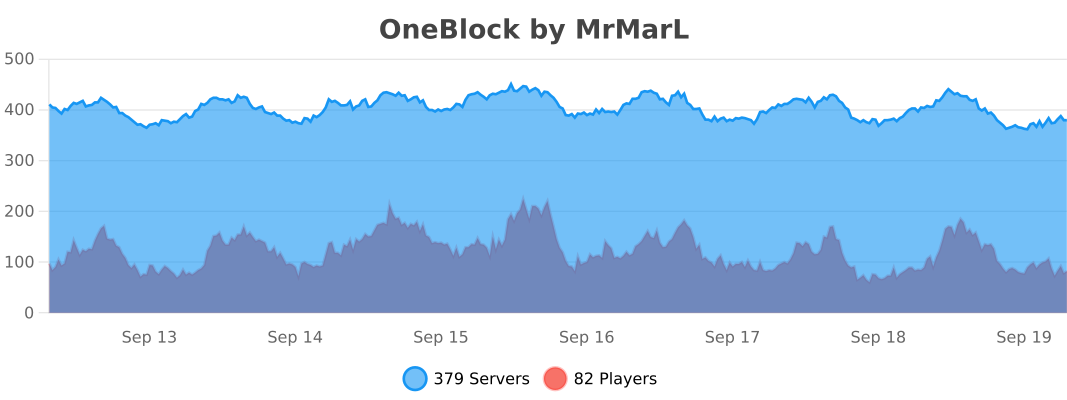
# 📈 Stats