Back to marketplace
SkyBlock Enhanced – Legacy Edition
Modrinth Modpack

SkyBlock Enhanced – Legacy Edition

Improve your Hypixel SkyBlock experience with carefully selected mods in a one-click modpack. Enjoy a performance boost and convenient quality-of-life upgrades.

Minecraft product info

Important product information

Compatibility, Minecraft versions, loaders, and external source data.

Type

Modpack

Access

Free

Latest version

2.3.21

Downloads

81 095

Loaders / Platforms

forge

Minecraft versions

1.8.9

Categories

adventure multiplayer optimization

Description

Detailed information

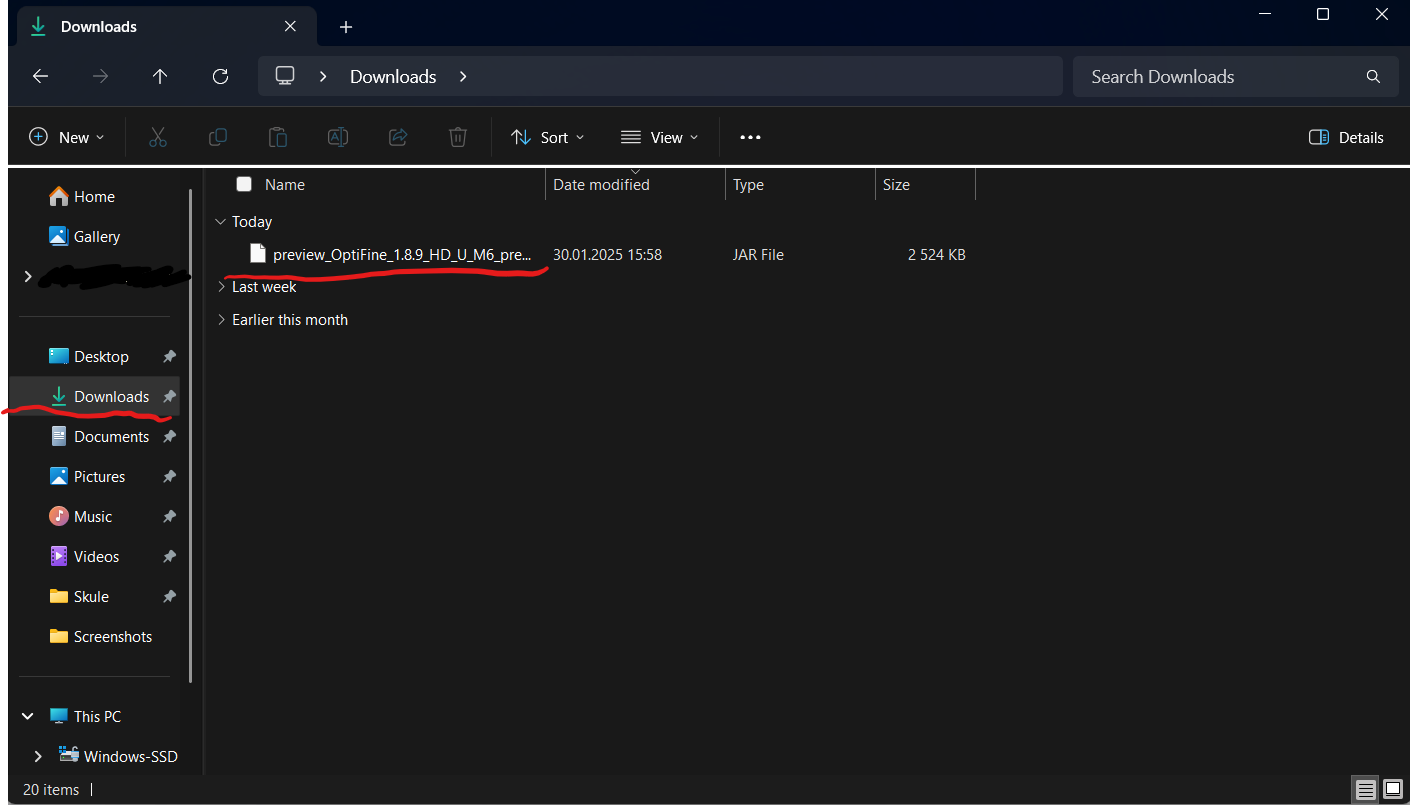
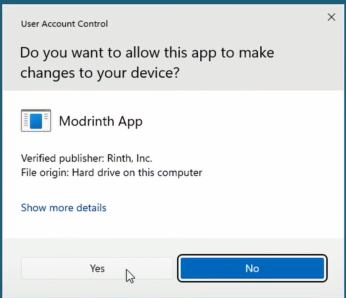
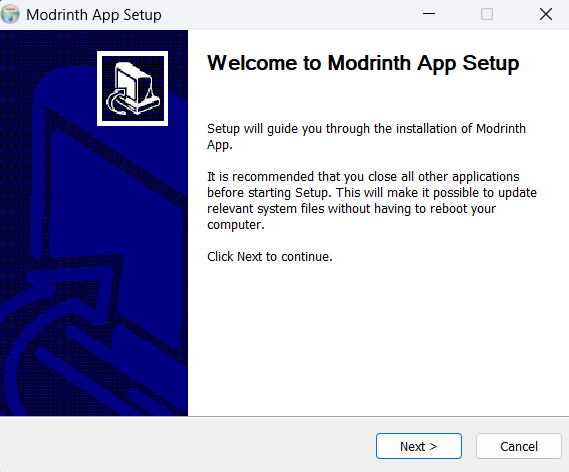
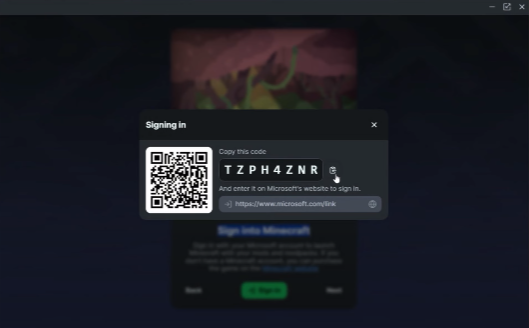
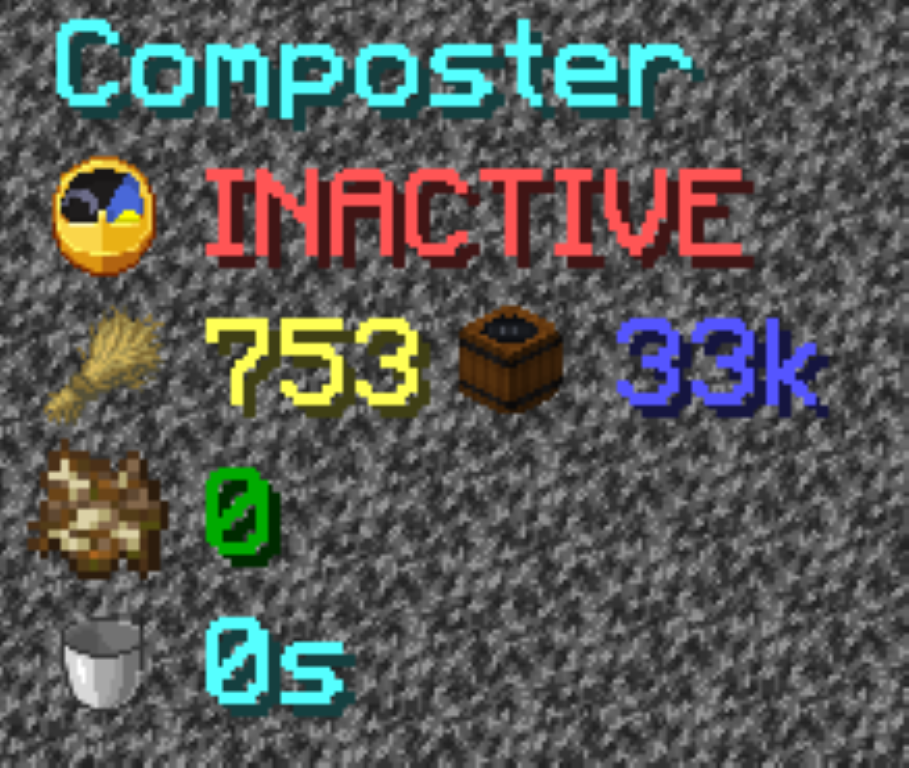
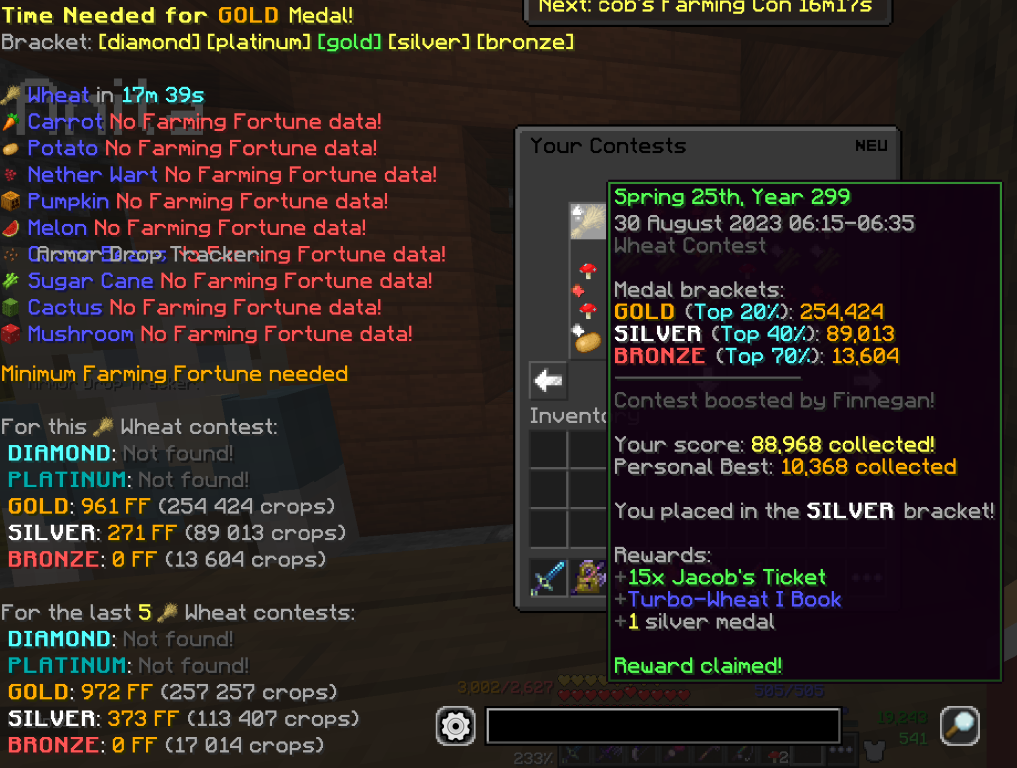
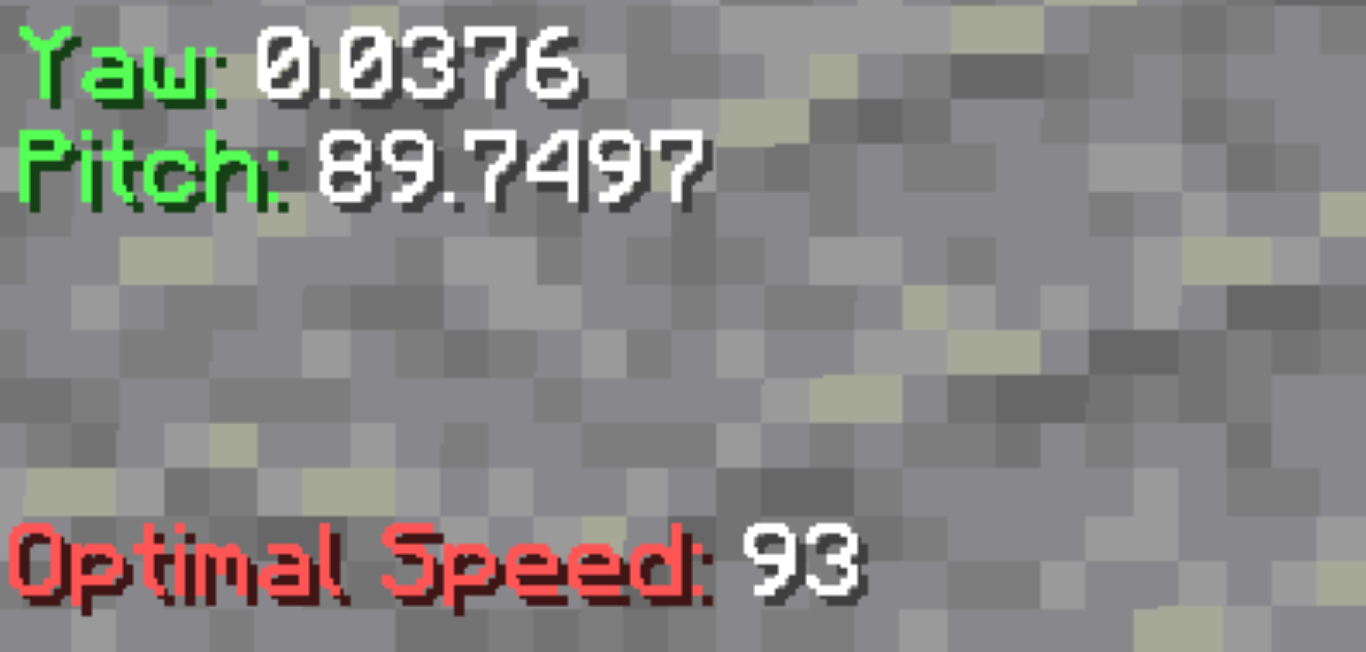
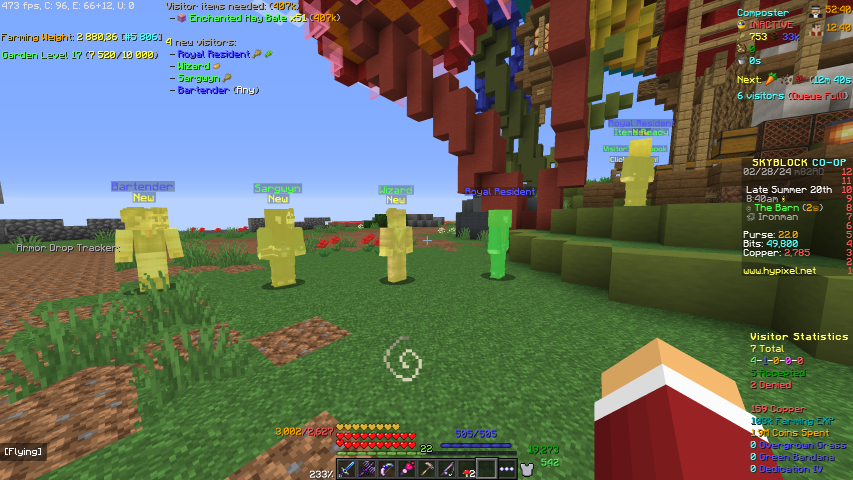
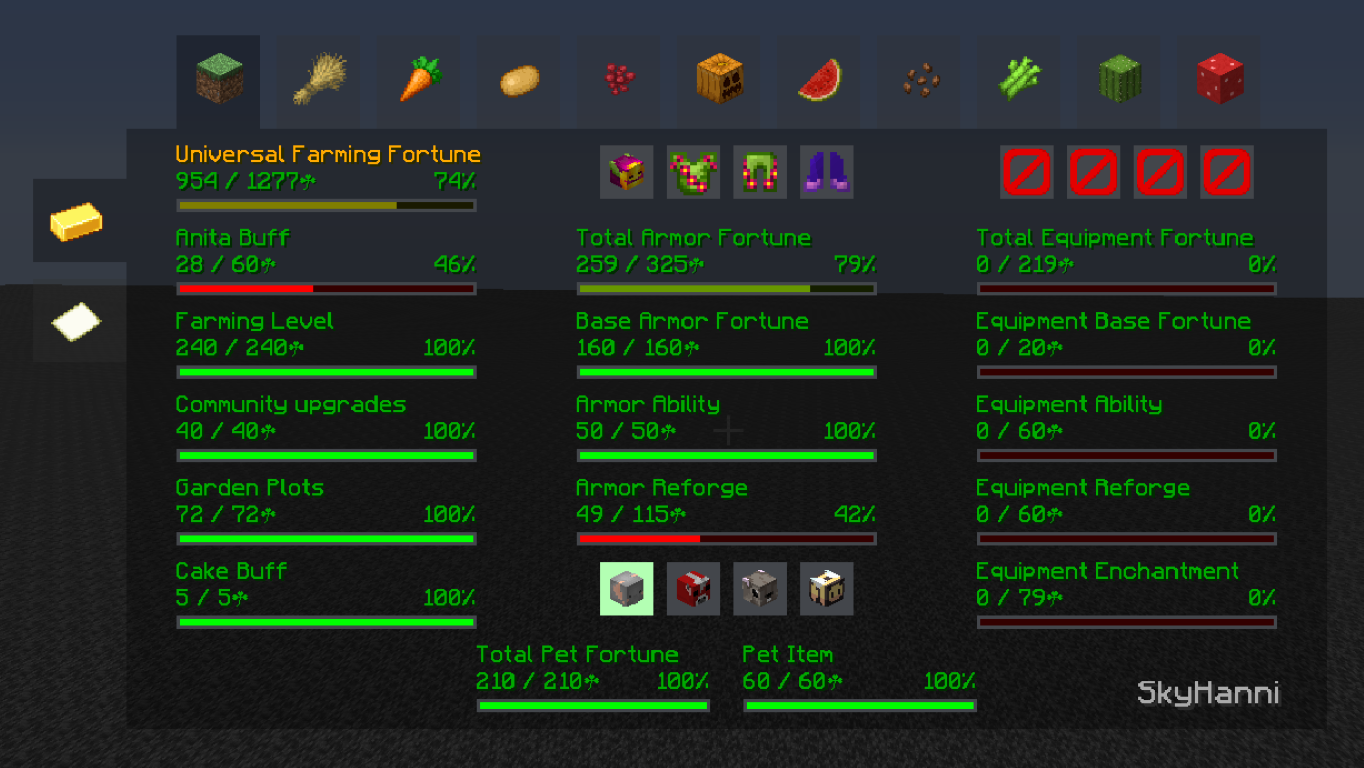
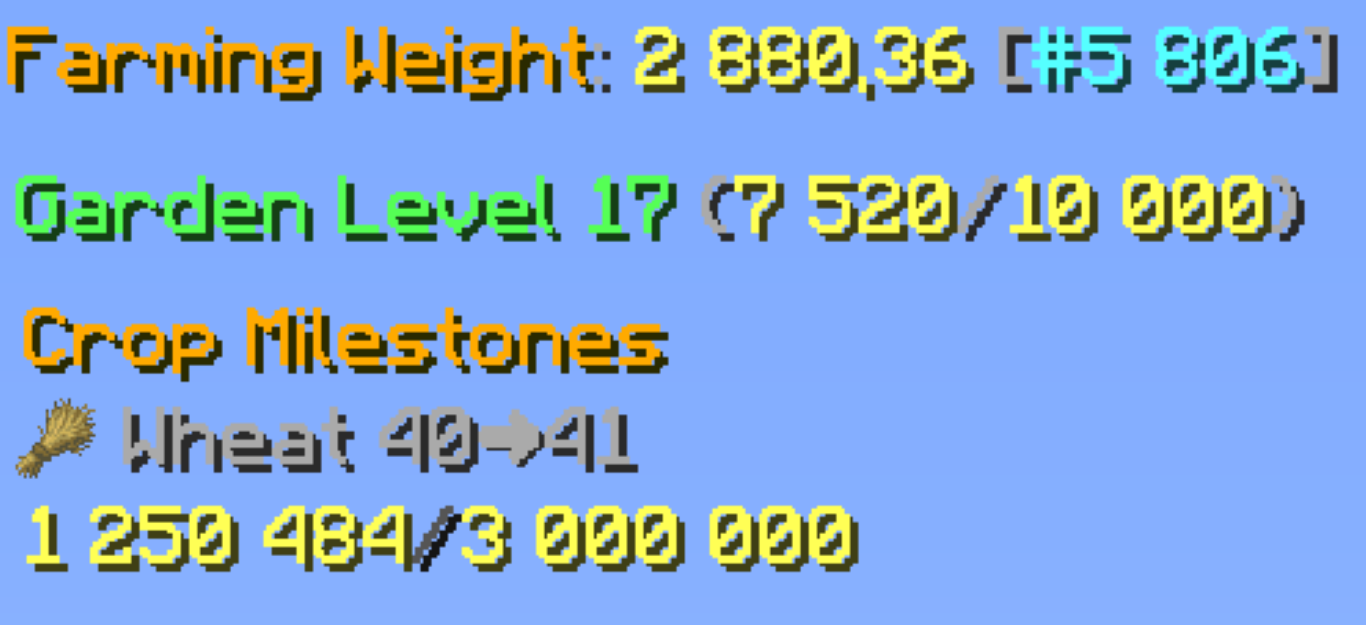
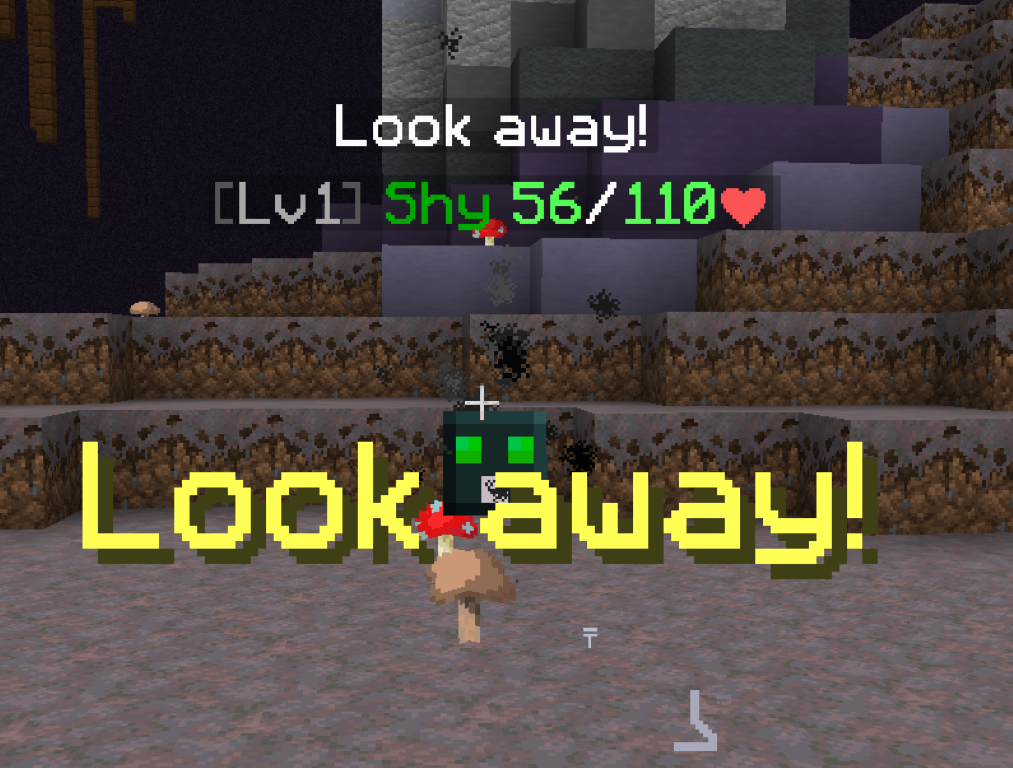
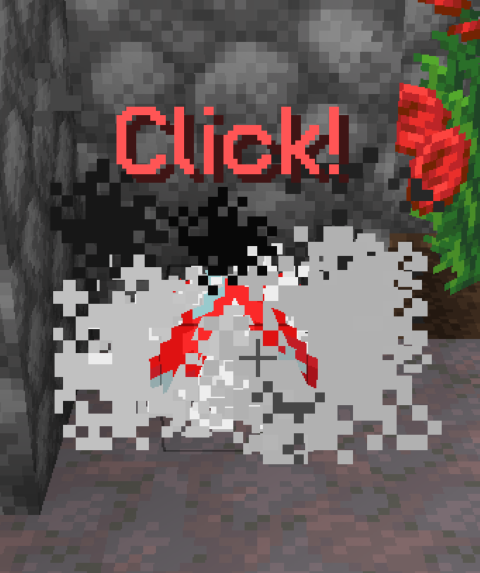
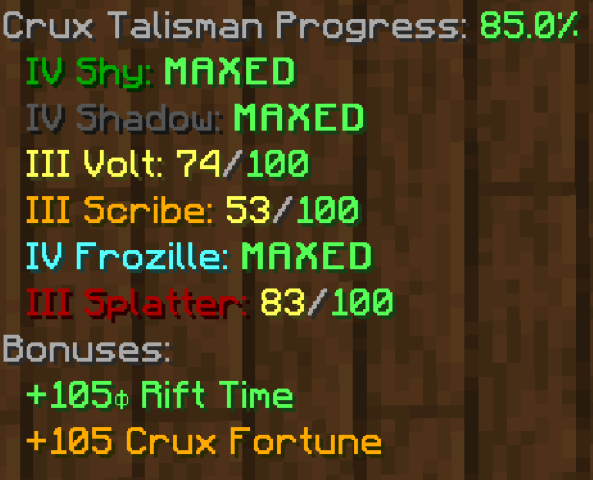
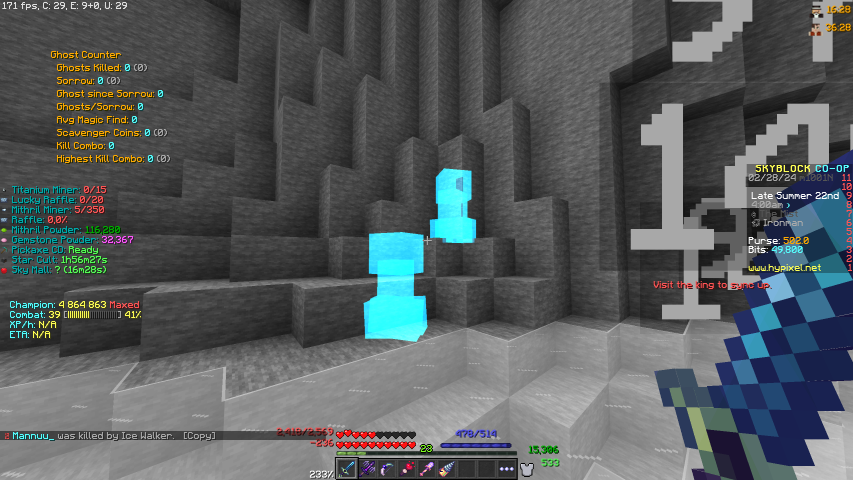
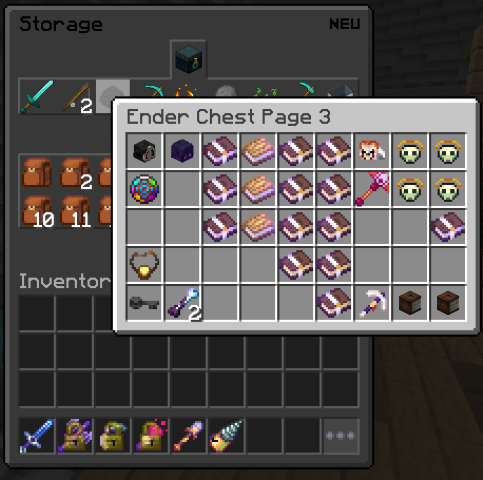
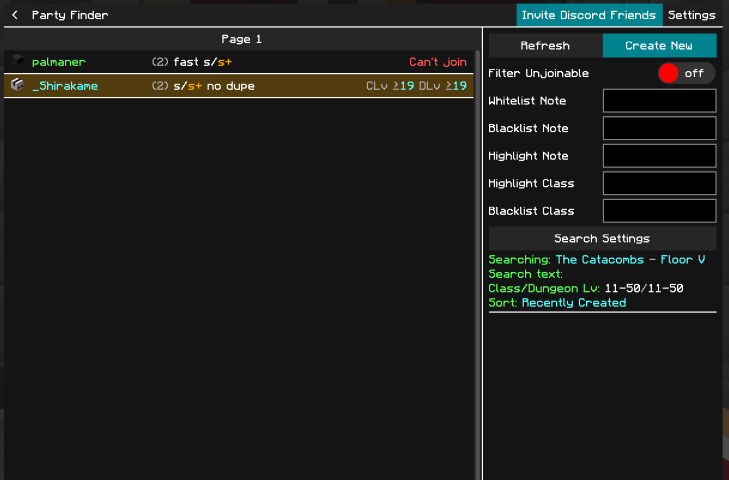
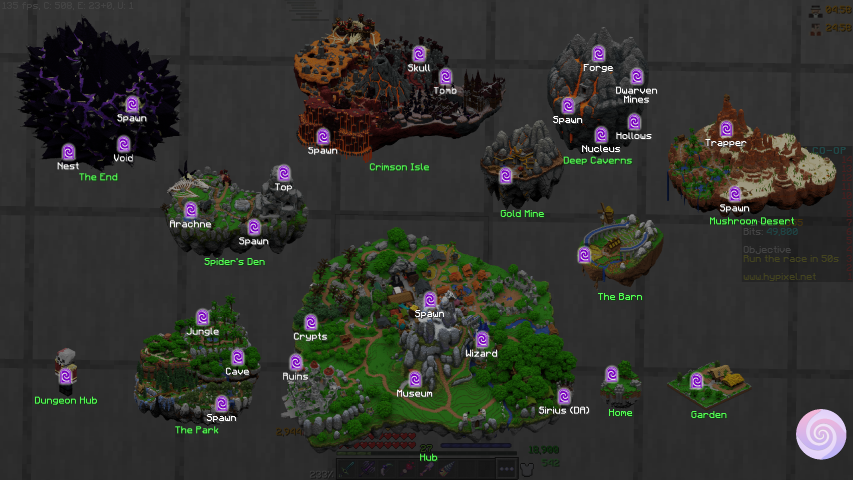
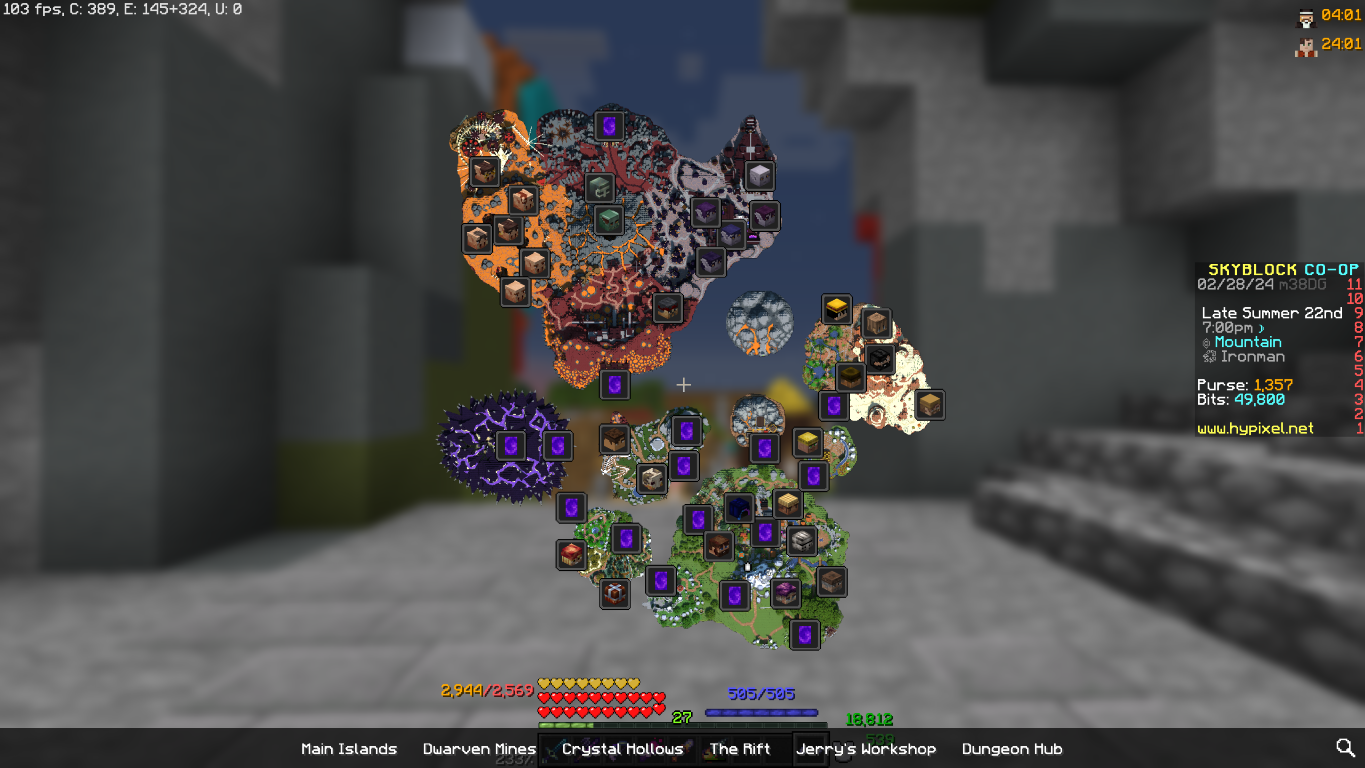
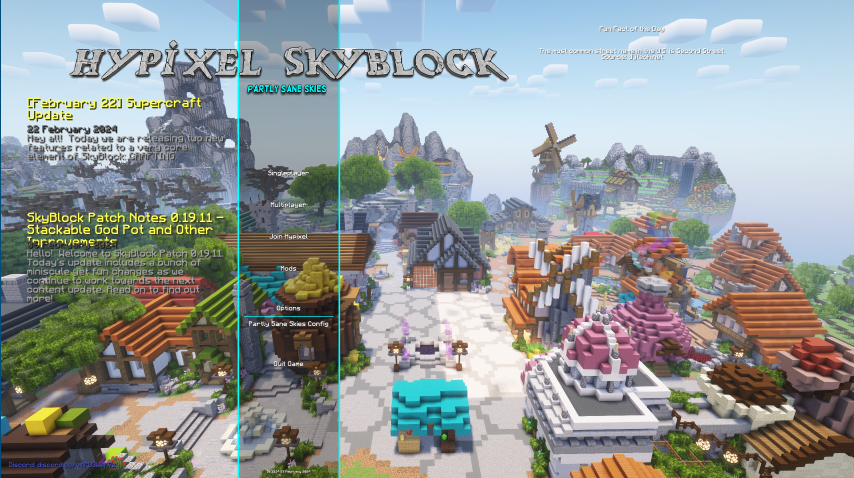
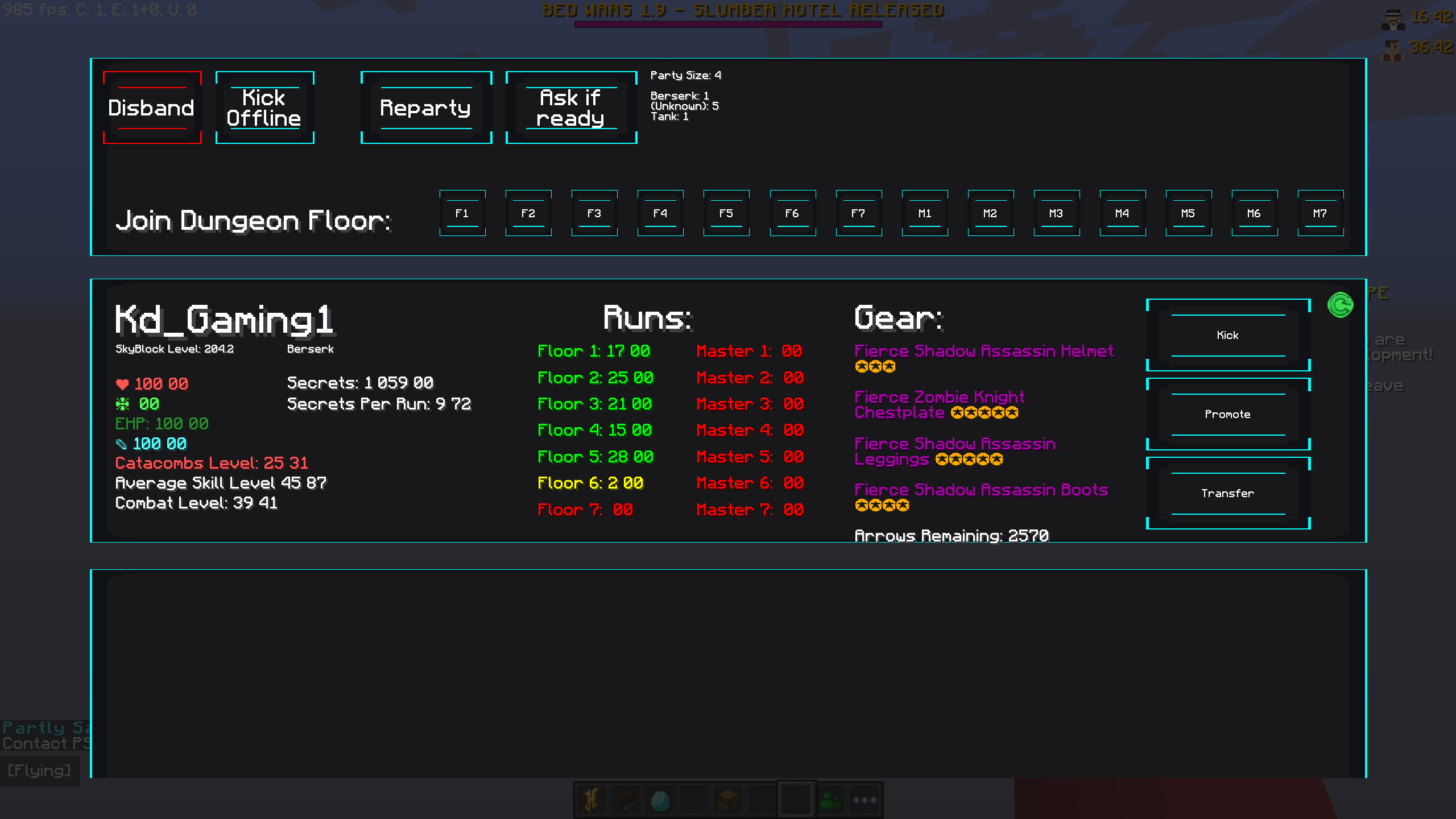
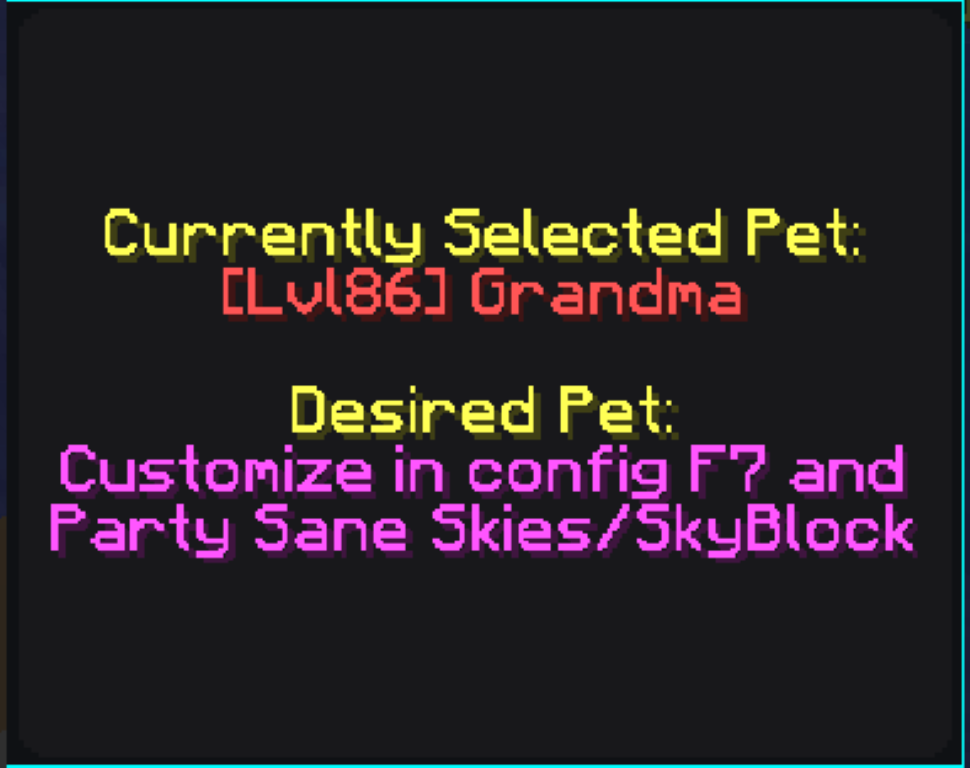
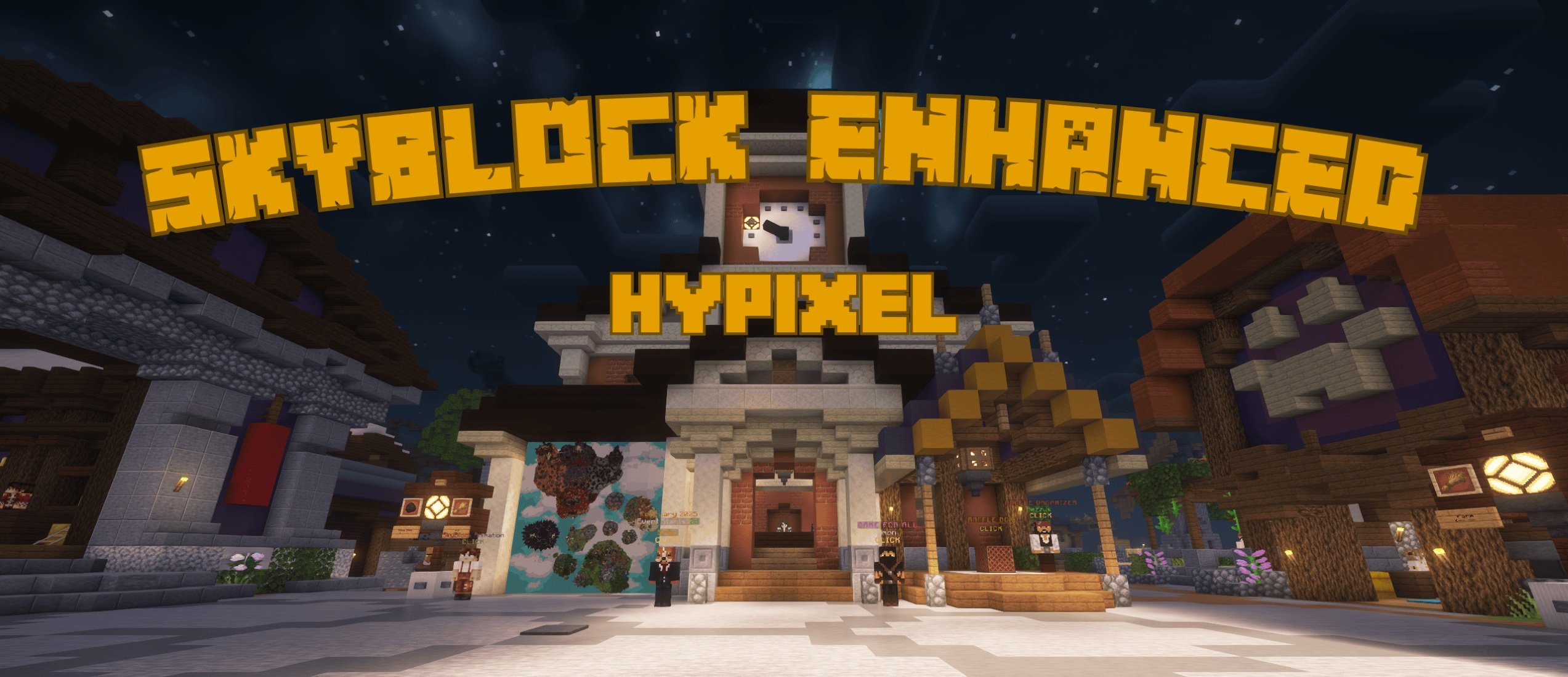
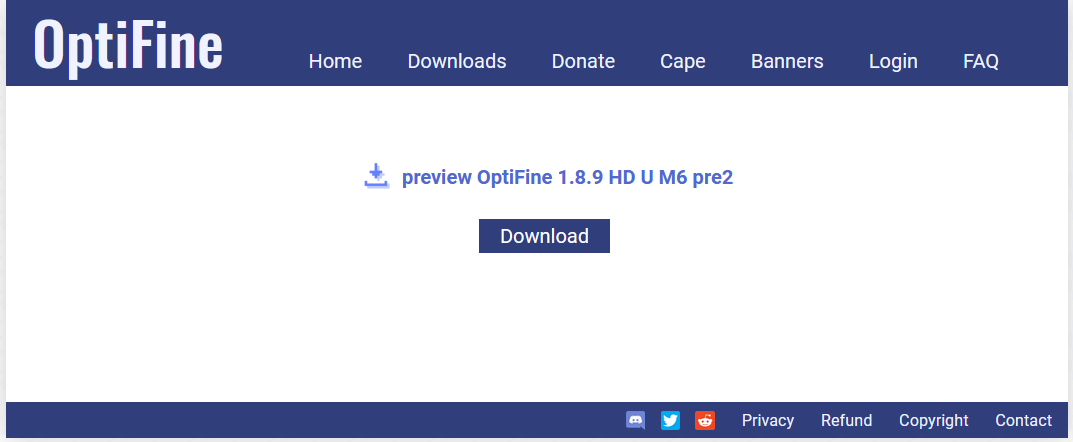
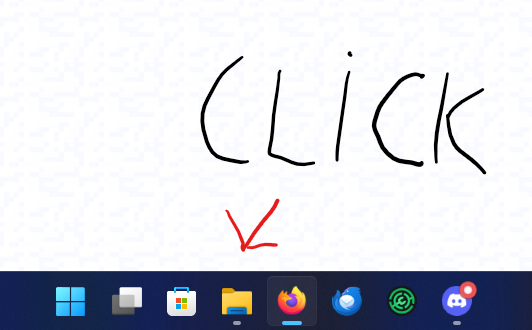
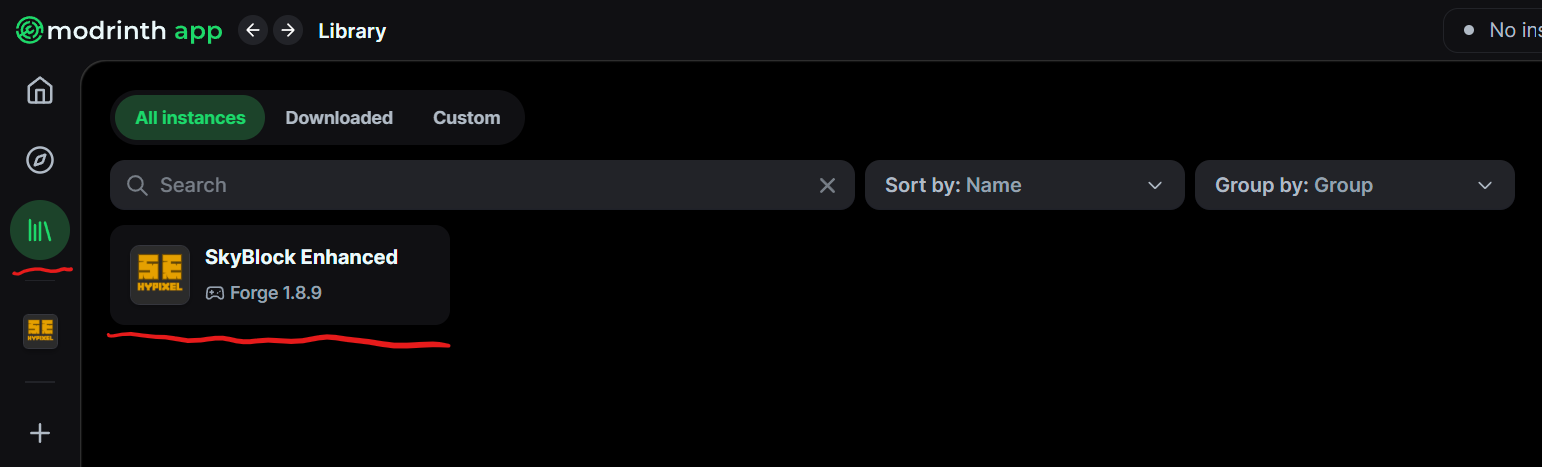
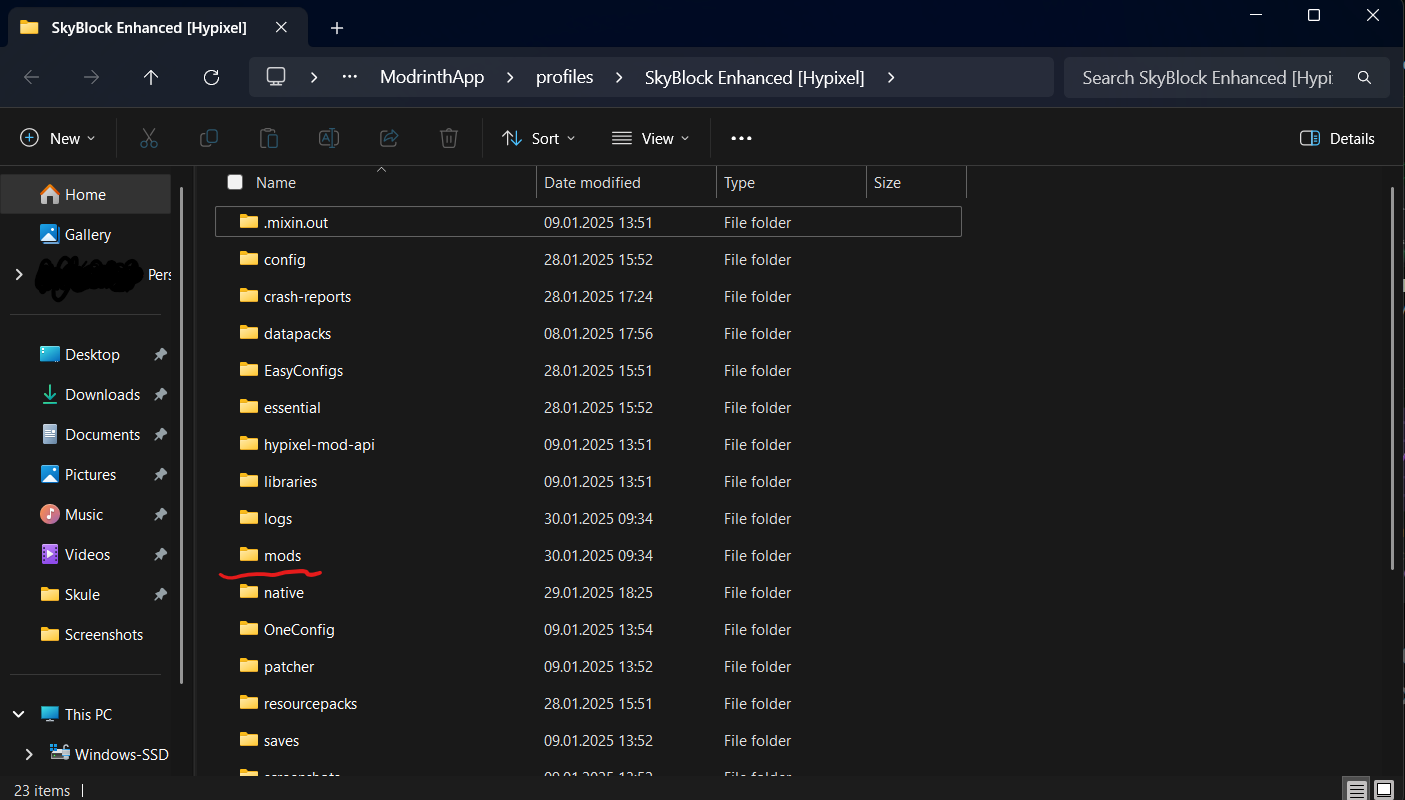
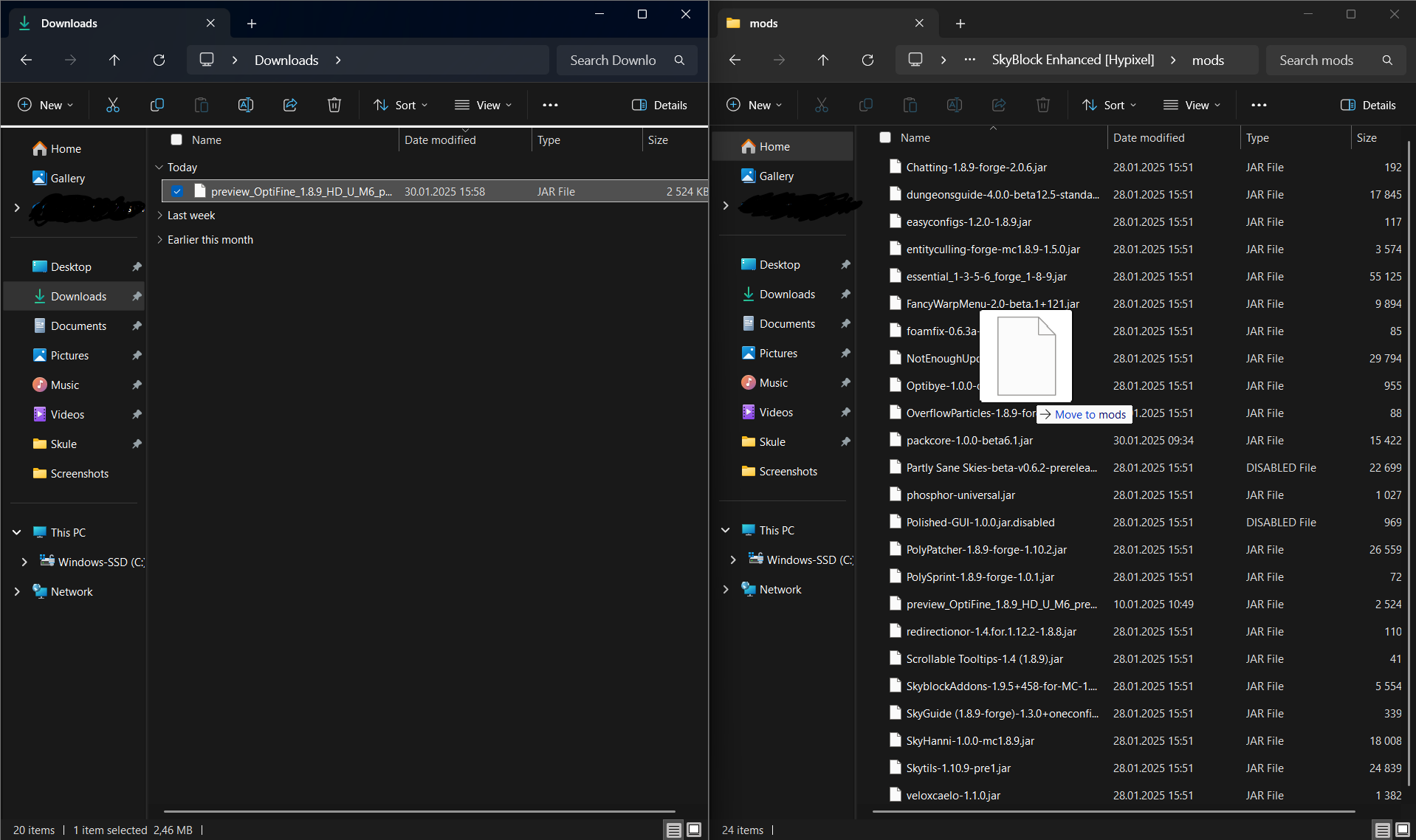
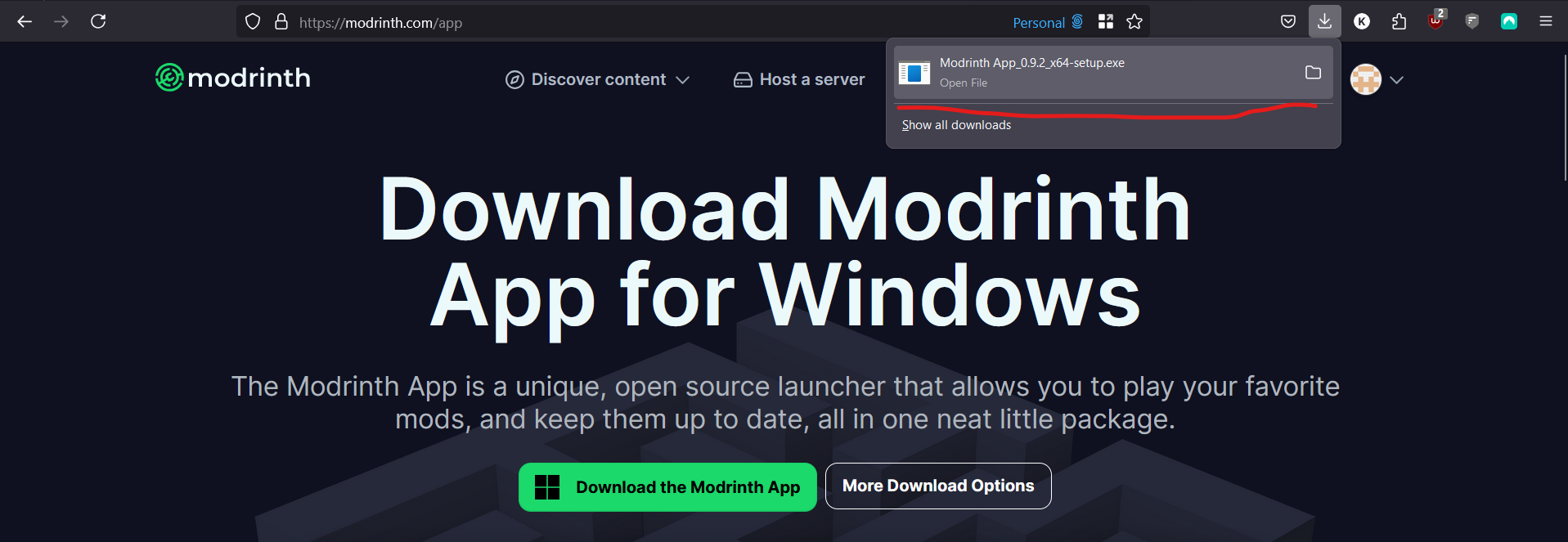
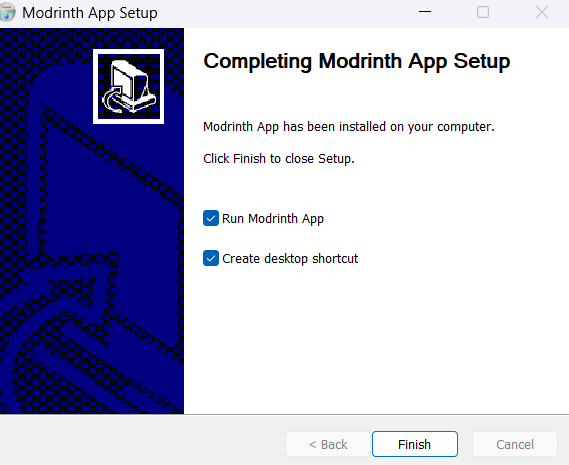
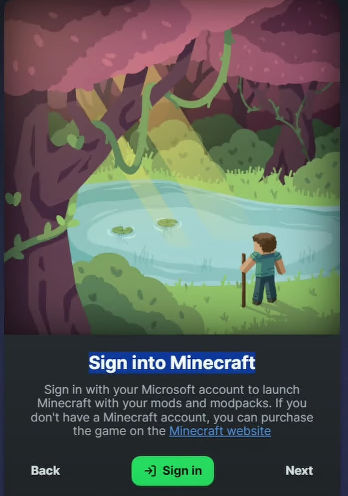
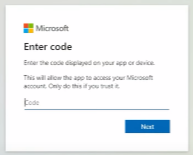
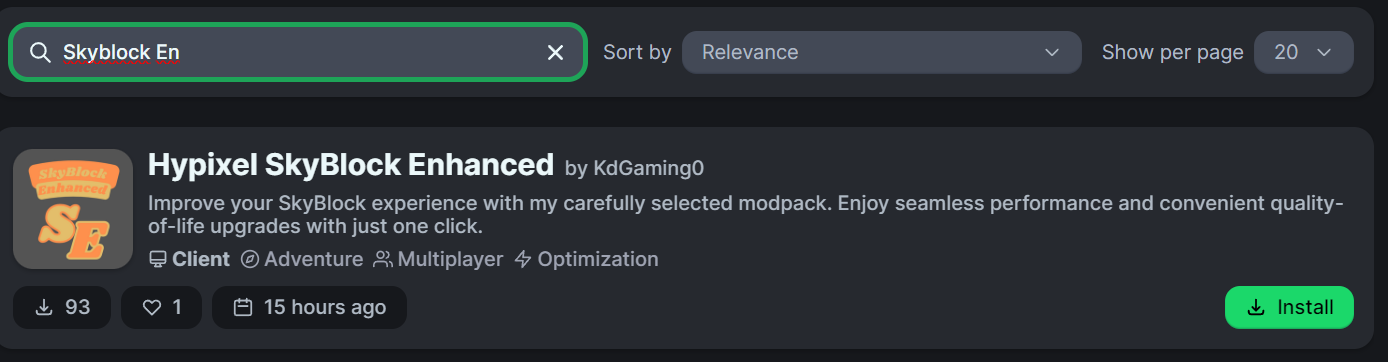
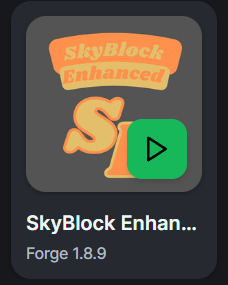
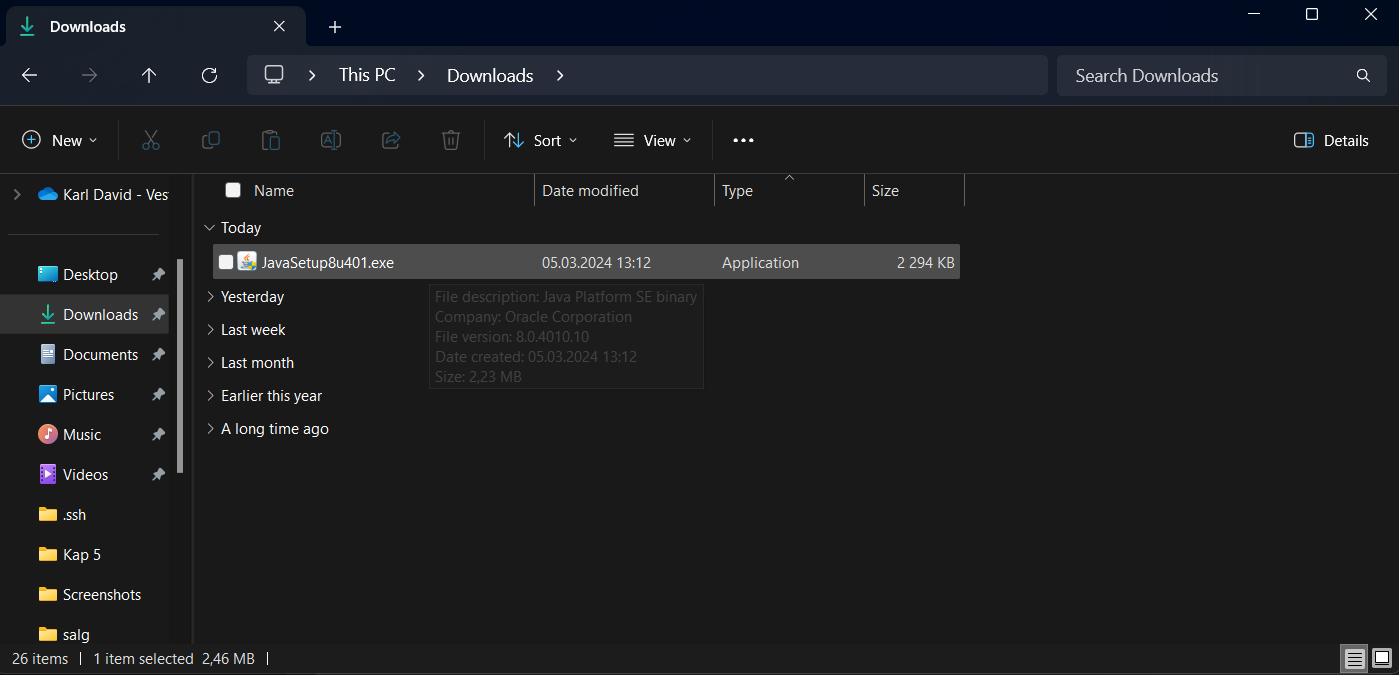
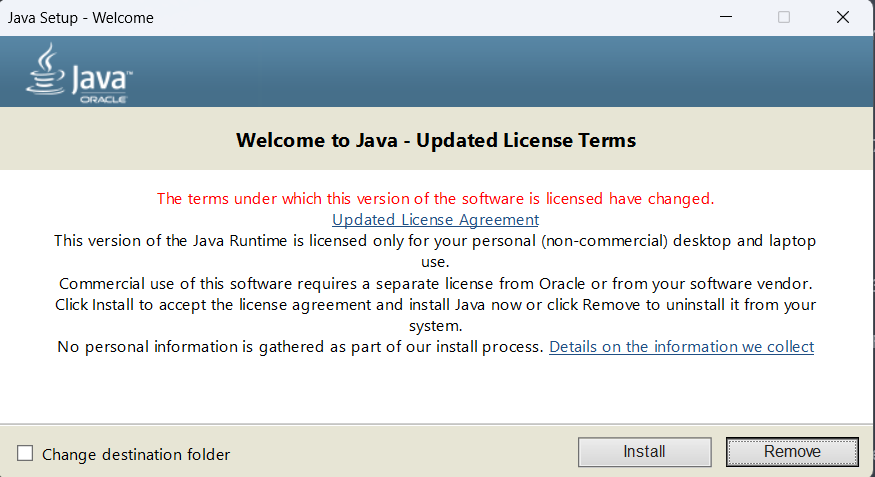
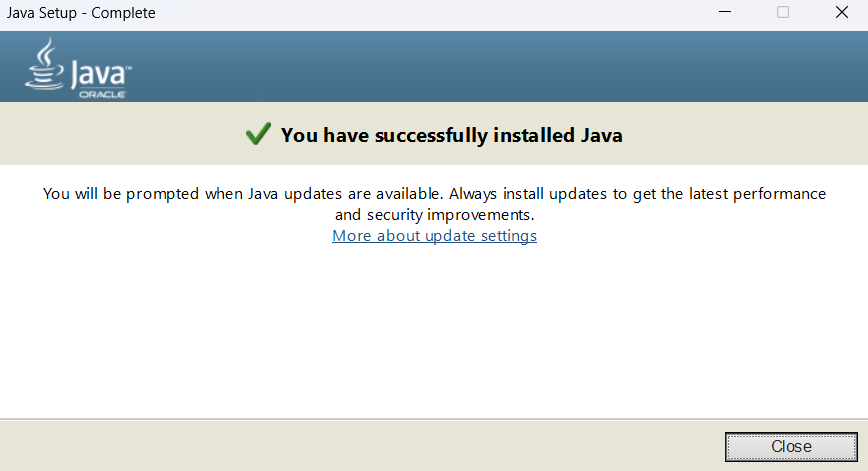
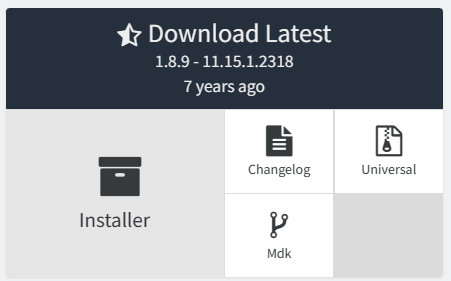
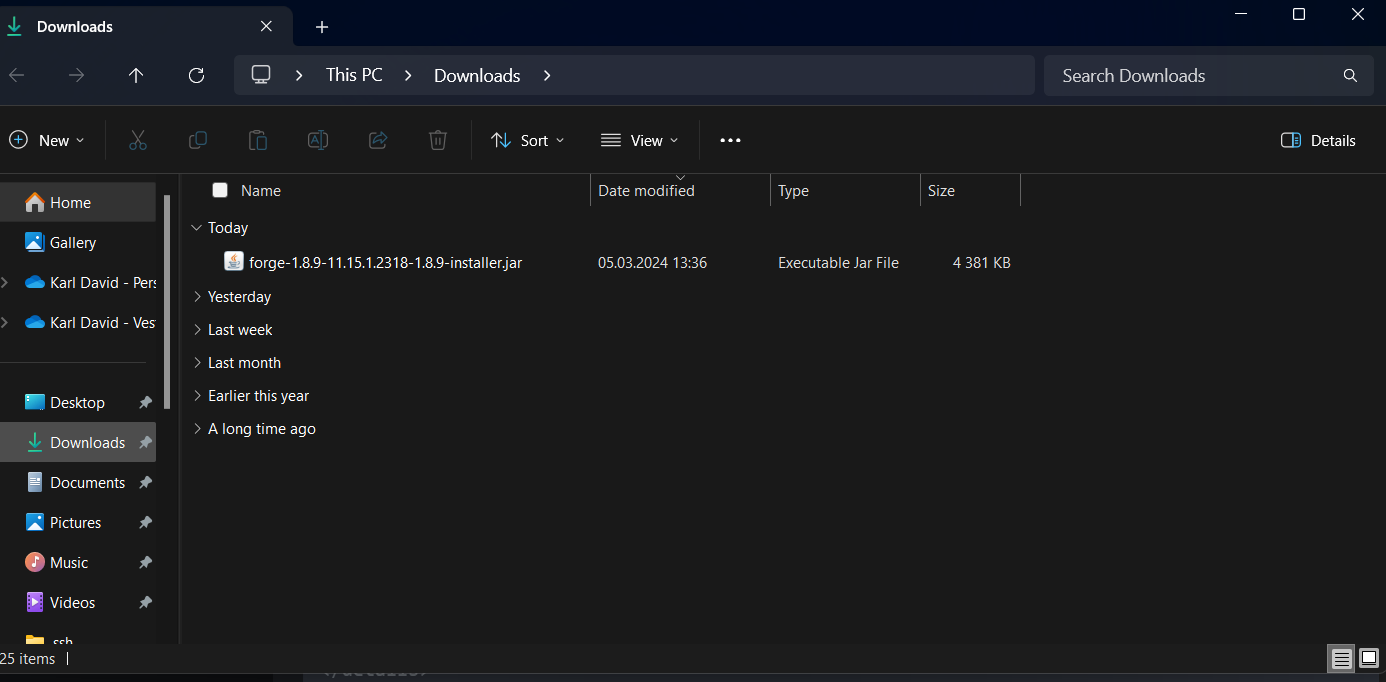
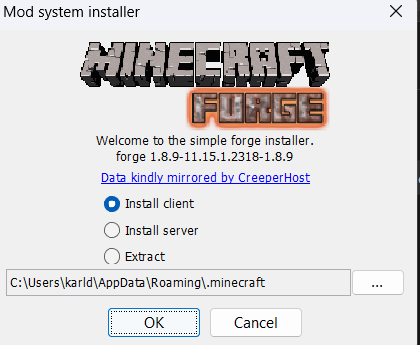
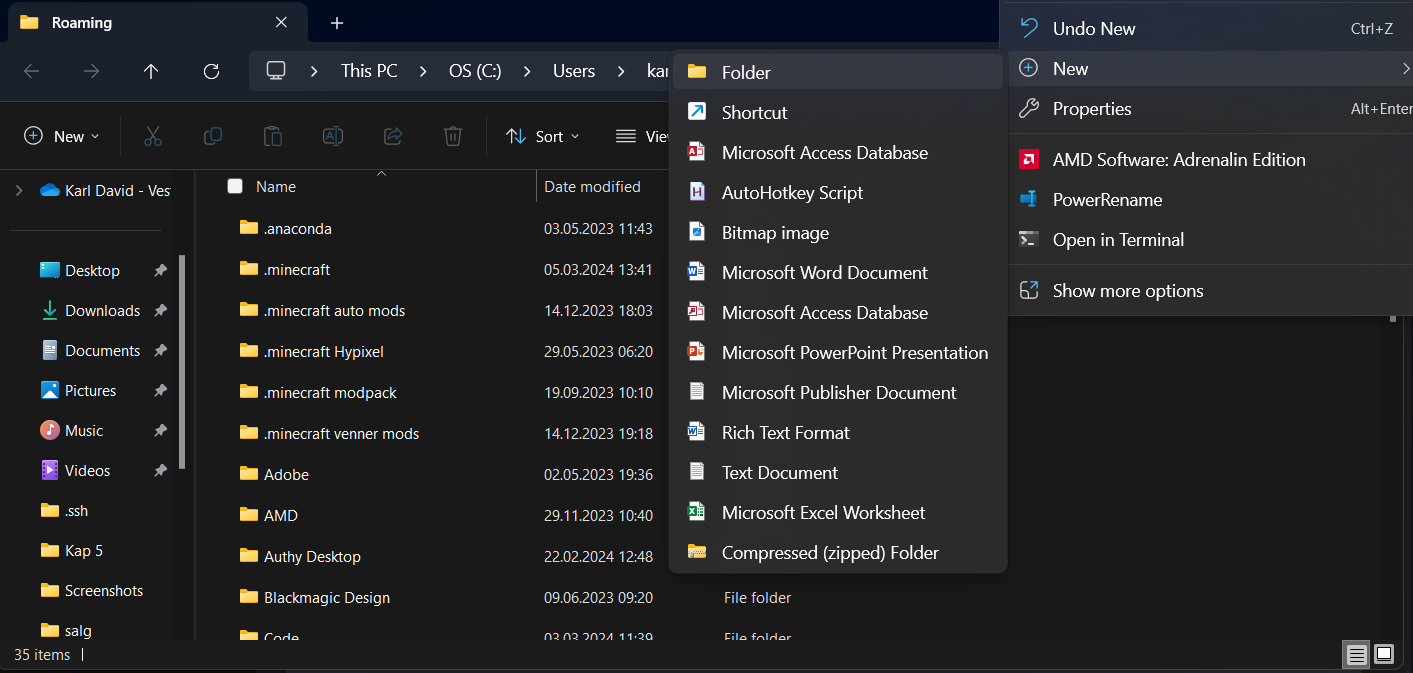
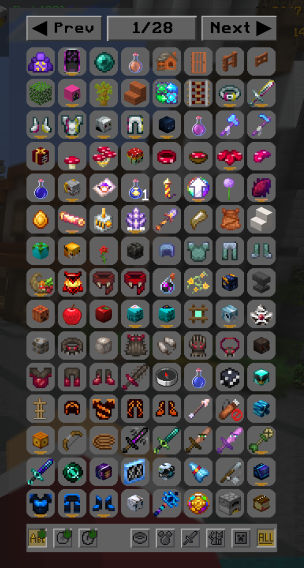
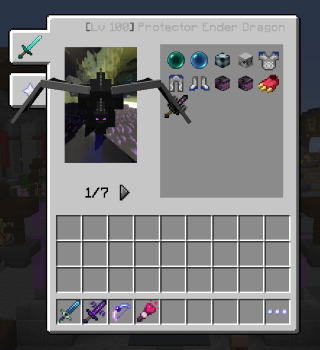
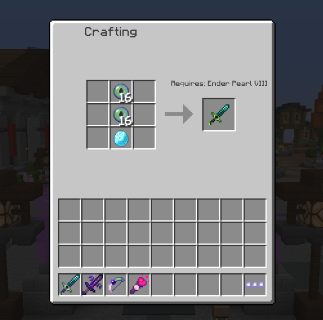
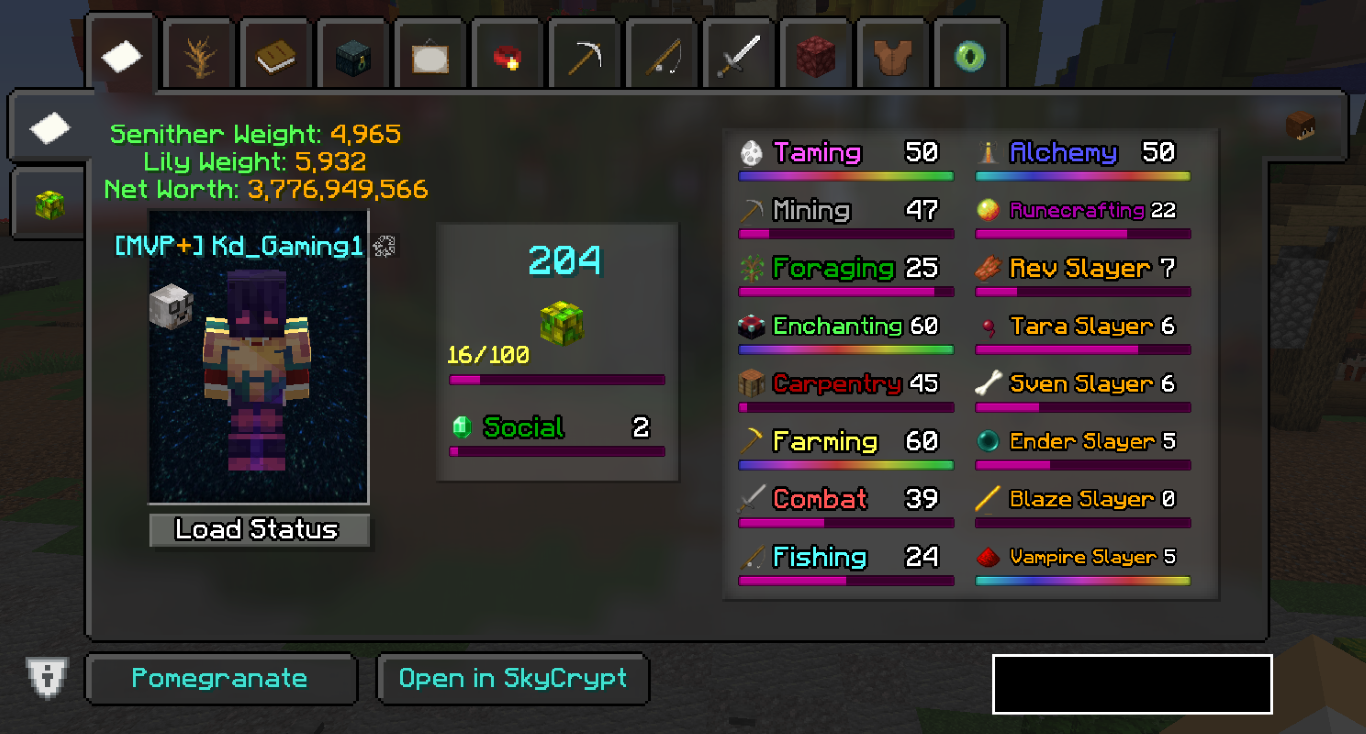
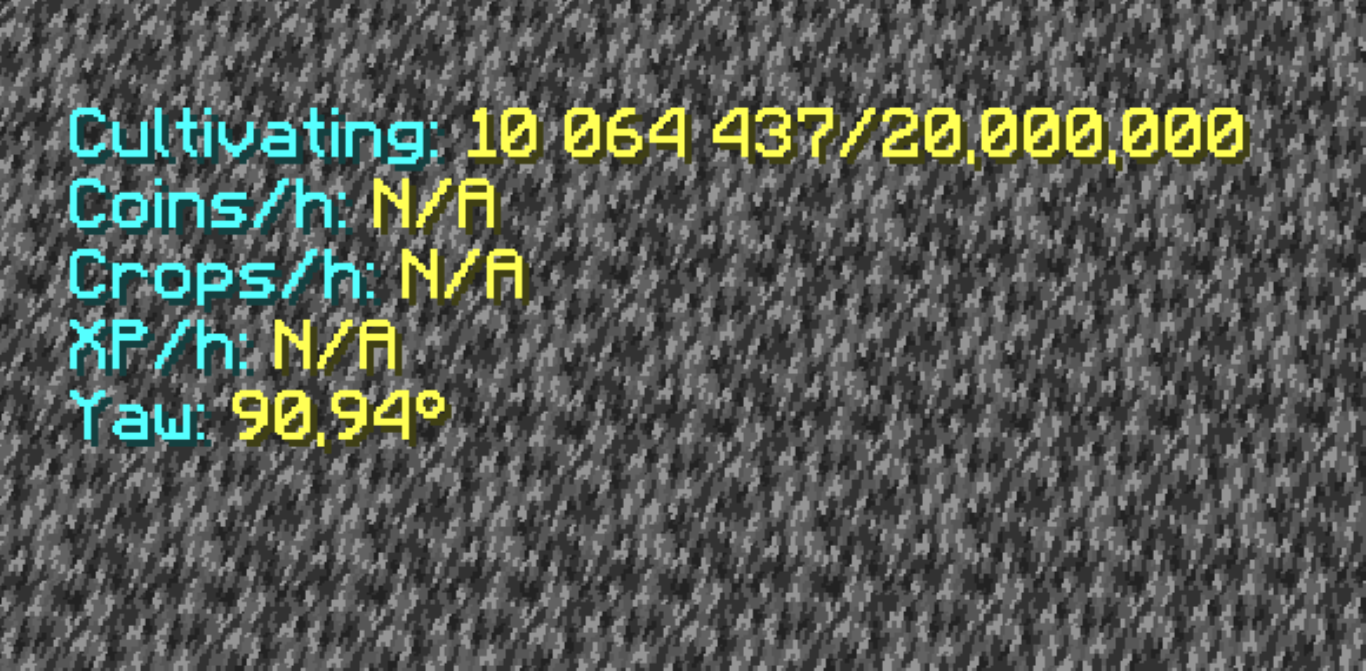
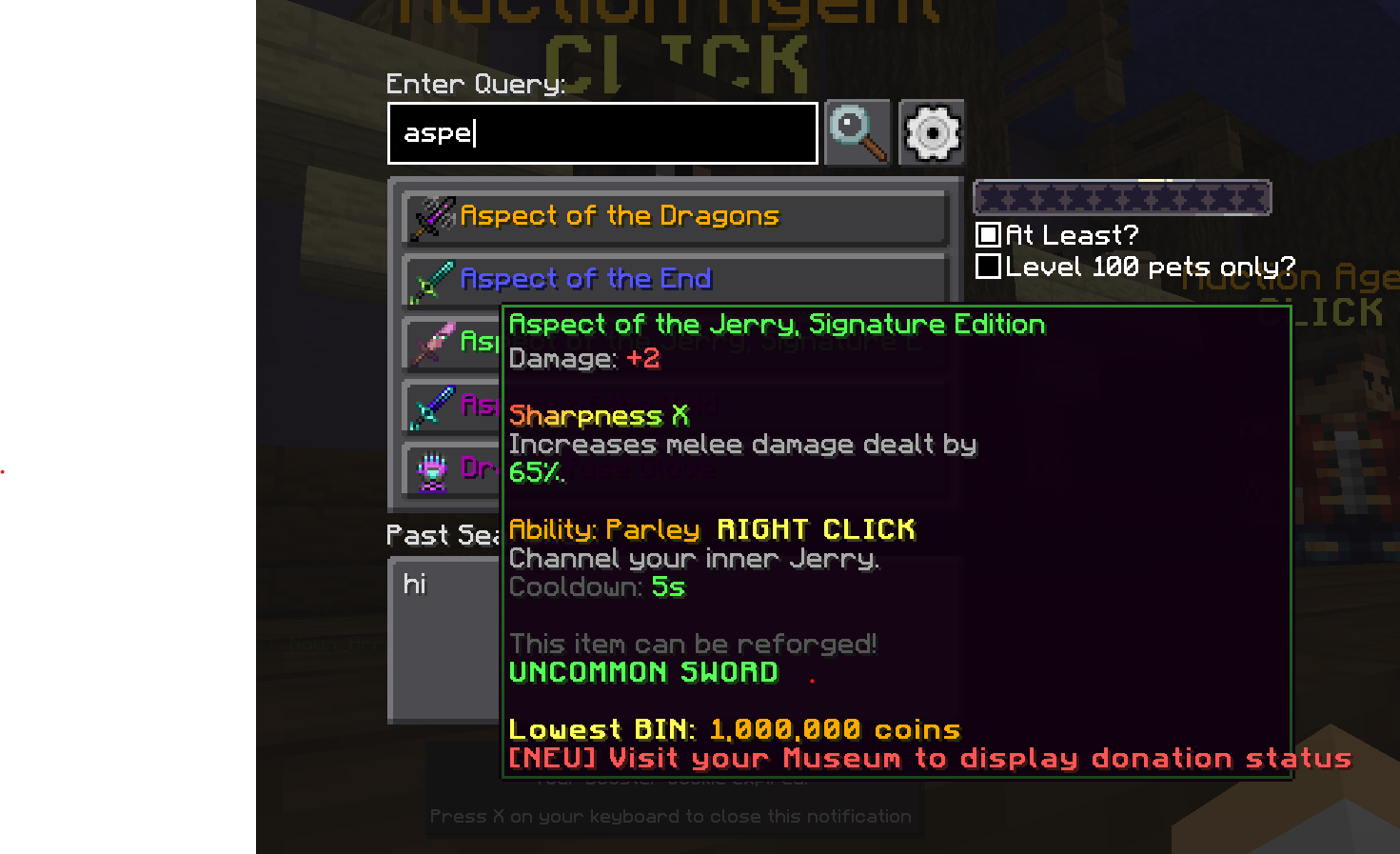
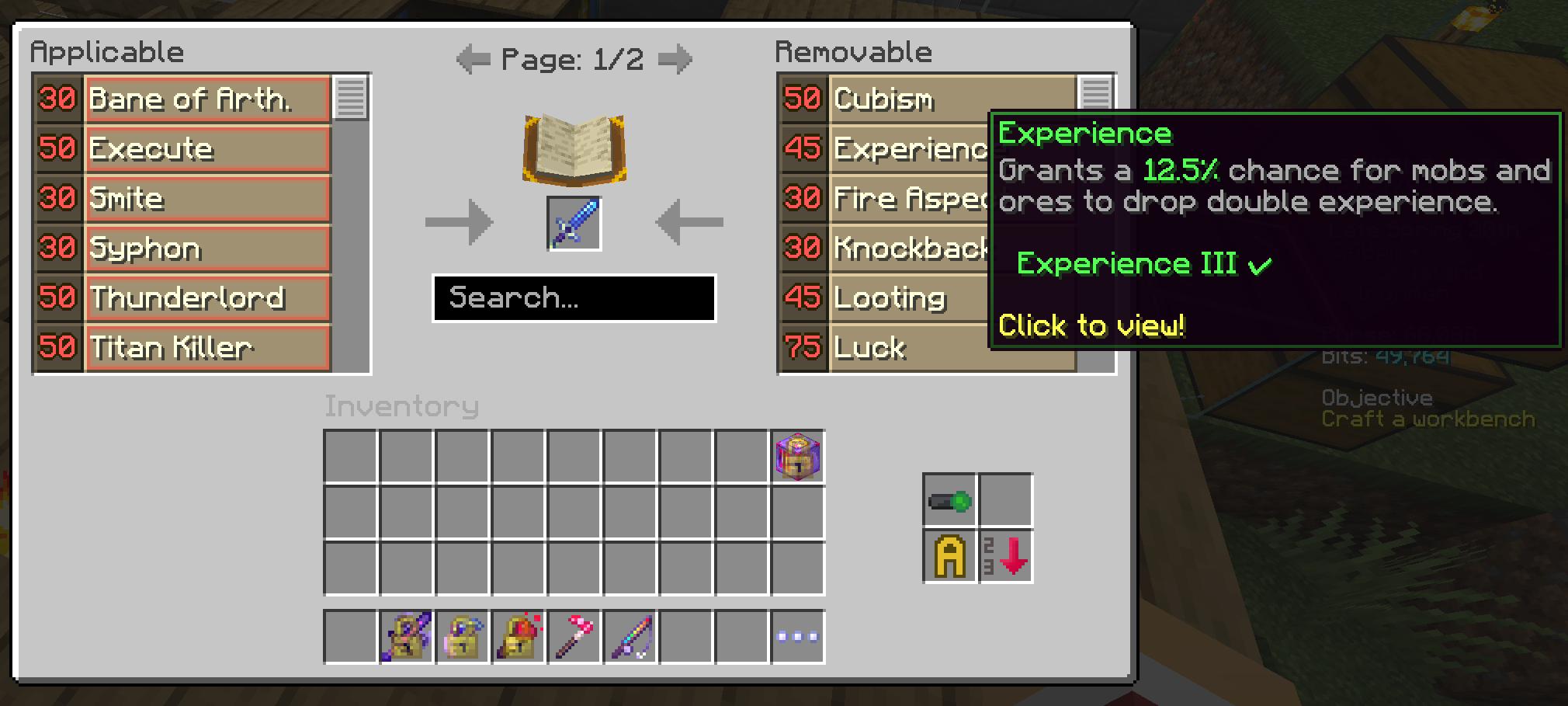
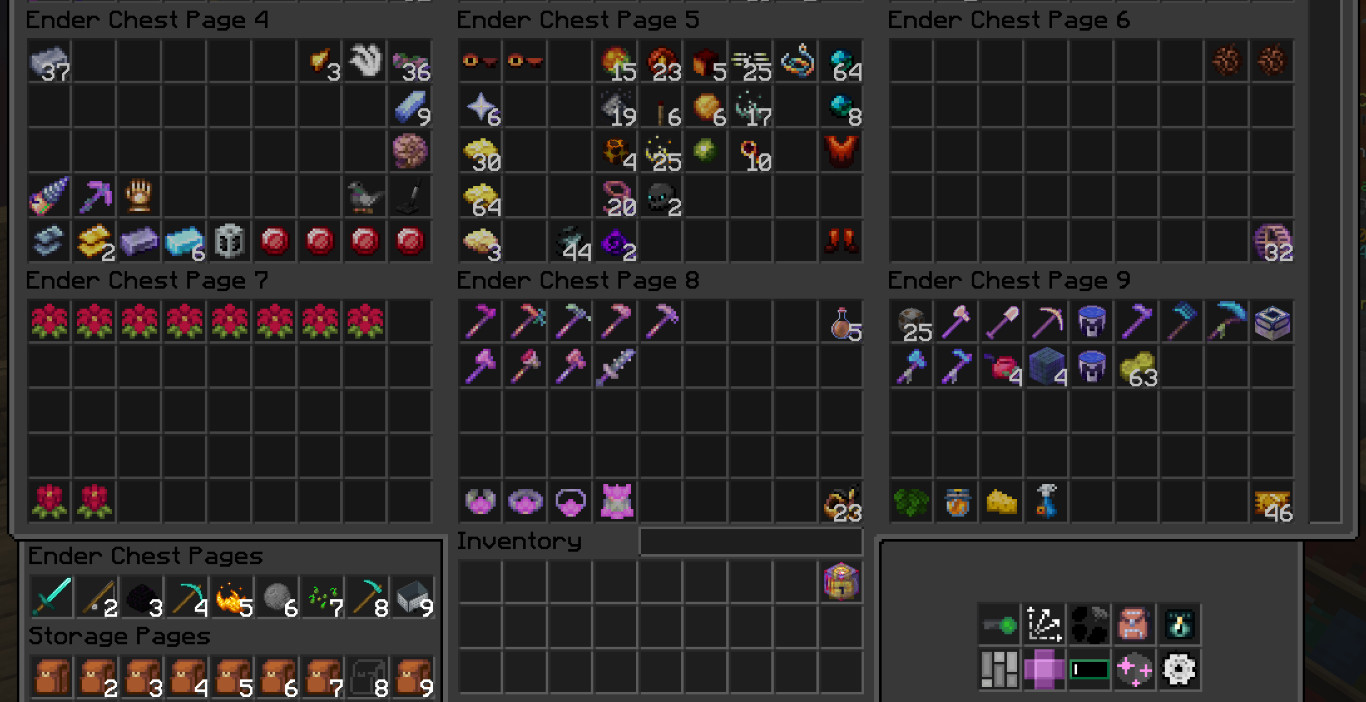
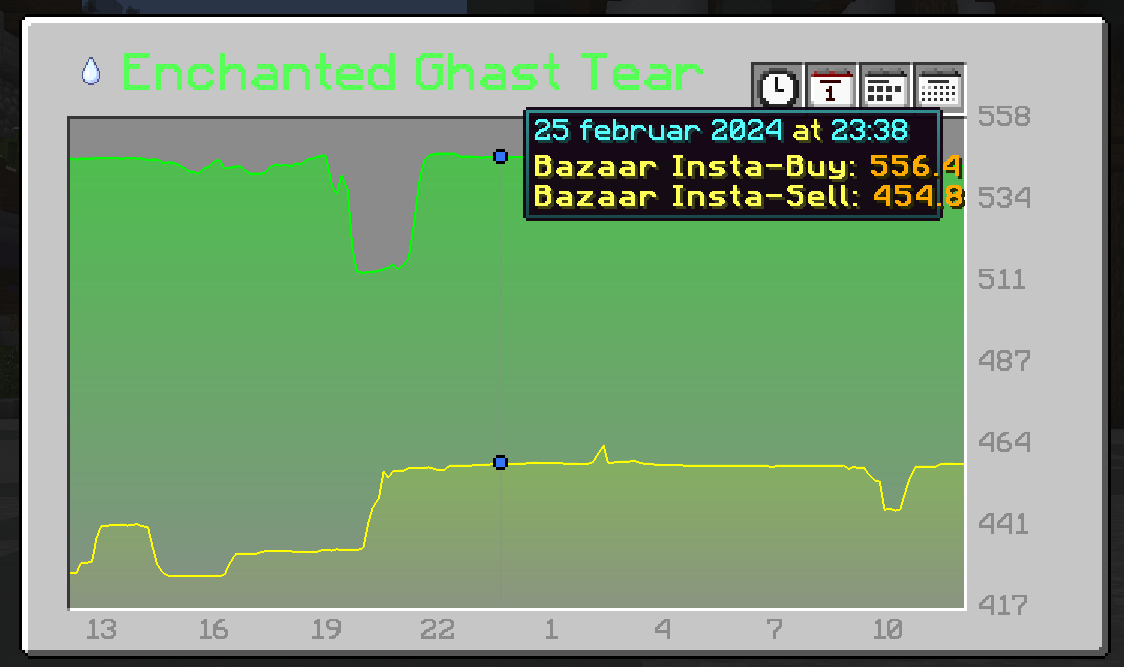
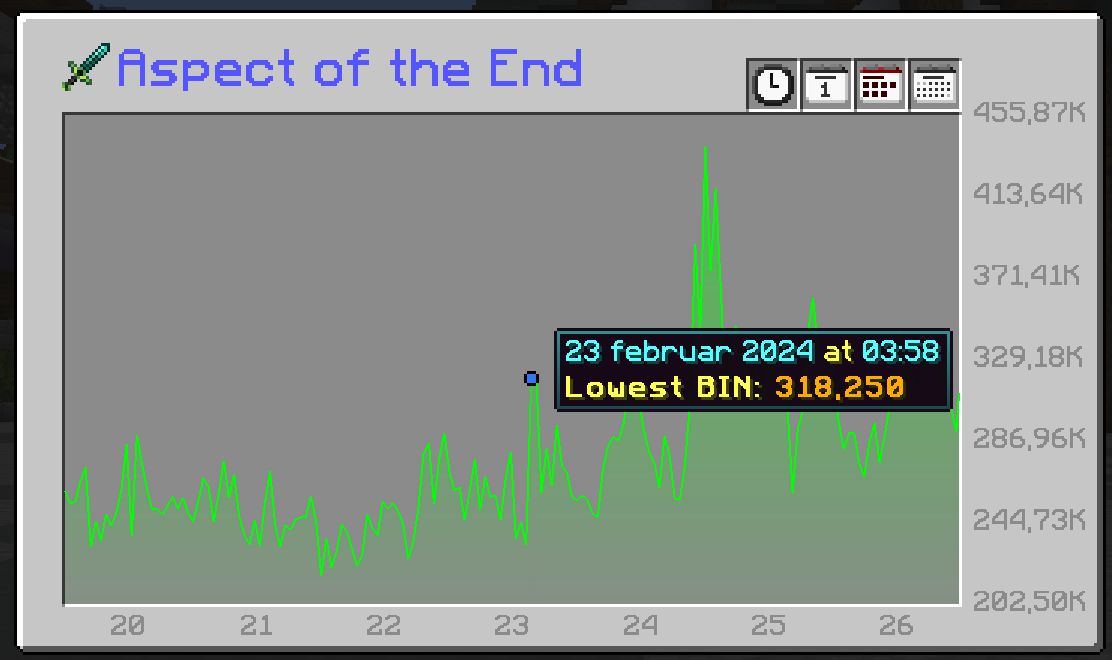
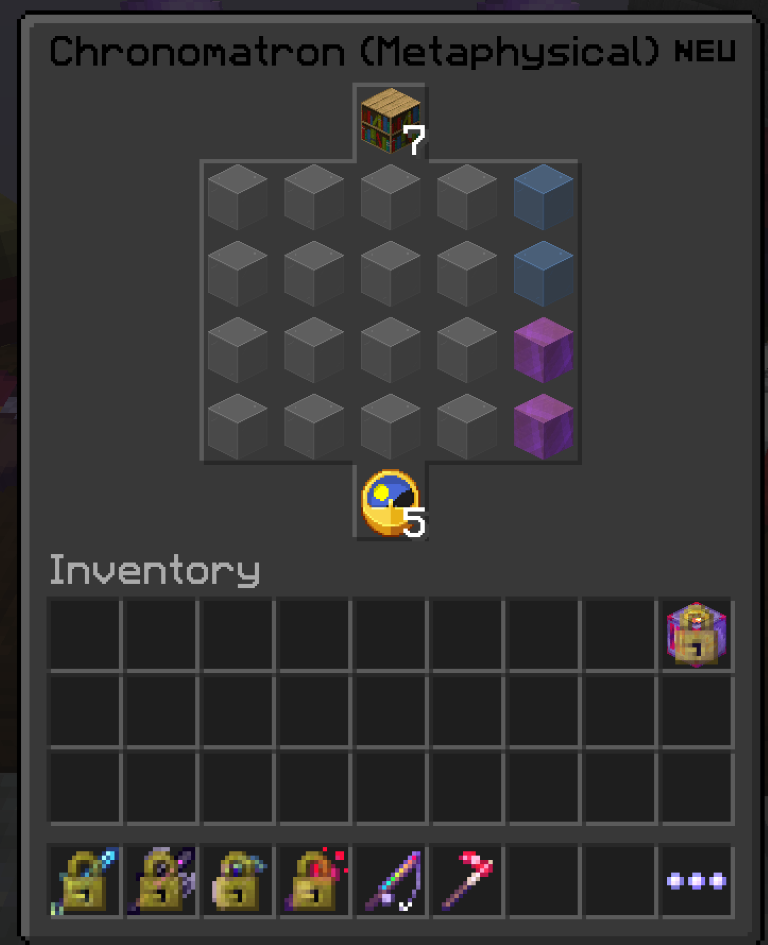
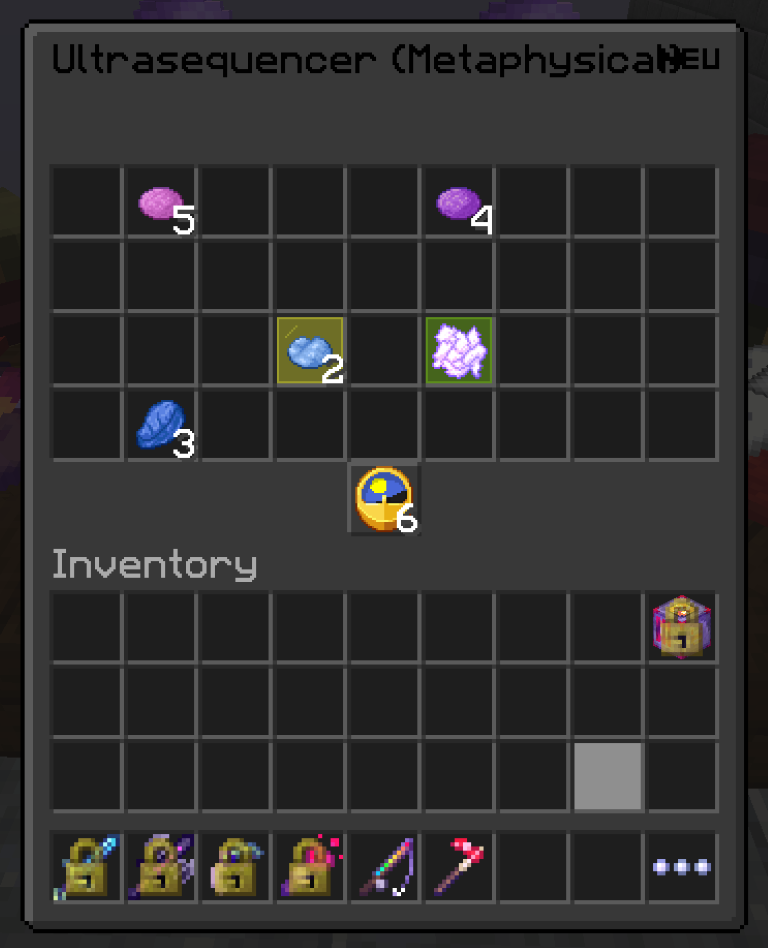
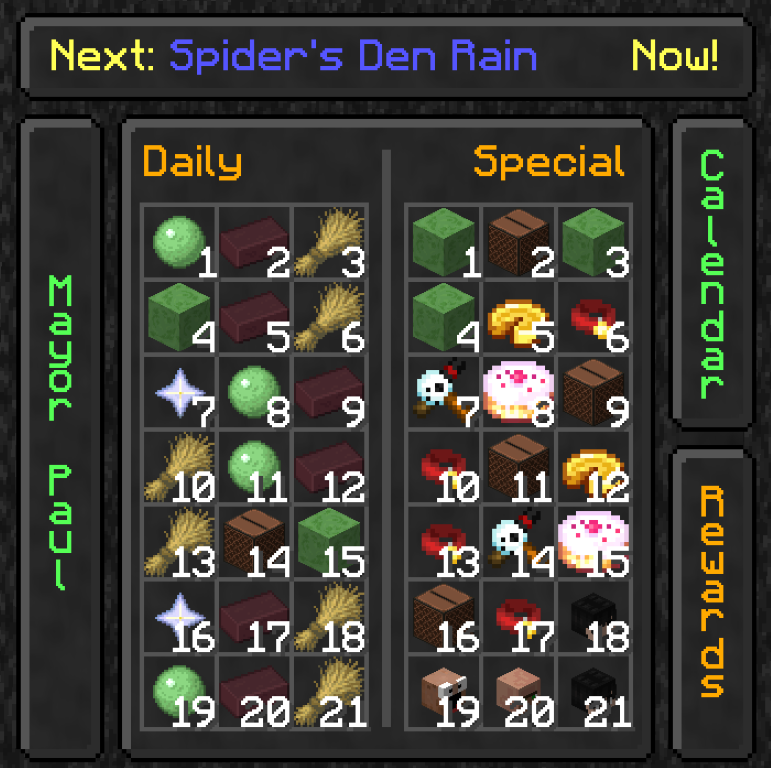
![The Hypixel skyblock hub with Skyblock Enhanced text and a beautiful nath sky with saders](https://cdn.modrinth.com/data/cached_images/0fea35eb599906e1f8610c669ca656371a4ff8fa.jpeg) # END OF LIFE This modpack is no longer maintained. Hypixel will soon require Minecraft 1.21.5 or newer for SkyBlock. The 1.8.9 version will not receive any more updates or fixes. Please switch to SkyBlock Enhanced – Modern Edition: https://modrinth.com/project/e0oMrxjp ## SkyBlock Enhanced: Your All-in-One Modpack for Hypixel Skyblock! SkyBlock Enhanced bundles essential mods to elevate your Hypixel Skyblock gameplay. Enjoy an easy, one-click installation for improved performance and helpful on-screen quality-of-life features. --- ### 🔔 Important Notes (Read Before Installing!) - 📢 **Manual Optifine Installation Required:** For custom Skyblock textures and optimal performance, you **must** install Optifine separately. - 📢 **Allocate Sufficient RAM:** Assign **at least 4GB of RAM** to Minecraft for smooth gameplay. 2GB will lead to stuttering and lag. - Enjoying the modpack? Show your appreciation on the [forum post](https://hypixel.net/threads/skyblock-enhanced-hypixel-a-pre-configerd-modpack-for-skyblock-version-1-8-9.5847134/page-2#post-40785731). <details> <summary>⚙️ Pre-configured for Optimal Performance</summary> SkyBlock Enhanced features fine-tuned configurations for all included mods, ensuring they work together seamlessly and preventing on-screen clutter from overlapping GUIs. **Automatic Configuration (Version 2.0+):** PackCore manages settings for different screen resolutions (1440p and 1080p). - **First Launch:** You'll be prompted to select the best configuration for your screen. - **Resetting:** To reset, go to `PackCore Configs` in the main menu, enable `Show Default Config Dialog`, and restart. (**Warning:** This will overwrite your current settings!) <details> <summary>Configuration for Versions Before 2.0</summary> - **Default:** 1080p settings are applied initially. - **To Change (e.g., to 1440p):** 1. Go to `Settings`. 2. Click `Easy Configs` (bottom corner). 3. Click `Load Configs`. 4. Select `EasyConfigSave1` for 1440p (or `EasyConfigSave0` for 1080p). 5. Optionally, check `include mcOptions` for keybinds and video settings. 6. Click `Load` and restart the game. </details> </details> <details> <summary>✨ How to Install Optifine (Manual Installation Required)</summary> Due to Optifine's licensing, it cannot be included in the modpack and must be installed manually. Optifine improves performance and enables custom Skyblock textures. **Video Tutorial:** (Watch from 2:32) <iframe width="560" height="315" src="https://www.youtube-nocookie.com/embed/Al6Bhe4kwhI" title="YouTube video player" frameborder="0" allow="accelerometer; autoplay; clipboard-write; encrypted-media; gyroscope; picture-in-picture; web-share" allowfullscreen></iframe> ### 📝 Want a written tutorial read her. <details> <summary>How to install Optifine</summary> 1. Go to the Optfine website and download Optifine for 1.8.9. [Link to download.](https://optifine.net/adloadx?f=preview_OptiFine_1.8.9_HD_U_M6_pre2.jar) 3. When you have clicked the link you should be here. ![Opfine website with the download button in center](https://cdn.modrinth.com/data/cached_images/eb4a14c84367c5ef16c04b1682af5df4c0bf3b20.png) 4. Click download 5. When you have downloaded the file, can you find it in the Download folder in File Explorer. ![Showing where to click to open file explorer](https://cdn.modrinth.com/data/cached_images/f71672da8502ef938fdd0b2ca22d6b6e8d6ab2a1.png) ![Showing where to click to find downloads and the downloaded file.](https://cdn.modrinth.com/data/cached_images/9d4a12dfeacf6019e46264e7e79e5c11612655b3.png) 6. Open the Modrinth app and locate the SkyBlock Enhanced installation. ![Showing the Skyblock Enhanced install location](https://cdn.modrinth.com/data/cached_images/081722347347e528cd6882db5699a1f5be007eac.png) 7. Then open the folder of the installation. ![Where to click to open the folder](https://cdn.modrinth.com/data/cached_images/15dragging40e9a24aad3e8f72cd740a7a1007b3bdee6a8e.png) 8. Locate the mods folder and open it. ![Where the mods folder is located](https://cdn.modrinth.com/data/cached_images/c5bb3a1e723ad35996f6dfd74e649267c03b15a6.png) 9. When opened copy the Optifine file over from the Download folder and into the mods folder that you just opened. This can be done by just left-clicking the optfine jar and holding it down until you are over the mods folder. ![Showing dragging the mod over to the mods folder](https://cdn.modrinth.com/data/cached_images/7ef3238bc44900a4564652b85453550eca6fead5.png) 10. Open Modrinth, click play and have fun! </details> </details> <details> <summary>✨How to install</summary> ### If you need help with installing the modpack watch the video. Have questions comment on the video and I will help. <iframe width="560" height="315" src="https://www.youtube-nocookie.com/embed/Al6Bhe4kwhI" title="YouTube video player" frameborder="0" allow="accelerometer; autoplay; clipboard-write; encrypted-media; gyroscope; picture-in-picture; web-share" allowfullscreen></iframe> ### 📝Want a written tutorial read her. Step 1 Download the Modrinth app (Tutorials for different lunchers will be added at a later point) Step 2 Download the Skyblock Enhanced Mod Pack <details> <summary>How to install Modrinth app</summary> 1. Go to [https://modrinth.com/app](https://modrinth.com/app) 2. Click the Green button if on a Windows PC. ![Picture of Green "Download" button.](https://cdn.modrinth.com/data/cached_images/420d9afaf7cf0a49b4f8b5cfbcd5d77c001b9b54.png) or click the "More Download Option" button if on another type of PC and find the correct one. ![Picture of A more Download button](https://cdn.modrinth.com/data/cached_images/7f3dc489456ebdf3661cab4850159abe63fdc5e8.png) 3 When you have downloaded the installer, click it. ![Picture of downloaded file](https://cdn.modrinth.com/data/cached_images/fc650af6fd52a283d69aaf9991b2ded6ab2e7cac.png) If you can not see the downloaded file, open File Explorer. ![Image Showing where to click to open file explorer](https://cdn.modrinth.com/data/cached_images/f71672da8502ef938fdd0b2ca22d6b6e8d6ab2a1.png) ![Image Showing the downloaded file(https://cdn.modrinth.com/data/cached_images/be3201ec68d5526da7a4e47fa75331b08854506a.png) 4 Now you will get a pop-up window, click next and then next, and then install. - You will be asked if you want to let this app make changes, click YES. ![Replace this with a description](https://cdn.modrinth.com/data/cached_images/c80c42c92f0e011b301fe0a46613da97ea3381f5.png) ![Image of installer](https://cdn.modrinth.com/data/cached_images/876679de56f1bdecd95b56e63655dd5f8e4192a8.png) - The installer will then open, click next until you reach this ![Image of installer finched](https://cdn.modrinth.com/data/cached_images/b3217ac26464a0589f59b09455580a13e34a616e.png) - Then click finched and the app should open. The tutorial from this point is outdated it should work but stuff can look different. 5 Now the app will open and you need to log in. Click Get Started then Sign in. ![Replace this with a description](https://cdn.modrinth.com/data/cached_images/95fd8b5f043f51775e610c504fdbbba84413ac53.png) A browser window will open and you can log in to your account there. It will first ask for a code that can be found in the app by clicking on it on the taskbar icon of the app. ![Replace this with a description](https://cdn.modrinth.com/data/cached_images/71e502941185234b700fc116ff2f943513bee6f9.png) ![Replace this with a description](https://cdn.modrinth.com/data/cached_images/1c666955ce66e23b6d6b011a48b13c1a8fd60f15.png) Then you will be asked for the email and password of the account. Your Minecraft account is a Microsoft account. 6 Now you will be asked to sign in to your Modrinth account you don't have to just click next. ![Replace this with a description](https://cdn.modrinth.com/data/cached_images/6d9cc0686c6964782b4224981a90c02f6a28fa66.png) 7 Now you will get a lot of prompts just click next. 8 Time so set the memory limit to Minecraft. Click on the option down in the left corner of the app. ![Replace this with a description](https://cdn.modrinth.com/data/cached_images/35ed823ba62aa1034fce0dda5366c0b79a36b9f0.png) Then locate the memory limit slider, and set it to something between 2000mb and 4000mb depending on how much RAM you have. If you don't know how much ram you have, can you use 3000mb it is a safe amount. ![Replace this with a description](https://cdn.modrinth.com/data/cached_images/40782762d5a44214790bc4d628d2d7f848225c3a.png) Then you have to install JAVA. Find the button to install Java and click install recommended under the Java 8 version. ![Replace this with a description](https://cdn.modrinth.com/data/cached_images/3daafcf992fe6096e95d8f2f4582baa222a90d50.png) 9 At this point are you ready to install any modpack you want. Check out the How to install SkyBlock Enhanced spoiler under for how to install the mod pack. </details> <details> <summary>How to install SkyBlock Enhanced mod pack</summary> 1. Open the Modrinth app and locate the search button on the left side. ![Replace this with a description](https://cdn.modrinth.com/data/cached_images/62cd60bedc9ecb7bae0a70d27340a27d980656e8.png) 2 Search SkyBlock Enhanced and click install. This can take some time so be pason. ![Replace this with a description](https://cdn.modrinth.com/data/cached_images/e6440f5796d343ee9f28d051fe4acf7e84221f7b.png) 3 Click the library button on the left side. ![Replace this with a description](https://cdn.modrinth.com/data/cached_images/62cd60bedc9ecb7bae0a70d27340a27d980656e8.png) 4 You will find the modpack there and you can click the green button when hovering the mouse over it to start the game. Under the first start-up of the game you will get a pop-up asking for permission click YES. Remember you will have to install Optifine manually. Information on how to do that can be found above. ![Replace this with a description](https://cdn.modrinth.com/data/cached_images/16c576ebb74138a48d39fdf751ca26cc80856d54.png) </details> ### Don't want to use the Modrinth app <details> <summary>How to install the modpack using the vanilla Minecraft launcher.</summary> If you don't want to use the Modrinth app can you use the vanilla launcher but it will be more work and automatic updates will not happen. - Step 1 Download Java. [It can be found here.](https://www.java.com/download/ie_manual.jsp) Click the green button to download. ![Replace this with a description](https://cdn.modrinth.com/data/cached_images/b2d1f60c344bff3cd20f60f3471720892db109e6.png) When you have downloaded it click the file you downloaded. ![Replace this with a description](https://cdn.modrinth.com/data/cached_images/96151bb9c2ab356e67761bafc0537de0eeb9492c.png) If it did not come up as a pop-up in the browser you can find it in the File Explorer and then Downloads. ![Replace this with a description](https://cdn.modrinth.com/data/cached_images/35a36b27d4023f5693526d88f0aecb871ffcee5a.png) When you have clicked it you will get a pop-up asking for permission Click YES. After that, you will get a window asking you if you want to install it. Click Install. ![Replace this with a description](https://cdn.modrinth.com/data/cached_images/80d228086c336e295c4e860a2f65660815bd4afc.png) Now you will get a window confirming that it is installed. Click Close. ![Replace this with a description](https://cdn.modrinth.com/data/cached_images/cec17a4503fabd30bf3f47d97b88e29cc0421353.png) - Step 2 Install Forge for 1.8.9 Open the Minecraft launcher and open the game in 1.8.9 if you have not already done this. How to find version 1.8.9 if you haven't already played it. Open the Launcher and go to the installation tab. ![Replace this with a description](https://cdn.modrinth.com/data/cached_images/2213037c60d316bafc9b2f4f29bcb9b3345f8ca1.png) Click new installation. ![Replace this with a description](https://cdn.modrinth.com/data/cached_images/75216bf7ed1905a03bb52cba8778c2dccb3e2f2b.png) Go to the version part search 1.8.9 and select that one. ![Replace this with a description](https://cdn.modrinth.com/data/cached_images/38aedbf233b8ba07bb017b0c8c920b05694f804d.png) Give it a name hit crate and then hit play. Let the game open for a few seconds in the main menu and close it. Install Forge Go the the Forge website and download the installer. [Find it her.](https://files.minecraftforge.net/net/minecraftforge/forge/index_1.8.9.html) ![Replace this with a description](https://cdn.modrinth.com/data/cached_images/ac3f5179880e6272c64736d86387731370cc2bb7.png) When you have downloaded it you can click it. ![Replace this with a description](https://cdn.modrinth.com/data/cached_images/b426110fd90cb7e51dda2e30ffe9d8bd8dc64a82.png) If you can not find it as a pop-up in the browser open File Explorer and go to downloads. ![Replace this with a description](https://cdn.modrinth.com/data/cached_images/b483c34c769c29963cf640b847047bf6cd7f2e47.png) When you click it this window should open. ![Replace this with a description](https://cdn.modrinth.com/data/cached_images/7bed0d7d23e6bb52982fd164e49ac38abcd16036.png) Click OK. Good, you have installed Forge. - Step 3 Make an installation folder for the modpack. Hit the Windows button on your keyboard and write %appdata% then hit enter. A File Explorer window should open. Right-click the empty space and find "new" and then "folder". ![Replace this with a description](https://cdn.modrinth.com/data/cached_images/0edcdbfd5cee3e93acce37859cd5aecc696507f3.png) Give it a good name and then open it (remember the name). Have it in the background you will need it. - Step 4 Download the pack Download the latest version from Modrinth. ![Replace this with a description](https://cdn.modrinth.com/data/cached_images/a9682e7d7096efa7897b5cd8eaf8a35661118186.png) Then go to this [site.](https://jamie.codeberg.page/mrpack-to-zip/@master/) Here you will convert the mrpack to a folder with mods. Click Choose a file and then choose the file you downloaded. ![Replace this with a description](https://cdn.modrinth.com/data/cached_images/34884cfdf43454eadd1b5fcd409cef9c17fb1023.png) Now you can click Download it will start downloading a zip folder. Open the zip folder when finished. ![Replace this with a description](https://cdn.modrinth.com/data/cached_images/3a2c85813bdede19b82dfde124b2b8c593d6a9c0.png) When you have opened it you can copy everything from that folder into the new one you made earlier. The easiest way to do this is to do Ctrl-A in the zip folder and then Ctrl-C. Then go to the new folder and do Ctrl-V. If every thing moved over is all good. - Step 5 Make the game ready to play. At this point, you can open up the Launcher again. Go to the installation tab and click New Installation. ![Replace this with a description](https://cdn.modrinth.com/data/cached_images/2213037c60d316bafc9b2f4f29bcb9b3345f8ca1.png) ![Replace this with a description](https://cdn.modrinth.com/data/cached_images/75216bf7ed1905a03bb52cba8778c2dccb3e2f2b.png) Give it a good name and in the version field write forge, click the option that comes up. ![Replace this with a description](https://cdn.modrinth.com/data/cached_images/6fb8e27e275d71f7be117ec77d8691f110e121be.png) In the game directory click Browse. ![Replace this with a description](https://cdn.modrinth.com/data/cached_images/fa65df2bd1d0b28ca4f9c005ac2978c9af9a0620.png) Then find the folder you made and choose it. ![Replace this with a description](https://cdn.modrinth.com/data/cached_images/428081d40fb8843ff39c73a25b513ece3d707d5c.png) Click OK. The More option toggle. ![Replace this with a description](https://cdn.modrinth.com/data/cached_images/f51713ae4a83bcb1bb3dea1f00f273fccf70d1ba.png) Change the JVM arguments line, only change the number 2 to a (3 or 4) depending on how much RAM you have 4 is safe for 99% of people. ![Replace this with a description](https://cdn.modrinth.com/data/cached_images/b1fac9c296e2a8006db28fe8ea2f46cf717ea29f.png) Click Create then play. - Step 6 Install Optifine Follow the Tuorial on how to install optifine but when i say open the modrinth app and click the folder icon use the folder you created previously and locate the mods folder. - Step 7 Have FUN!!! Need help Write your problem under this post on YouTube. [YouTube post.](https://www.youtube.com/post/Ugkxmo9eVuxo3vgKtxynB_ACVitFCnb9bGaA) To update just download the mrpack again and replace the content inside of the folder you created. You will get promoted that it is duplicate files just hit replace. </details> ### Don't want to use Modrinth or the Vanilla launcher. The modpack is transported in a .mrpack format and most launchers support it you can use MultiMC, Prism Launcher, ATLauncher, BakaXL, or Superpack to play my pack. I have not tested it so I don't know how to use it but it should be an import button where you can choose a .mrpcak file. </details> <details> <summary>❗Important KeyBinds</summary> ## Config menu access with **Right shift** ### Importen HotKeys All of them are configurable through the "**Right shift**" config menu just find the mod and then the HotKey you wish to change. ### NEU - Shose a NPC to show a way point to "**U**" - Slot Locking Key "**L**" - Open price graph on item when hovering over the item "**P**" - Quickly change to an armor set from the wardrobe. Slot 1 = Key "**1**" Slot 2 = Key "**2**" and so on. ### Skyhanni - Move a GUI element by SkyHanni on screen "**G**" - Warp Home on Garden "**Z**" - Sethome on Garden "**H**" - Warp to Barn on garden "**B**" - Bypass Key when you can't refuse garden visitor because it has a good item "**LSHIFT**" - Accept a visitor "**K**" - Teleport to the nearest plot with pasts on it "**V**" - Warp to Trevor's Den or accept the quest from him when on Mushroom Desert "**V**" - Reputation Helper on Crimson Isle "**H**" - Warp to nearest warp place in hub when doing Diana's Mythological event "**V**" - Share a Inquisitor Waypoint to your party "**Y**" - Lover the sensitivity of the mouse "**Z**" - Breakdown Hotkey, show a breakdown of all fortune sources on a tool. (LShift) - Bypass Key when you can't refuse garden visitor because it has a good item "LControl" - Campfire Hotkey to warp to the campfire if you don't have travel scroll unlocked, show path to the camfire. "V" - Hotkey to select the next spot "z" - Share a Mineshaft location "Y" - Reset Fishing timer manually "R" - Wiki Key, Show get a link in chat for the wiki for the item you mouse is hovering over "O" ### Partly Sane Skies - Party Manager "**P**" - Refill items to run dungeons from seak (including Spirit Leaps and Superboom Tnt) "**O**" ### PolySprint - Toggle Sneak Mouse "**Button 5**" ### SkyGuide - Open map "**M**" ### Dungeons Guide - refresh or create pathfind line "**R**" - Toggle pathfind lines "**I**" - Bood Rush mode "**J**" - Find new Secret "**F**" (Useful when a secret is bugged or already taken.) - Bomb Defuse sends solutions in chat and displays them "**Z**" ### Chatting - Chat Peek "**X**" (It toggles by default can be changed) ### Fancy Warp Menu - Show the warp menu "CAPITAL" ### Skytils - Noting by default but you can create everything you want with the help of the key Shortcuts. </details> <details> <summary>🛠️Troubleshooting</summary> Visit the GitHub wiki for guides and basic troubleshooting help. [GitHub Wiki](https://github.com/KdGaming0/SkyBlock-Enhanced-Modpack/wiki#overview) Find an issue, start an issue on the [GitHub.](https://github.com/KdGaming0/SkyBlock-Enhanced-Modpack/issues) Need help, start a discussion on my [Github](https://github.com/KdGaming0/SkyBlock-Enhanced-Modpack/discussions) and I will help you! Start an issue if you find a bug or something doesn't work, and start a discussion if you just need help with something. ### What performance can I expect from the pack? **On my PC with a Ryzen 5800x and RX 6700XT Mid/High-end, I get** - Hub spawn = 100 to 200 when I lock away from the spawn 350 + - Garden = 400 to 600 FPS - Home island = 100 to 150 with a lot of chests. - Generally around Skyblock = 150 to 250 FPS **On my Laptop with a Ryzen 5800U Low-end, I get** - Hub spawn = 50 to 60 FPS, small lobby. - Garden = 100 to 130 FPS - Home island = 70 to 80 FPS, a lot of chests. - Generally around SkyBLock = 60 to 100, rarely below 60, most of the time around 80 **On my new Laptop with a Ryzen 7440 Low/Mid-end, I get** - Hub spawn = 60 to 75 FPS, small lobby. - Garden = 100 to 300 FPS - Home island = 70 to 180 FPS, a lot of cheats. - Generally around SkyBLock = 90 to 200 ### My game crashes on start 1. Try to start the game again. If it doesn't work, please make an issue on the GitHub page. 2. If this crash happened after updating the pack, try this: Navigating to the `essential` directory in your instance folder (this can be found by clicking the 3 dots in the top right corner and clicking open folder) and removing the `loader` folder. If this doesn't work, please open an issue on GitHub. </details> --- [![Bisect Hosting Banner](https://www.bisecthosting.com/partners/custom-banners/8a1e1ba8-343f-4e31-a276-a1eba99388f3.webp)](https://www.bisecthosting.com/SBE) 🔗 **Partner Offer: Bisect Hosting** I partner with Bisect Hosting to bring you reliable game servers. Whether you play Minecraft or another title, they deliver high‑performance hardware and fast support. Use code **SBE** at checkout for **25% off** your first purchase. Support me and my work by using this link: https://www.bisecthosting.com/SBE ----------------------------------------------------------------------------------------------- ### 🪶 Features List Explore the endless possibilities of my mod pack and the future of every included mod by browsing the extensive list of mods and their respective features. <details> <summary>🌟Not Enough Updates</summary> ### NotEnoughUpdates(NEU), a must-have mod for Hypixel Skyblock. <details> <summary>Really Usful</summary> - An item list containing information and recipes about every item in Skyblock pluss information of where the item is dropped and the drop change. <details> <summary>Showcase</summary> ![A Picture of how the information and recipes GUI looks](https://cdn.modrinth.com/data/cached_images/5b1254ec112db3f9d4a5e1e68557c66decec13d2.png) ![A Picture of how the information GUI looks](https://cdn.modrinth.com/data/cached_images/210e0265052121dda09db417359a3fe0d11bcbca.png) ![A Picture of how the recipes GUI looks](https://cdn.modrinth.com/data/cached_images/908c07d9a2f6141a6cf4c36aceecdaf4096da7e3.png) </details> - An in-game skyblock profile viewer accessed with /pv [player]. <details> <summary>Showcase</summary> ![Showcasing how the GUI of the profile viewer locks.](https://cdn.modrinth.com/data/cached_images/6dd3b6bc83a2490d2cbe569d44f960034e96a068.png) </details> </details> <details> <summary>GUI Elements</summary> - Dungeon loot profit checker. <details> <summary>Showcase</summary> ![A Picture Of the Dungeon loot profit checker GUI](https://cdn.modrinth.com/data/cached_images/ab3e3b1e182aa66cb30c3b0e3dbb15aa559f6d4e.png) </details> - Onscreen overlays for: Farming, Dwarven Mines, Pets, and the Accessory bag. <details> <summary>Showcase</summary> ![Showcase of GUI element Pets.](https://cdn.modrinth.com/data/cached_images/a1dd7d976c89ebb1868aa909207e08cc1e3794bb.png) ![Showcase of GUI element Accessory bag.](https://cdn.modrinth.com/data/cached_images/2f7f2aec345aa653116c8b0dc4b82fb6e1eab3a1.png) ![Showcase of GUI element Accessory Dwarven Mines.](https://cdn.modrinth.com/data/cached_images/ad1d385f49c955840ddd70ffd537145de6cb423e.png) ![Showcase of GUI element Farming.](https://cdn.modrinth.com/data/cached_images/d4758176947f4086011d9dc783dd4c0773884d0d.png) </details> - A custom Action House and Bazaar Search GUI. - A custom storage GUI, off by default. - A custom enchanting table GUI. - A custom price Graph to see the Price history of items, press key P when holding the mouse pointer over. <details> <summary>Showcase</summary> ![Picture of custom Search GUI.](https://cdn.modrinth.com/data/cached_images/2983c9e5f9f45f64ba9e52d5b148ef3a23eeee48.png) ![Picture of custom GUI for enchanting table with a sword inside to showcase.](https://cdn.modrinth.com/data/cached_images/ce6e133af2b9021f6181b6f526f1f12f1b86b371.png) ![Picture of the custom Storege GUI.](https://cdn.modrinth.com/data/cached_images/8d68050dc4aa874bf898226caa0f63080a606ef4.png) ![Picture off price Graph to see the Price historic of items.](https://cdn.modrinth.com/data/cached_images/a445294641a3e6b72a0e0860f56964ebcf1b3ef6.png) ![Picture off price Graph to see the Price historic of items.](https://cdn.modrinth.com/data/cached_images/24cee879dd2874bbbfdf648b4b9eb228af20faac.png) </details> - Solvers for Experimentaion Table. <details> <summary>Showcase</summary> ![Picture that show how the solver for Experimentaion Table works.](https://cdn.modrinth.com/data/cached_images/11b24108210976c454b1ae4bc2868127e10875f4.png) ![Picture that show how the solver for Experimentaion Table works.](https://cdn.modrinth.com/data/cached_images/e79c4596ea78a973bde67eb3379b5836acdf0695.png) ![Picture that show how the solver for Experimentaion Table works.](https://cdn.modrinth.com/data/cached_images/d611fce74ea22d96d47983e24f05845af3aa08fa.png) </details> - Custom Calendar and event notifications, Customizable (Command: /neucalendar) - Custom Trade Menu <details> <summary>Showcase</summary> ![Picture of Custom Calendar](https://cdn.modrinth.com/data/cached_images/540d1524254b6f9cc9b32e62087f53ab297db892.png) ![Picture of Custom Trade Menu GUI](https://cdn.modrinth.com/data/cached_images/2bf9d15c6d5134a72eace994a353c3c3e3e218a6.png) </details> </details> <details> <summary>Overlays and waypoints</summary> - Item overlays for Treecapitator, Builder's Wand, Block Zapper, and Bonemerang. <details> <summary>Showcase</summary> ![Showcasing how the overlay of the Treecapitator locks. ](https://cdn.modrinth.com/data/cached_images/836a8b590938fd957096d0bc6b792ba944422aa5.png) ![Showcasing how the overlay of the Builder's Wand locks.](https://cdn.modrinth.com/data/cached_images/df10046a71d5176d3ab70cfae94dc647f3660997.png) </details> - Todo Overlay - Shows an overlay of daily tasks you need to remember to do. <details> <summary>Showcase</summary> ![Picture of Todo Overlay.](https://cdn.modrinth.com/data/cached_images/a33b8a52eed60443d4991b0fded638571a80270d.png) </details> - Fairy soul waypoints accessed with /neusouls or through the config screen with F7. <details> <summary>Showcase</summary> ![Picture of Skyblock hub with waypoints to the different Fairy souls.](https://cdn.modrinth.com/data/cached_images/854debcf131f0faa6f7c8658e6e59529fd876c3a.png) </details> </details> <details> <summary>Misc</summary> - The ability to change the line color of fishing rods. - Fishing Particle customization & alerts. <details> <summary>Showcase</summary> ![A cast fishing rod in a pond of water showcasing the custom alrtts and line color.](https://cdn.modrinth.com/data/cached_images/13e831e80cfaeb9eec70207c876a23bf7aad8746.png) </details> - Slot Locking never loses an item ageing by accidentally pressing Q, hold the mouse pointer over the item and press the key L. - Customizable inventory command buttons accessed with /neubuttons. <details> <summary>Showcase</summary> ![Picture showcasing how the item gets a padlock icon over it when the slot Is lockt.](https://cdn.modrinth.com/data/cached_images/56fd1497aa252a06ec5249d43c4b94e2532ea209.png) ![Picture showcasing how the customizable inventory command buttons loks.](https://cdn.modrinth.com/data/cached_images/31308dd5ecbae008cbff8f955786afc089a296d9.png) </details> - Let you use Resourcepack that changes Hypixel skyblock-specific items and blocks. [More info.](https://gist.github.com/jani270/d33e249d40b0333b87ba5c5e70fca398#resourcepack-related) </details> - And much, much, more go to [NEU Modrinth page](https://modrinth.com/mod/notenoughupdates) or [Github for more Info.](https://github.com/NotEnoughUpdates/NotEnoughUpdates) </details> <details> <summary>🧑‍🌾SkyHanni</summary> ### SkyHanni, A Quality of Life SkyBlock Mod and so much more. To change the position of any GUI element on the screen, press the letter 'G'. <details> <summary>Garden Features</summary> - Composter Compact Display - Displays the compost data from the tab list in a compact form as GUI element. <details> <summary>Showcase</summary> ![A picture of the Composter Compact Display GUI element.](https://cdn.modrinth.com/data/cached_images/8a53073454f3c6cf1c63eae1891c3f163ca48576.png) </details> - Jacob's Contest Warning - FF for Contest - Show the minimum needed Farming Fortune for reaching a medal in Jacob's Farming Contest inventory. - Contest Time Needed, GUI inside Jacob's Farming Contest inventory. <details> <summary>Showcase</summary> ![Picture showing the GUIs inside of the Jacob GUI](https://cdn.modrinth.com/data/cached_images/a5e600cafba91511ea5889726a7be2e35a9b9aa5.png) </details> - Yaw and pitch display. - Optimal Speed for your current tool in the hand. - Garden Start Location, shows a waypoint where to start. <details> <summary>Showcase</summary> ![Picture showing the GUI elements of Yaw and pitch display and Optimal Speed for your current tool in the hand.](https://cdn.modrinth.com/data/cached_images/327ece3211fa0abf48a561aa35835ea2f33dd714.png) </details> - Warning when 6th visitor is ready. - Show a warning when finding a visitor with a rare reward and prevents refusing that visitor. (Refusal Bypass Key (LShift)). - Visitor Timer and Visitor Notification. - Visitor Highlight when the required items are in the inventory or the visitor is new and needs to checked what items it needs. <details> <summary>Showcase</summary> ![Picture showcasing the visitor highlight system](https://cdn.modrinth.com/data/cached_images/47bff89b9de728b7c1415b1cf7554b259a8b65eb.png) </details> - Farming contest timer - Garden Level Display - Farming Fortune Breakdown, run /ff - Custom Keybinds while having a farming tool or Daedalus Axe in the hand in the garden. - Best Crop Display for the next milestone. <details> <summary>Showcase</summary> ![Picture show the Farming Fortune Breakdown GUI](https://cdn.modrinth.com/data/cached_images/bf310e9eeabe6fb53f155745d11942958a8b8f5b.png) ![Picture showing the Garden level Display element.](https://cdn.modrinth.com/data/cached_images/7df44f942652f7ea50ca0c8dd3e9be66e9fc4a1a.png) </details> </details> <details> <summary>Rift</summary> - Rift Timer, show the remaining rift time. - Highlight Guide, highlight things to do in the Rift Guide. <details> <summary>Showcase</summary> ![Picture of Rift Timer GUI element](https://cdn.modrinth.com/data/cached_images/45e544c0d445f1a6e23acc2dd2f99213b3e03bbd.png) </details> - Shy Warning, shows a warning when a shy will steal your time. - Volt Crux Warning, Shows a warning while a volt is discharging lightning and Shows the area in which a Volt might strike lightning. <details> <summary>Showcase</summary> ![Picture of Sky Warning system](https://cdn.modrinth.com/data/cached_images/f1e210308eb594d77c0f0ea9c82abe85d0a1ac9b.png) ![Pictuer of Volt Crux Warning](https://cdn.modrinth.com/data/cached_images/69a71b2f1c4e745c7bfad3b5cb1ada4b9cbf684b.png) </details> - Larvas Highlighter, highlight larvas on trees in Wyld Woods while holding a Larva Hook in the hand. - Odonatas Highlighter, highlights the small Odonatas flying around the trees while holding a Empty Odonata Bottle in the hand. - Agaricus Cap countdown until Agaricus Cap (Mushroom) changes color from brown to red and is breakable. <details> <summary>Showcase</summary> ![Picture of Larvas Highlighter](https://cdn.modrinth.com/data/cached_images/acf2624889064185de0ebd5722c03cf587cddef7.png) ![Picture of the Odonatas Highlighter](https://cdn.modrinth.com/data/cached_images/1f6b152e1c45446d0421a0e290a1305775d87981.png) ![Picture of Agaricus Cap countdown](https://cdn.modrinth.com/data/cached_images/8f9641621e623f96b29ce203f70eda7759958949.png) ![Picture of Agaricus Cap countdown saying to click](https://cdn.modrinth.com/data/cached_images/80aa15ba0aa93b3a7ed90c702e692428e32e71d0.png) </details> - Kloon Hacking helper. - Mirrorverse helper. - Wilted Berberis Helper - Enigma Soul Waypoints <details> <summary>Showcase</summary> Cooming soon. </details> - Crux Talisman Progress Display - Living Metal Suit Progress - Highlight flying Motes Orbs - Horsezooka Hider, Hide horses while holding the Horsezooka in the hand. <details> <summary>Showcase</summary> ![Picture of the Crux Talisman Progress Display](https://cdn.modrinth.com/data/cached_images/48e4fd838348bbc3d57309348daab9c35dbf42f9.png) </details> </details> <details> <summary>Inventory</summary> - Not Clickable Items, Marks items grey in your inventory when they are not supposed to be moved in certain GUIs, and make green lines around items that meet that requirement. - Anvil Combine Helper - Highlight a lot of stuff of your liking. <details> <summary>Showcase</summary> Maye come soon. </details> </details> <details> <summary>Diana</summary> - Show burrows near you, use Soopy's Guess Logic to find the next burrow. - Show the way from one burrow to another smoothly. - Warps to the nearest warp point on the hub, if closer to the next burrow. (Key V) - Griffin Pet Warning, Warn when holding an Ancestral Spade while no Griffin pet is selected. - Inquisitor Sharing, Share wypoints for inquisitors you find with your party. Show a timer until the inquisitor will despawn. <details> <summary>Showcase</summary> Coming soon. </details> </details> <details> <summary>Bingo</summary> - Guide for Goals - Steps Helper with partial progress display - Craft Helper for Minions <details> <summary>Showcase</summary> Coming soon. </details> </details> <details> <summary>Mobs</summary> - Arachne keeper highlighter. - Area boss highlighter. - Area boss spawn timer. - Corleone highlighter. - Zealots, Bruisers, and Special Zealot highlighter. - Highlight corrupted mobs. - Arachne Minis Hider - Hides the nametag above arachne minis. - Arachne Boss Highlighter - Highlight the Arachne boss in red and mini bosses and orange. - Added a countdown for Arachne spawn. </details> <details> <summary>GUI</summary> <details> <summary>Scoreboard</summary> - A custom scoreboard for Skyblock with a lot of customizability you should play around with it. ![Picture of the new Custom Scoreboard](https://cdn.modrinth.com/data/cached_images/4310f4c3960a72180a80008dc5d06728d935ed65.png) </details> </deatils> </details> And a lot, lot more, find every feature [at their GitHub.](https://github.com/hannibal002/SkyHanni/blob/beta/docs/FEATURES.md) </details> <details> <summary>📜Skytils</summary> ### Skytils a Qulaty of Life mod and Utilitie mod for hypixel SkyBlock <details> <summary>Cool stuff</summary> - Client Side Custom Armor Colors - Custom Key Shortcuts - Spam Hider for a lot of stuff in chat. (Open the config menu with F7 and find Skytils to customise.) - Prevent Placing weapons such as Spirit Sceptre and Flower of Truth. - Messages in chat for a lot of stuff such as Mining ability, Compact Enchantment, Sea Creature and Fishing Treasure, Wither and Undead Essence unlock and more. (Open the config menu with F7 and find Skytils to customise.) <details> <summary>Showcase</summary> </details> </details> <details> <summary>Dungeons</summary> - Solvers for a lot of stuff. (by default a lot of it is off because I use the Dungeon Guide mod for the same things. [Go her for a list of solvers.](https://github.com/Skytils/SkytilsMod#dungeons) - Dungeon reroll Confirmation for enrolling a chest. - Spirit Leap Highlights for Names and Classes. - Big Crypts Counter - Highlight Spirit Bow - Dungeon Timer - Necron Phase Timer <details> <summary>Showcase</summary> </details> </details> <details> <summary>Mining</summary> - Raffle Waypoint and Warning - Show hidden sneaky creepers - Dark Mode Mist - More Visible Ghosts - Recolor Carpets - Highlight Completed Commissions - Crystal Hollows Map - Crystal Hollows Waypoints <details> <summary>Showcase</summary> ![Picture showcasing more visible Gosts](https://cdn.modrinth.com/data/cached_images/67e603c86e420f24f9b4465a44983cf7ff03fcaf.png) ![Picture showcasing the recolor Carpets](https://cdn.modrinth.com/data/cached_images/2abcc4982b53ac89f45f253deab51efb3a5df87d.png) ![Picture of Crystal Hollows Map GUI element](https://cdn.modrinth.com/data/cached_images/c67be65853c7a235ffdf6229465083068679bb93.png) ![Picture showcasing the Crystal Hollows Waypoints](https://cdn.modrinth.com/data/cached_images/b22831e9342c6694a422704cbba900dfdffda232.png) </details> </details> <details> <summary>Solvers</summary> - Fetchur Solver - Puzzler Solver - Hungry Hiker solver - Treasure Hunter Solver <details> <summary>Showcase</summary> ![Picture of the Fetchur Solver](https://cdn.modrinth.com/data/cached_images/7afc882131cddab5a4329e74fa8b8c4764da834a.png) ![Picture of Puzzler Solver](https://cdn.modrinth.com/data/cached_images/467fce0645d5f00e6bbc43731234347180904c16.png) </details> </details> <details> <summary>Features for different mayers</summary> Diana - Griffin Burrow Locator and Waypoints. (Off by default use Skyhanni Burrow Locator and Waypoints, better) - Track Mythological Event drops - Track Gaia Construct Hits <details> <summary>Showcase</summary> Coming soon. </details> Jerry - Hidden Jerry Timer - Hidden Jerry & Jerry Box Tracker - Jerry Perk Display <details> <summary>Showcase</summary> Coming when Jerry becomes mayor. </details> </details> And a lot more visit [Skytils GitHub](https://github.com/Skytils/SkytilsMod) for the full list. </details> <details> <summary>📃SkyblockAddons</summary> SkyblockAddons or SBA as most people call it, is a Quality of Life mod for Hypixel Skyblock and one of the oldest Skyblock mods. - Freeze backpack previews. - Zealot counters a lot of different counters for your Zealot grind. - Hiding players near NPCs - A customizable hotbar allowing for heart and mana bars, as well as the removal of food, armor bars, and more. <details> <summary>Showcase</summary> ![Picture showcasing the backpack previews.](https://cdn.modrinth.com/data/cached_images/e833c60901363a5a953028314651128597e8bc67.png) ![A picture showcasing the customizable hotbar.](https://cdn.modrinth.com/data/cached_images/bfcb7452fb60239ed56db194f23341935cbcece8.png) </details> - And a bunch more QoL features. If you want more info join their [Discord](https://discord.com/invite/PqTAEek) or Visit their [Github.](https://github.com/BiscuitDevelopment/SkyblockAddons) </details> <details> <summary>📝Dungeons Guide</summary> Dungeons Guide is a super-intelligent dungeon mod that helps you find secrets and do it fast. ### The big one: Secret Finder creates a line from the player towards the nearest secret. <iframe width="560" height="315" src="https://www.youtube-nocookie.com/embed/fhfNU13wjq0" title="YouTube video player" frameborder="0" allow="accelerometer; autoplay; clipboard-write; encrypted-media; gyroscope; picture-in-picture; web-share" allowfullscreen></iframe> ----------------------------------------------------------------------------------------------- <details> <summary>Solvers</summary> - F7 Terminal Solvers (Shows the correct solution/order.) - Creeper Solver (Shows what sea lanterns to hit.) - Simon Says Solver (Shows correct buttons to hit.) - Blaze Room Solver (Shows what order to kill the blazes in.) - Advanced Water Board Solver (Shows you what buttons to hit.) - Tic-Tac-Toe Solver (Shows the correct tic-tac-toe solution.) - Riddle Solver (Tells you the correct person, requires you to click all three characters first.) - Ice Fill Solver (Shows the correct path through the ice puzzle.) - Silverfish Solver (Shows what way you should hit the silverfish.) - Bomb Defuse Solver (Shows the path through the pressure plates. Requires you to visit the left side and press a key to save the solution first, Required to be this way to follow Hypixel rules.) - Fairy Soul Finder (Shows the location of dungeon fairy souls.) <details> <summary>Showcase of some of them</summary> Not comming soon </details> </details> <details> <summary>QOL Features</summary> - Secrets Chest Close (Hit any key while in a secret chest to close it.) - Spirit Boots Fixer (Fixes spirit boots changing your hand to air.) - Blood Room Warning (Shows dungeon progress and if you should enter the boss arena or not.) - Box Secret Bats (Creates a box around secret bats to make them easier to find, does not change their hitbox.) - Box Real Livid (Creates a coloured box around the real Livid.) - Box Skeleton Masters (Places a box around skeleton masters to make them easier to see.) - Highlight Starred Mobs (Highlight starred mobs to make them easier to spot and kill.) - Dungeon Map (See the layout of a dungeon, room progress, other players positions and the total secrets in each room.) - Spirit Bear Summon Percentage (Shows how close the spirit bear is to spawning.) - Custom Party Finder GUI (A nicer party finder GUI.) <details> <summary>Showcase of some of them</summary> ![Picture of Custom Party Finder GUI](https://cdn.modrinth.com/data/cached_images/b3cb60c0dd9f9b79af80a8dda9f9f21bea20028d.png) </details> </details> And a lot more QoL stuff visit their [GitHub for more info.](https://github.com/Dungeons-Guide/Skyblock-Dungeons-Guide) </details> <details> <summary>🗺️Maps</summary> ### Fancy Warp Menu - A Fancy map for the warp menu. Visit their [Modrinth page for more info.](https://modrinth.com/mod/fancy-warp-menu) <details> <summary>Showcase</summary> ![Picture of the Fancy warp menu](https://cdn.modrinth.com/data/cached_images/2368b0b6379e50d716ae870ad998ed1ab2fb6d7b.png) </details> ### SkyGuide - A map over the whole Skyblock world with NPC location and warps. Very useful if you are a new player and need to learn where everything is. (Access with M) - Also have a mini-map that you can toggle in the config accessible with F7. Visit their [Modrinth page for more info.](https://modrinth.com/mod/skyguide) <details> <summary>Showcase</summary> ![Picture of the SkyGuide map](https://cdn.modrinth.com/data/cached_images/f95c55af488b88dd71a6f47f9b7854b323eaca5d.png) </details> </details> <details> <summary>🚀Make the game smoooot, less buggy and a lot more FPS</summary> <details> <summary>PolyPatcher</summary> ### PolyPatcher, a lot of fixes <details> <summary>Bug Fixs</summary> - Parallax Fix - Resolve the camera being too far back, seemingly making your eyes be in the back of your head. - Culling Fix - Resolve false negatives in frustum culling, creating invisible chunks in some cases. - Alex Arm Position - Resolve Alex-model arms being shifted down further than Steve-model arms. - Resource Exploit Fix - Resolve an exploit in 1.8 allowing servers to look through directories. </details> <details> <summary>Screenshots</summary> - Favorite Screenshot - Show a text component that allows you to delete a screenshot. - Delete Screenshot - Show a text component that allows you to delete. - Upload Screenshot - Show a text component that allows you to upload a screenshot to Imgur. - Copy Screenshot - Show a text component that allows you to copy a screenshot. *default - Open Screenshots Folder - Show a text component that allows you to open the screenshots folder. - A Screenshot Manager - Lat's you upload screenshot to Imgur, copying to clipboard, etc. - Screenshot Preview - Preview the look of your screenshot when taken in the bottom right corner. </details> And a lot more. - 1.11 Chat Length, you can type longer chat messages. - Compact Chat, stack duplicate messages. - And more stuff to make the chat and other things feel better. - And stuff that gives you more FPS. For a full list vist PolyPatcher [Modrinth site.](https://modrinth.com/mod/patcher) </details> <details> <summary>TexFix</summary> - Improve memory usage when playing with big texture packs. For more info about how it works visit their [Curseforge page.](https://www.curseforge.com/minecraft/mc-mods/texfix) </details> <details> <summary>FoamFix</summary> - Improve memory usage when playing with many mods. For more info about how it works visit their [Modrinth page.](https://modrinth.com/mod/foamfix) </details> <details> <summary>Entity Culling</summary> - Using async path-tracing to skip rendering Block/Entities that are not visible. For more info visit their [Modrinth page.](https://modrinth.com/mod/entityculling) </details> <details> <summary>Velox Caelo</summary> - This mod caches some CIT calculations in optifine. To make this mod work at all, you need OptiFine and Forge installed. - The best performance improvement is achieved if you have texture packs with a lot of custom textures. Visit their [Modrinth page for more info](https://modrinth.com/mod/veloxcaelo) </details> <details> <summary>Phosphor Legacy Forge</summary> - Phosphor is a Minecraft mod that works to optimize one of the game's most inefficient areas-- the lighting engine. - With Phosphor, the amount of time the game takes to generate new chunks can be greatly reduced, and you can expect to see some of the nastier frame stutters caused by loading chunks on the client simply vanish. Visit their [Modreith page for more info.](https://modrinth.com/mod/phosphorlegacyforge) </details> <details> <summary>Polished GUI</summary> - Faster language loading. - Various layout/inconsistency fixes for GUI. - More seamless and streamlined experience with improved GUI widgets. Visit their [Modreith page for more info.](https://modrinth.com/mod/polished-gui) </details> <details> <summary>Redirectionor</summary> - Optimises the game to advance for my understanding but it should give more fps. Visit their [curseforge site for more info](https://www.curseforge.com/minecraft/mc-mods/redirectionor-retro) </details> <details> <summary>OptiFine</summary> - A LOT More FPS [Visit OptiFine website to download](https://optifine.net/home) ("This is not a part of the pack and needs to be downloaded manually. Instructions are at the top.") </details> </details> </details> <details> <summary>📃Some more mods</summary> <details> <summary>Essential </summary> ### Essential is a required mod for many other mods to function properly. Other things it dos - In-Game Messenger: Add your friends and message them across worlds and servers, all in-game. - Wardrobe: Dress up your character with many different cosmetics, some even for free. You can also switch your skin and save multiple outfits. - Screenshot Browser: Essential features fully updated screenshot experience. Take, favorite, edit, and share screenshots from in-game, easier than ever before. Visit their [Modrinth page for more info.](https://modrinth.com/mod/essential) </details> <details> <summary>Chatting</summary> ### Chatting completely revamps the Minecraft chat with many quality-of-life improvements. - Tabs - Screenshot messages - Customize the appearance of almost every element - Search for messages - Chat heads Find out more at there [Modrinth Page](https://modrinth.com/mod/chatting) </details> <details> <summary>OverflowParticles</summary> - Per Particle Settings - Size & Amount Multiplier - Customizable Color - Fade out Find out more at there [Modrinth Page](https://modrinth.com/mod/overflowparticles) </details> <details> <summary>PolySprint</summary> ### A simple yet incredibly functional toggle-sprint mod with a wide array of different features and customization - Toggle sprint & sneak - Extensive HUD customization - Disable W-tap sprint - Keybinds Config F7 Visit their [Modrinth page for more info.](https://modrinth.com/mod/polysprint) </details> <details> <summary>Scrollable Tooltips</summary> ### Lets you scroll your Tooltips, very useful in Skyblock when they can become bigger than your screen. </details> <details> <summary>PackCore</summary> ### Adds a custom Skyblock Enhanced Main Menu, Promt to set default configs on start up, plus more later. </details> </details> <details> <summary>🖌️Texture packs</summary> ### Texture packs, make the game feel special. <details> <summary>Hypixel Plus</summary> ### Hypixel Plus retextures all of Skyblock items. A resource pack for the Hypixel Server that textures all of SkyBlock items with a vanilla style. Never lose an item because it locks the same. - Visit their Modrinth page for more [info.](https://modrinth.com/resourcepack/hypixel-plus/gallery) </details> <details> <summary>Faithful 32x</summary> ### The go-to 32× resource pack for Minecraft Get rid of the old 16x 1.8.9 textures and hello to the new 32x 1.20 textures. - Visit their Modrinth page for more [info.](https://modrinth.com/resourcepack/faithful-32x) </details> <details> <summary>Default Dark Mode</summary> ### Dark mod GUIs Get rid of those blending light mod GUIs and hello to the new dark mode GUI. - Visit their Modrinth page for more [info.](https://modrinth.com/resourcepack/default-dark-mode) </details> </details> <details> <summary>Removed from versions after 2.0</summary> <details> <summary>🌤️Partly Sane Skies</summary> ### Partly Sane Skies A Quality of Life SkyBlock Mod - Custom Main Menu <details> <summary>Showcase</summary> ![Picture of the Custom Main Menu with a butiful picture of the skyblock hub.](https://cdn.modrinth.com/data/cached_images/66877cfc0b94caeb26c51fc0a40f3cd9ddeda938.png) </details> - A Party Manager for your Dungeon runs. <details> <summary>Showcase</summary> ![Picture of how the GUI for the party Manager for your Dungeon runs loks.](https://cdn.modrinth.com/data/cached_images/5f8d9b1cd27e8d7dcb67fdce4ec9449a844ba546.png) </details> - Custom Sounds for SkyBlock. Instead of the normal noteblocks, there is now the option to use computer-generated, discord sounds or even live instruments to play sounds such as SkyBlock music and sound effects. - Pet for Minion Information Display <details> <summary>Showcase</summary> ![Pizture of GUI element Showing Pet to use for Minion when minion GUI is open](https://cdn.modrinth.com/data/cached_images/6c986deb79ddfec9ff22faba23a0fe281f2a6e18.png) </details> - Top Crops to Compost - Best Skymart Profit - Visitors Logbook Stats - Garden Shop Trade Cost This is disabled because we use Skyhanni instead, which is much better. <details> <summary>Showcase</summary> </details> - Mining Events Reminder. The mining events reminder has a selective list of all dwarven mines & crystal hollows events. - Pickaxe Ability Reminder - No Cookie Warning every 60 seconds if you have more than two million on you. Configure in the config menu with F7. <details> <summary>Showcase</summary> ![Picture showing the banner that you have no Cookie.](https://cdn.modrinth.com/data/cached_images/93d92668f6680f1036fc500308c4c6654b861b5e.png) </details> - Enhanced Auction Menu and BIN Sniper - Best Bit Shop Profit - Best Minion Profit Calculator /mc <details> <summary>Showcase</summary> ![Picture of the Enhanced Auction Menu](https://cdn.modrinth.com/data/cached_images/1fe9eef9c0bf656292385b3041cb046bd6bffd38.png) ![Picture of best Bit Shop Profit](https://cdn.modrinth.com/data/cached_images/a89cccd2fcc2bf33d79bdcd4b2daff2f4164659a.png) ![Picture of the Best minion profit Calculator](https://cdn.modrinth.com/data/cached_images/f03b2f3664a627b772ea889f1f6ed9a7f7d567a8.png) </details> - And a lot more visit [Partly Sane Skies Modrinth page for more info.](https://modrinth.com/mod/partly-sane-skies) </details> <details> <summary>Easy Configs</summary> - Let me ship default settings to you but you don't have to worry about your settings being overwritten on an update of the pack. - Also lets you change between different saves of settings and export and import your settings to share with friends. For more info about how it works visit my [Modrinth page.](https://modrinth.com/mod/easyconfigs) </details> </details> ----------------------------------------------------------------------------------------------- ### Credits Thanks to all the amazing people who work hard to create mods for this incredible game, whit out them this pack would be impossible. Take some time to explore the different mod websites and their creators. <details> <summary>List of mods and where to find the creators of them.</summary> - PackCore [Link](https://modrinth.com/mod/packcore) - Essential Mod [Link](https://modrinth.com/mod/essential) - Entity Culling [Link](https://modrinth.com/mod/entityculling) - Fancy Warp Menu [Link](https://modrinth.com/mod/fancy-warp-menu) - PolyPatcher [Link](https://modrinth.com/mod/patcher) - Phosphor Legacy Forge [Link](https://modrinth.com/mod/phosphorlegacyforge) - Polished GUI [Link](https://modrinth.com/mod/polished-gui) - PolySprint [Link](https://modrinth.com/mod/polysprint) - Chatting [Link](https://modrinth.com/mod/chatting) - Overflowparticles [Link](https://modrinth.com/mod/overflowparticles) - Scrollable Tooltips [Link](https://sk1er.club/mods/text_overflow_scroll) - SkyGuide [Link](https://modrinth.com/mod/skyguide) - SkyHanni [Link](https://modrinth.com/mod/skyhanni) - SkyblockAddons [Link](https://github.com/BiscuitDevelopment/SkyblockAddons) - Skytils [Link](https://github.com/Skytils/SkytilsMod) - Dungeon Guide [Link](https://github.com/Dungeons-Guide/Skyblock-Dungeons-Guide) - NotEnoughUpdates (NEU) [Link](https://modrinth.com/mod/notenoughupdates) - FomFix [Link](https://modrinth.com/mod/foamfix) - Veloxcaelo [Link](https://modrinth.com/mod/veloxcaelo) - Redirectionor [Link](https://www.curseforge.com/minecraft/mc-mods/redirectionor-retro) Mods that have been removed from newer versions - Modern Sound [Link](https://modrinth.com/mod/modern-sound) - Patcher [Link](https://sk1er.club/mods/patcher) - TexFix [Link](https://www.curseforge.com/minecraft/mc-mods/texfix) Mods removed after the 2.0 update - Partly Sane Skies [Link](https://modrinth.com/mod/partly-sane-skies) </details>















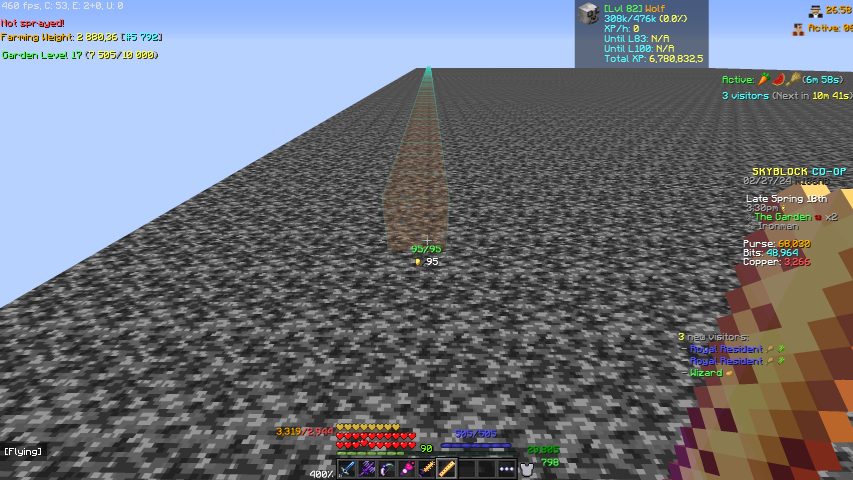
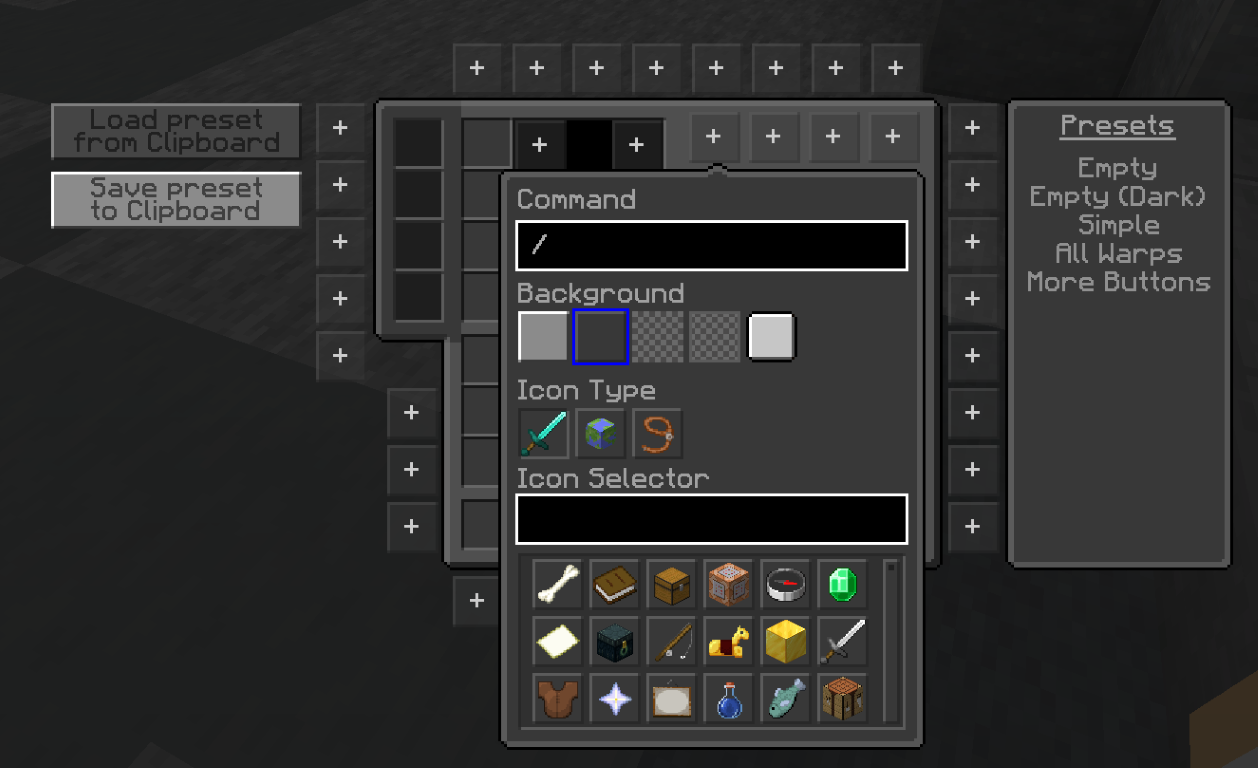
Developer

Kd_Gaming1

Profile and data retrieved from Modrinth

Open on Modrinth

Product gallery

Project images

Screenshots and images from the original Modrinth page.

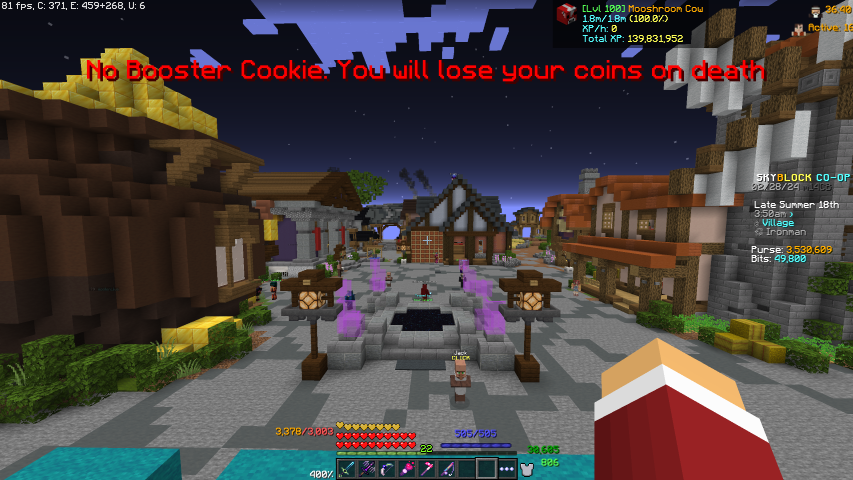
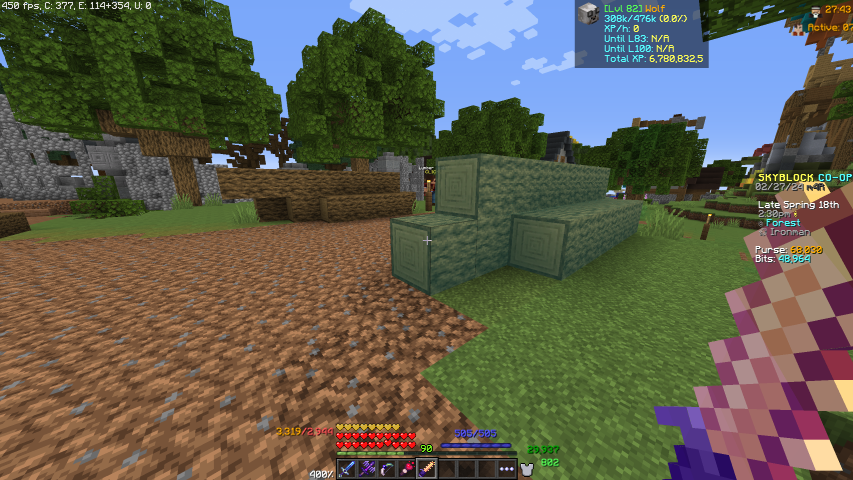
Skyblock Hub

A fancy warp menu

An easy-to-use warp menu will never make you look for the correct warp again.

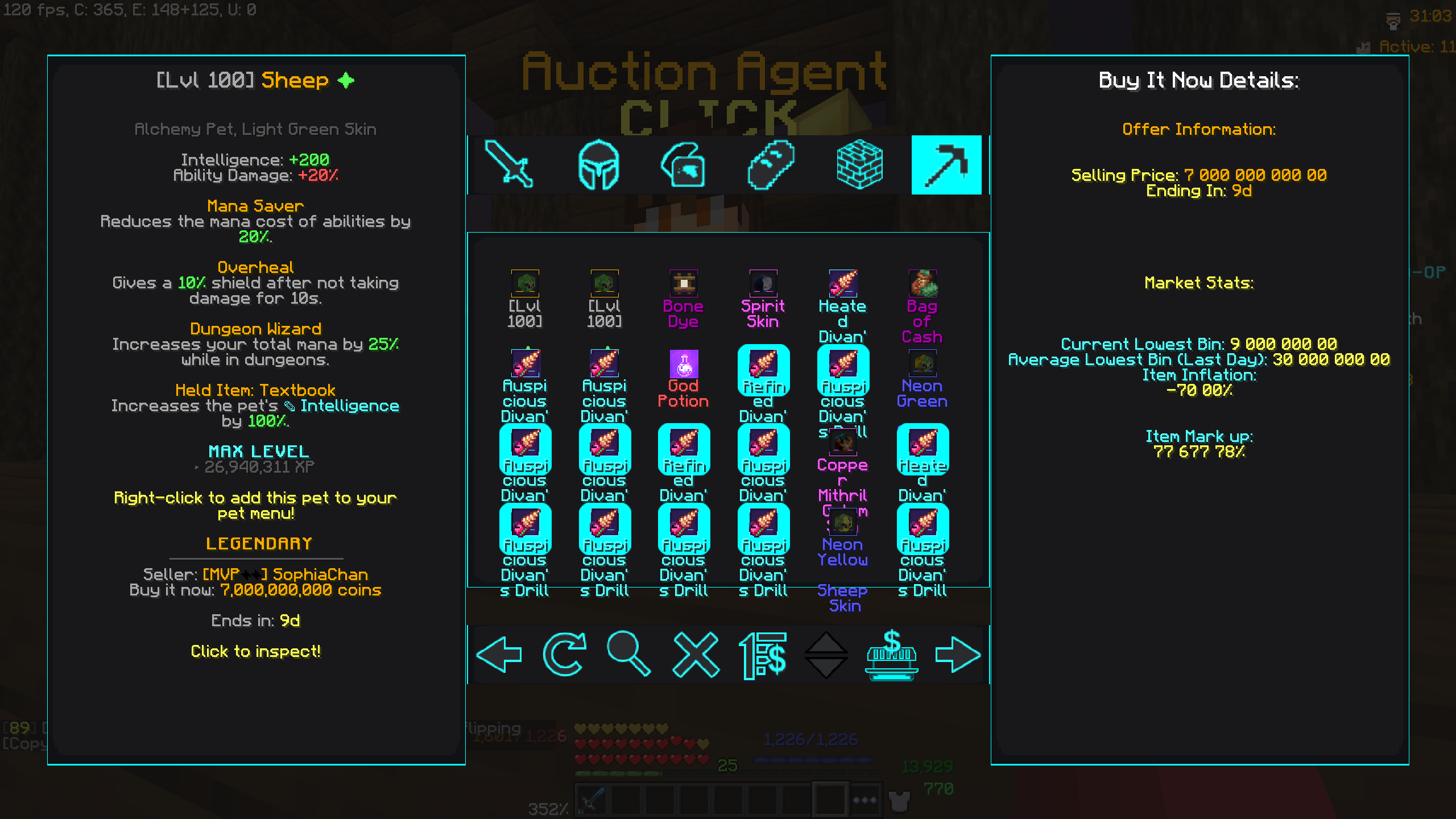
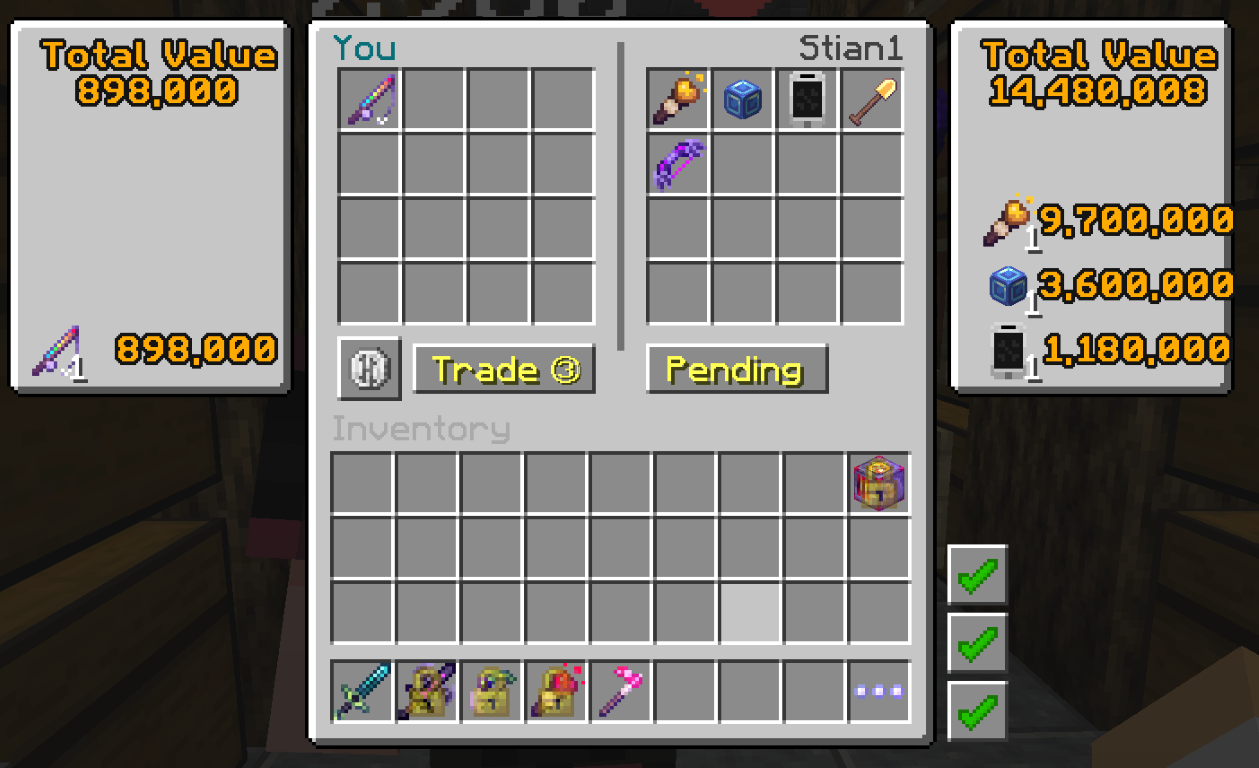
Never get scammed again

Never get scammed again with the new tired menu.

Shortcuts

Add as many shortcuts as you want directly in your inventory.

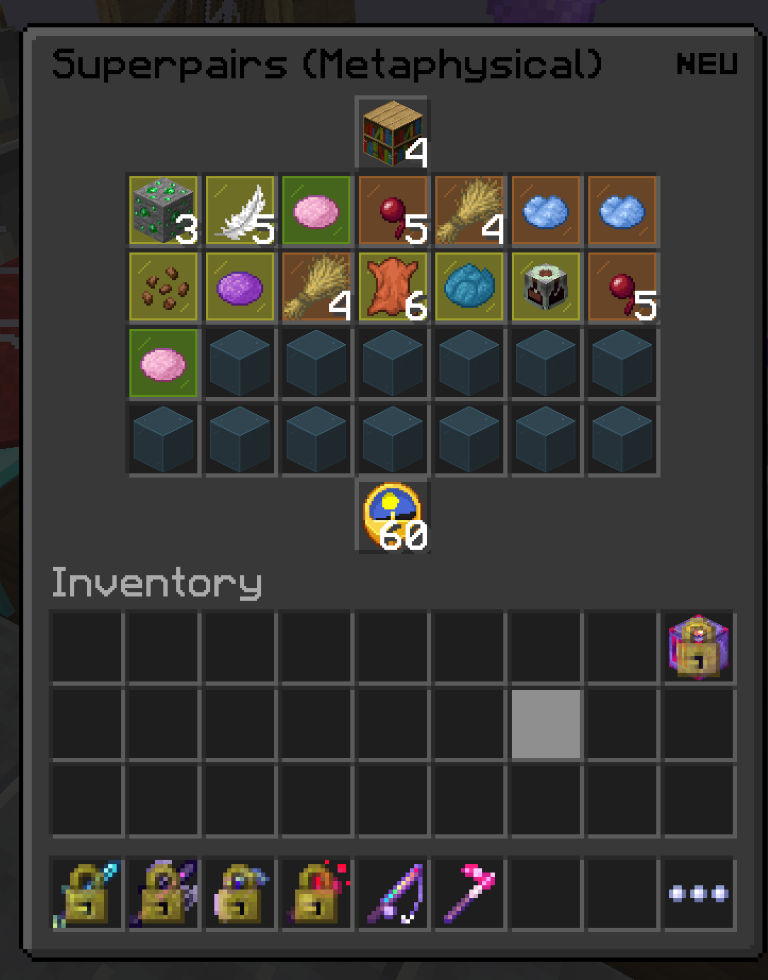
Even more detailed Crysal hollows

Never get lost in the crystal hollows again.

Recipes

Find the recipes of items.

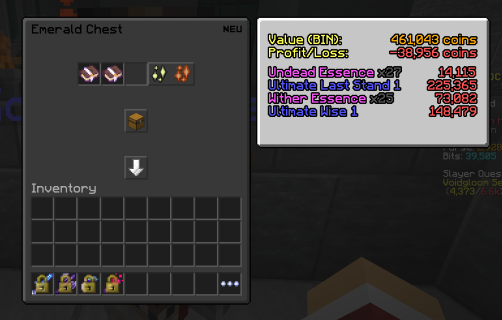
What is a chest worth?

Find out if you will make money on your dungeon chest.

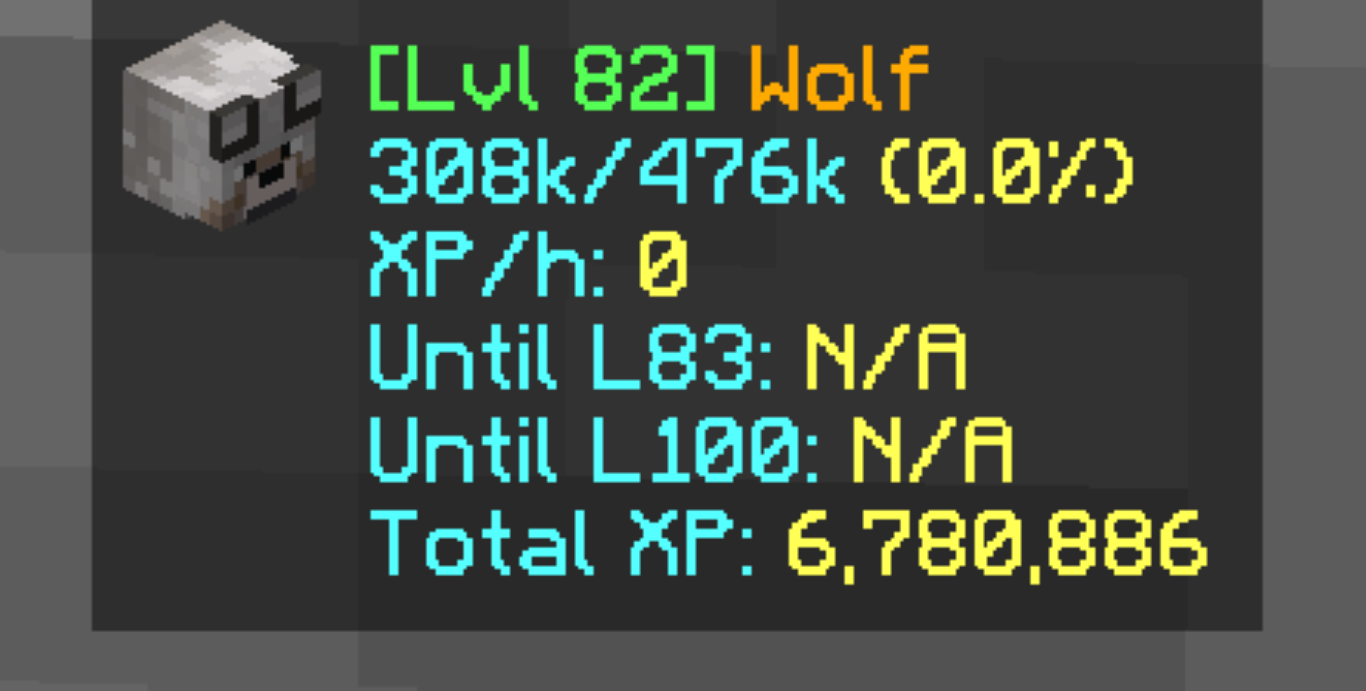
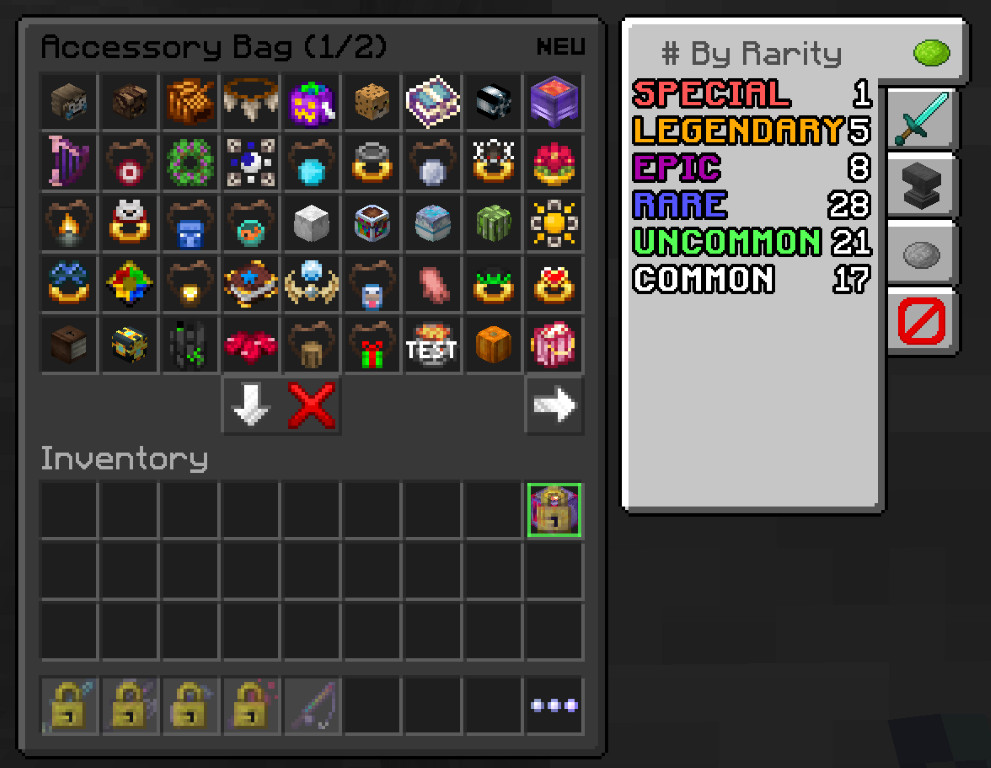
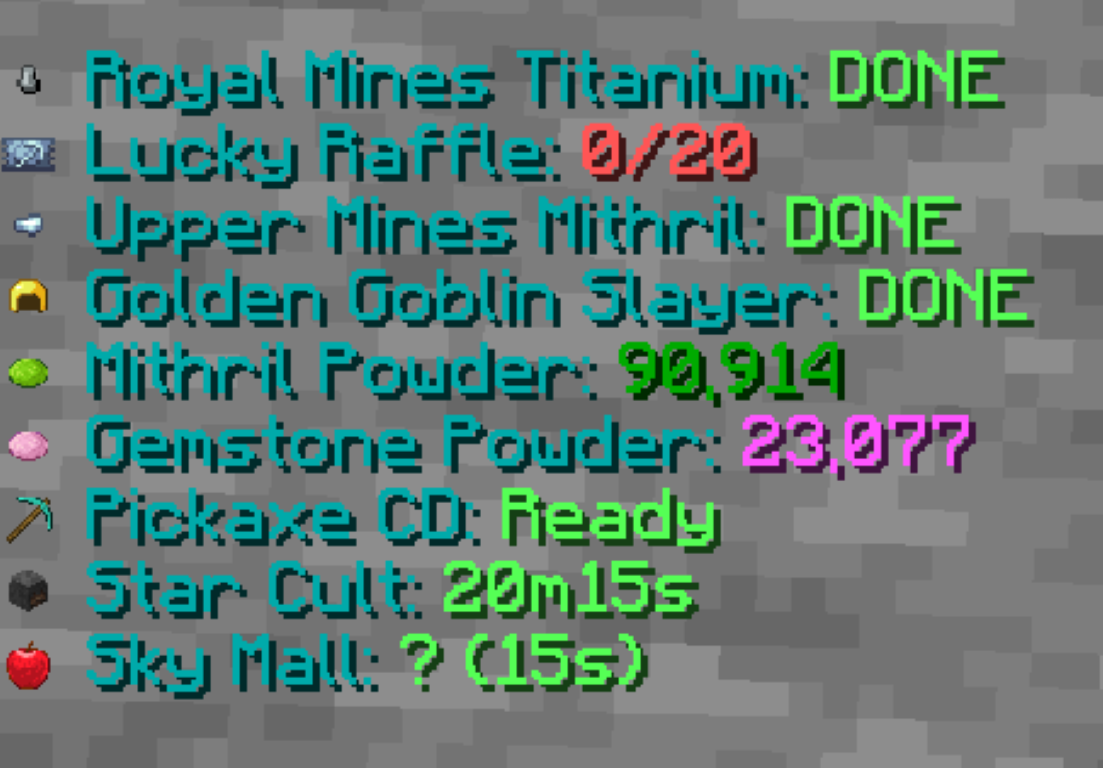
Information

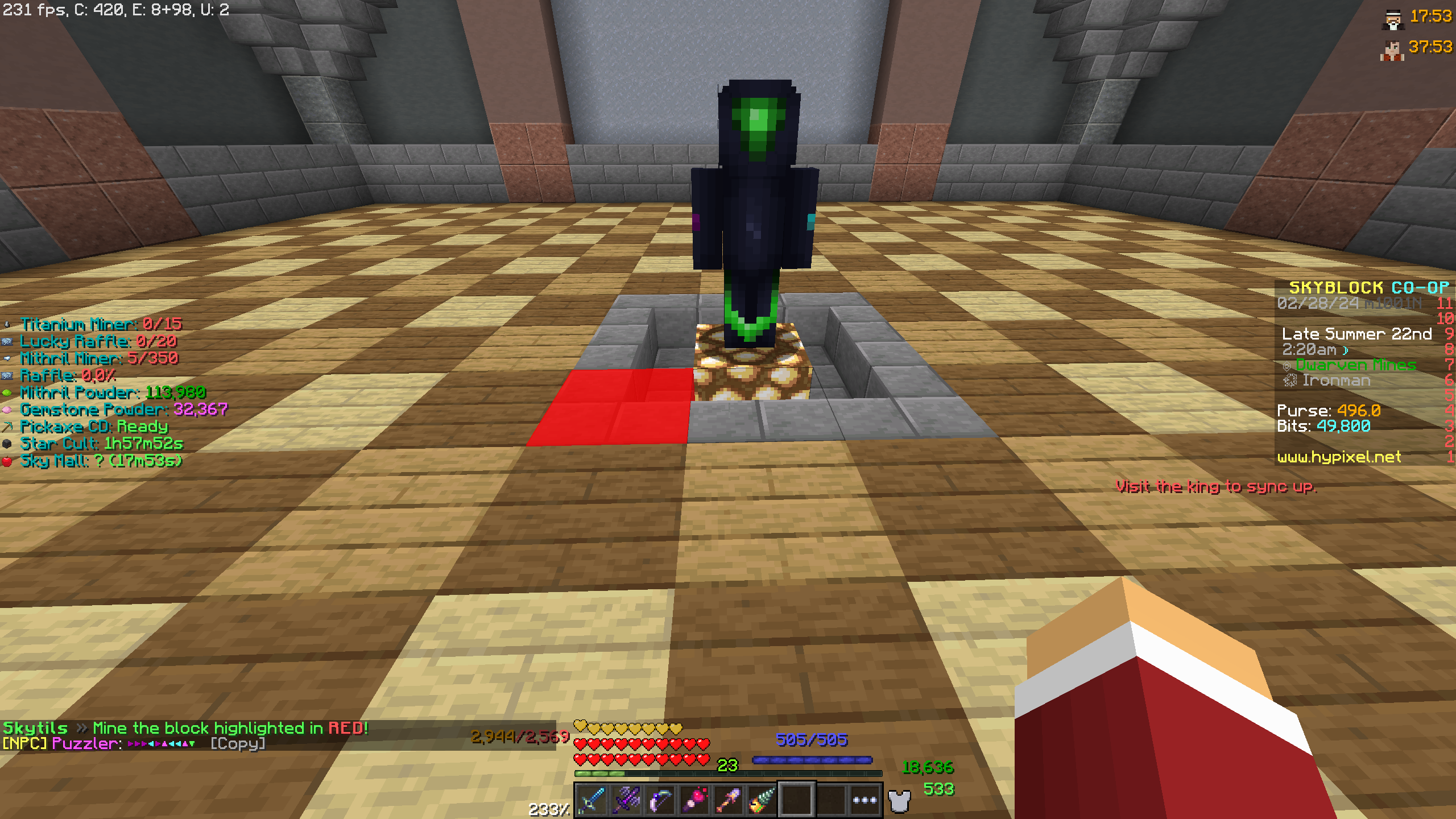
Have all the information you need on your screen at all times.

A map

Need help to navigate in the crystal hollows.

Dwarven Mines

New and gets lost in the Dwareven Mines never again with this new map.

Loot

Find the loot of different Mods

Help

Get help with the enchanting game.

The Skyblock Hub

A picture of the Skyblock Hub with the text SkyBlock Enhanecd and One-Click installation for Must-Have SkyBlock Mods

Change log

Project versions

Published versions and original Modrinth files.

2.3.21 Current Release 06.01.2026

SkyBlock Enhanced – Legacy Edition 2.3.21

Supported Minecraft versions
1.8.9
Loaders / Platforms
forge
Show changes
# End of life! This is the final update for the 1.8.9 version of the modpack. Please move to the 1.21 version as soon as possible. Hypixel will soon require Minecraft 1.21.5 or newer to join SkyBlock. The 1.21 version can be found here: https://modrinth.com/project/e0oMrxjp ## 🛠 2.2.21 Mod Updates ### 🔄 Updated Mods - **Essential Mod**: `1-3-10.1_forge_1-8-9 → 1-3-10-4_forge_1-8-9` - **SkyHanni ✦ Hypixel SkyBlock**: `5.0.2-mc1.8.9 → 6.0.0-mc1.8.9` - **Faithful 32x** --- ### 🛠 Troubleshooting & Notes - The first launch may take longer than usual, which is expected. - If Minecraft freezes while loading, wait a few minutes before closing the game. - Modrinth App not showing the update? - Go to **Settings → Resource Management → Purge Cache** - Restart the app --- ### 💡 Need Help? Questions, issues, or feedback? Join the Discord: **https://discord.gg/pdwxyjTta7** Thanks for using **SkyBlock Enhanced**!
Sign in

7.93 MB

2.3.20 Release 08.11.2025

SkyBlock Enhanced – Legacy Edition 2.3.20

Supported Minecraft versions
1.8.9
Loaders / Platforms
forge
Show changes
## 🛠 2.2.20 Mod Updates ### 🔄 Updated Mods - **Essential Mod**: `1-3-9.1_forge_1-8-9 → 1-3-10-1_forge_1-8-9` - **SkyHanni ✦ Hypixel SkyBlock**: `4.19.0-mc1.8.9 → 5.0.2-mc1.8.9` - **PolySprint** --- ### 🛠 Troubleshooting & Notes - The first launch may take longer than usual, which is expected. - If Minecraft freezes while loading, wait a few minutes before closing the game. - Modrinth App not showing the update? - Go to **Settings → Resource Management → Purge Cache** - Restart the app --- ### 💡 Need Help? Questions, issues, or feedback? Join the Discord: **https://discord.gg/pdwxyjTta7** Thanks for using **SkyBlock Enhanced**!
Sign in

7.93 MB

2.3.19 Release 20.09.2025

SkyBlock Enhanced 2.3.19

Supported Minecraft versions
1.8.9
Loaders / Platforms
forge
Show changes
## 🛠 2.2.19 Mod Updates ### 🔄 Updated Mods - **Essential Mod**: `1-3-9_forge_1-8-9 → 1-3-9-1_forge_1-8-9` - **SkyHanni ✦ Hypixel SkyBlock**: `4.16.0-mc1.8.9 → 4.19.0-mc1.8.9` --- ### 🛠 Troubleshooting & Notes - The first launch may take longer than usual, which is expected. - If Minecraft freezes while loading, wait a few minutes before closing the game. - Modrinth App not showing the update? - Go to **Settings → Resource Management → Purge Cache** - Restart the app --- ### 💡 Need Help? Questions, issues, or feedback? Join the Discord: **https://discord.gg/pdwxyjTta7** Thanks for using **SkyBlock Enhanced**!
Sign in

7.93 MB

2.3.18 Release 05.09.2025

SkyBlock Enhanced 2.3.18

Supported Minecraft versions
1.8.9
Loaders / Platforms
forge
Show changes
## 🛠 2.3.18 Mod & Resource Pack Updates ### 🔄 Updated Mods - **SkyHanni ✦ Hypixel SkyBlock**: `4.13.0 → 4.16.0` --- ### 🎨 Updated Resource Packs - **Hypixel+**: `0.22.1.1 for 1.8.9 → 0.23.4 for 1.8.9` --- ### 🛠 Troubleshooting & Notes - First launch may take longer than usual — this is expected - If Minecraft freezes while loading, wait a few minutes before closing the game - Modrinth App not showing the update? - Go to **Settings → Resource Management → Purge Cache** - Restart the app --- ### 💡 Need Help? Questions, issues, or feedback? Join the Discord: **https://discord.gg/Dz85mPN9Cy** Thanks for using **SkyBlock Enhanced**!
Sign in

7.93 MB

2.3.17 Release 05.08.2025

SkyBlock Enhanced 2.3.17

Supported Minecraft versions
1.8.9
Loaders / Platforms
forge
Show changes
## 🛠 2.3.17 Mod Updates ### 🔄 Updated Mods - **SkyHanni for Hypixel SkyBlock**: `4.9.0 → 4.13.0` - **Essential Mod**: `1.3.8.4 → 1.3.9` --- ### 🛠 Troubleshooting & Notes - First launch may take longer than usual — this is expected - If Minecraft freezes while loading, wait a few minutes before closing the game - Modrinth App not showing the update? - Go to **Settings → Resource Management → Purge Cache** - Restart the app --- ### 💡 Need Help? Questions, issues, or feedback? Join the Discord: **https://discord.gg/Dz85mPN9Cy** Thanks for using **SkyBlock Enhanced**!
Sign in

7.93 MB

2.3.16 Release 25.07.2025

SkyBlock Enhanced 2.3.16

Supported Minecraft versions
1.8.9
Loaders / Platforms
forge
Show changes
## 🛠 2.3.16 Mod Updates ### 🔄 Updated Mods - **SkyHanni for Hypixel SkyBlock**: `4.7.0 → 4.9.0` - **SkyblockAddons Unofficial**: `1.10.9+561 → 1.10.10+630` --- ### 🛠 Troubleshooting & Notes - First launch may take longer than usual — this is expected - If Minecraft freezes while loading, wait a few minutes before closing the game - Modrinth App not showing the update? - Go to **Settings → Resource Management → Purge Cache** - Restart the app --- ### 💡 Need Help? Questions, issues, or feedback? Join the Discord: **https://discord.gg/Dz85mPN9Cy** Thanks for using **SkyBlock Enhanced**!
Sign in

7.93 MB

2.3.15 Release 18.07.2025

SkyBlock Enhanced 2.3.15

Supported Minecraft versions
1.8.9
Loaders / Platforms
forge
Show changes
## 🛠 2.3.15 Mod Updates ### 🔄 Updated Mods - **SkyHanni for Hypixel SkyBlock**: `4.2.0 → 4.7.0` --- ### 🛠 Troubleshooting & Notes - First launch may take longer than usual — this is expected - If Minecraft freezes while loading, wait a few minutes before closing the game - Modrinth App not showing the update? - Go to **Settings → Resource Management → Purge Cache** - Restart the app --- ### 💡 Need Help? Questions, issues, or feedback? Join the Discord: **https://discord.gg/Dz85mPN9Cy** Thanks for using **SkyBlock Enhanced**!
Sign in

7.93 MB

2.3.14 Release 13.07.2025

SkyBlock Enhanced 2.3.14

Supported Minecraft versions
1.8.9
Loaders / Platforms
forge
Show changes
### Updated - Updated SkyHanni from 3.18.0 to 4.2.0 - Updated PackCore from 1.1.1 to 1.1.2 ### Additional Notes - The game may freeze on the first start-up; try again, and it should be good. If not, post an issue on GitHub.
Sign in

7.93 MB

2.3.13 Release 10.07.2025

SkyBlock Enhanced [Hypixel] 2.3.13

Supported Minecraft versions
1.8.9
Loaders / Platforms
forge
Show changes
### Updated - Updated SkyHanni from 3.16.0 to 3.18.0 ### Additional Notes - The game may freeze on the first start-up; try again, and it should be good. If not, post an issue on GitHub.
Sign in

7.93 MB

2.3.12 Release 07.07.2025

SkyBlock Enhanced 2.3.12

Supported Minecraft versions
1.8.9
Loaders / Platforms
forge
Show changes
### Updated - Updated SkyHanni from 3.15.0 to 3.16.0 - Updated Essential from 1.3.8.3 to 1.3.8.4 - Updated Dungeons Guide from 4.0.0-beta13.0 to J4.0.0-beta13.2 ### Additional Notes - The game may freeze on the first start-up; try again, and it should be good. If not, post an issue on GitHub.
Sign in

7.93 MB

2.3.11 Release 02.07.2025

SkyBlock Enhanced 2.3.11

Supported Minecraft versions
1.8.9
Loaders / Platforms
forge
Show changes
### Updated - Updated SkyHanni from 3.14.0 to 3.15.0 ### Removed - Removed Sky Guide ### Additional Notes - The game may freeze on the first start-up; try again, and it should be good. If not, post an issue on GitHub.
Sign in

7.93 MB

2.3.10 Release 29.06.2025

SkyBlock Enhanced 2.3.10

Supported Minecraft versions
1.8.9
Loaders / Platforms
forge
Show changes
### Updated - Updated SkyHanni from 3.10.0 to 3.14.0 - Updated Essential from 1.3.8.2 to 1.3.8.3 - Updated Faithful 32x from April 2025 Release to June 2025 Release ### Additional Notes - The game may freeze on the first start-up; try again, and it should be good. If not, post an issue on GitHub.
Sign in

7.93 MB

2.3.9 Release 23.06.2025

SkyBlock Enhanced 2.3.9

Supported Minecraft versions
1.8.9
Loaders / Platforms
forge
Show changes
### Updated - Updated SkyHanni from 3.8.0 to 3.10.0 ### Additional Notes - The game may freeze on the first start-up; try again, and it should be good. If not, post an issue on GitHub.
Sign in

7.93 MB

2.3.8 Release 19.06.2025

SkyBlock Enhanced 2.3.8

Supported Minecraft versions
1.8.9
Loaders / Platforms
forge
Show changes
### Updated - Updated Dungeons Guide from 4.0.0-beta12.5-experimental11.2 to 4.0.0-beta13 As this update comes just a few hours after the last one, here’s a combined changelog for version 2.3.7 of the pack: - Updated SkyHanni from 3.7.0 to 3.8.0 - Updated Essential from 1.3.8.1 to 1.3.8.2 - Updated NotEnoughUpdates from 2.5.0 to 2.6.0 - Updated Dungeons Guide from 4.0.0-beta12.5 to 4.0.0-beta12.5-experimental11.2 - Updated Redirectionor from 1.4 to 1.8 ### Additional Notes - The game may freeze on the first start-up; try again, and it should be good. If not, post an issue on GitHub.
Sign in

7.93 MB

2.3.7 Release 19.06.2025

SkyBlock Enhanced 2.3.7

Supported Minecraft versions
1.8.9
Loaders / Platforms
forge
Show changes
### Updated - Updated SkyHanni from 3.7.0 to 3.8.0 - Updated Essential from 1.3.8.1 to 1.3.8.2 - Updated NotEnoughUpdates from 2.5.0 to 2.6.0 - Updated Dungeons Guide from 4.0.0-beta12.5 to 4.0.0-beta12.5-experimental11.2 - Updated Redirectionor from 1.4 to 1.8 ### Additional Notes - The game may freeze on the first start-up; try again, and it should be good. If not, post an issue on GitHub.
Sign in

7.92 MB

2.3.6 Release 15.06.2025

SkyBlock Enhanced 2.3.6

Supported Minecraft versions
1.8.9
Loaders / Platforms
forge
Show changes
### Updated - Updated Essential from 1.3.8 to 1.3.8.1 - Updated PackCore from 1.0.0 to 1.1.1 — adds the **/packcore** command for managing backups and config options. (You can now back up your config files — useful when changing settings and something goes wrong, now you can easily restore them.) Also made the prelunch default config dialog more robust, should work better on all types of operating systems. (If not, please report it.) Full change log on the PackCore Modrinth [page](https://modrinth.com/mod/packcore/version/1.1.0-1.8.9) ### Additional Notes - The game may freeze on the first start-up; try again, and it should be good. If not, post an issue on GitHub.
Sign in

7.92 MB

2.3.5 Release 12.06.2025

SkyBlock Enhanced 2.3.5

Supported Minecraft versions
1.8.9
Loaders / Platforms
forge
Show changes
### Updated - Updated SkyHanni from 3.6.0 to 3.7.0 - Updated Essential from 1.3.7 to 1.3.8 - Updated Hypixel+ from 0.21.1 to 0.22.1.1 ### Additional Notes - The game may freeze on the first start-up; try again, and it should be good. If not, post an issue on GitHub. - I have received a few reports saying the game crashes with the latest version. A solution has most likely been found. Navigate to the `essential` directory in your instance folder (this can be found by clicking the 3 dots in the top right corner and clicking open folder) and removing the `loader` folder. If this doesn't work, please open an issue on GitHub.
Sign in

7.92 MB

2.3.4 Release 06.06.2025

SkyBlock Enhanced 2.3.4

Supported Minecraft versions
1.8.9
Loaders / Platforms
forge
Show changes
### Updated - Updated SkyHanni from 3.4.0 to 3.6.0 - Updated Essential from 1.3.6.2 to 1.3.7 - Updated Hypixel+ from 0.21.1 to 0.22.2 ### Additional Notes - The game may freeze on the first start-up; try again, and it should be good. If not, post an issue on GitHub. - I have received a few reports saying the game crashes with the latest version. A solution has most likely been found. Navigate to the `essential` directory in your instance folder (this can be found by clicking the 3 dots in the top right corner and clicking open folder) and removing the `loader` folder. If this doesn't work, please open an issue on GitHub.
Sign in

7.92 MB

2.3.4 Release 24.05.2025

SkyBlock Enhanced 2.3.4

Supported Minecraft versions
1.8.9
Loaders / Platforms
forge
Show changes
### Updated - Updated Skytils from 1.11.0 to 1.12.0-pre1 - Updated SkyHanni from 3.3.0 to 3.4.0 - Updated Hypixel+ from 0.20.7 to 0.22.1 ### Additional Notes - The game may freeze on the first start-up; try again, and it should be good. If not, post an issue on GitHub. - I have received a few reports saying the game crashes with the latest version. A solution has most likely been found. Navigate to the `essential` directory in your instance folder (this can be found by clicking the 3 dots in the top right corner and clicking open folder) and removing the `loader` folder. If this doesn't work, please open an issue on GitHub.
Sign in

7.92 MB

2.3.3 Release 15.05.2025

SkyBlock Enhanced 2.3.3

Supported Minecraft versions
1.8.9
Loaders / Platforms
forge
Show changes
### Updated - Updated Skytils from 1.11.0-pre3 to 1.11.0 - Updated SkyHanni from 3.0.0 to 3.3.0 - Updated Essential from 1.3.6.1 to 1.3.6.2 ### Additional Notes - The game may freeze on the first start-up; try again, and it should be good. If not, post an issue on GitHub. - I have recived a few reports saying that the game crashes with the latest version. A solution has most likely been found. Navigating to the `essential` directory in your instance folder (this can be found by clicking the 3 dots in the top right corner and clicking open folder) and removing the `loader` folder. If this doesn't work, please open an issue on GitHub.
Sign in

7.92 MB

2.3.2 Release 09.05.2025

SkyBlock Enhanced 2.3.2

Supported Minecraft versions
1.8.9
Loaders / Platforms
forge
Show changes
### Updated - Updated Skytils from 1.11.0-pre2 to 1.11.0-pre3 (This update changes how aliases work, so your /commands may stop working, find the change log on Skytils GitHub to find out more) - Updated Essential from 1.3.5.12 to 1.3.6.1 ### Additional Notes - The game may freeze on the first start-up; try again, and it should be good. If not, post an issue on GitHub. - I have got a few reports saying that the game crashes with the latest version. A solution has most likely been found. Navigating to the `essential` directory in your instance folder (this can be found by clicking the 3 dots in the top right corner and clicking open folder) and removing the `loader` folder. If this doesn't work, please open an issue on GitHub.
Sign in

7.92 MB

2.3.1 Release 28.04.2025

SkyBlock Enhanced 2.3.1

Supported Minecraft versions
1.8.9
Loaders / Platforms
forge
Show changes
### Updated - Updated SkyHanni from 2.17.0 to 3.0.0 - Updated Skytils from 1.11.0-pre1 to 1.11.0-pre2 - Updated SkyblockAddons Unofficial from 1.10.7 to 1.10.9 - Updated Polypatcher from 1.10.2 to 1.10.3 ### Additional Notes - The game may freeze on the first start-up; try again, and it should be good. If not, post an issue on GitHub.
Sign in

7.92 MB

2.3.0 Release 19.04.2025

SkyBlock Enhanced 2.3.0

Supported Minecraft versions
1.8.9
Loaders / Platforms
forge
Show changes
### Updated - Updated SkyHanni from 2.10.0 to 2.17.0 - Updated Skytils from 1.10.13 to 1.11.0-pre1 - Updated Essential from 1.3.5.11 to 1.3.5.12 ### Changes - Minor changes to the default 1080p settings. - Enabled the “check armorstand rules” in PolyPatcher config. (This fixes issues with some armor stands being invisible, for example, Vampire slayer Clotgoyles skulls on the ground are invisible) - Moved some GUI elements slightly to make overlap less of a problem. If you have feedback on the pre-made configs, please post it in the discussion section on [GitHub](https://github.com/KdGaming0/SkyBlock-Enhanced-Modpack/discussions). ### Additional Notes If you are updating from a previous version of the modpack, please note that the GUI/settings changes for mods will not activate by default. To enable them, follow these steps: - Click _PackCore Options_ in the main menu. - Set _Prompt Set Default Configs_ to on. - Restart your game to be prompted to set the default configurations again.
Sign in

7.92 MB

2.2.6 Release 07.04.2025

SkyBlock Enhanced 2.2.6

Supported Minecraft versions
1.8.9
Loaders / Platforms
forge
Show changes
### Updated - Updated SkyHanni from 2.7.0 to 2.10.0 - Updated Skytils from 1.10.11 to 1.10.13 ### Additional Notes - The game may freeze on the first start-up; try again, and it should be good.
Sign in

7.97 MB

2.2.5 Release 31.03.2025

SkyBlock Enhanced 2.2.5

Supported Minecraft versions
1.8.9
Loaders / Platforms
forge
Show changes
### Updated - Updated SkyHanni from 2.6.0 to 2.7.0 - Updated Skytils from 1.10.10 to 1.10.11 ### Additional Notes - The game may freeze on the first start-up; try again, and it should be good.
Sign in

7.97 MB

2.2.4 Release 29.03.2025

SkyBlock Enhanced 2.2.4

Supported Minecraft versions
1.8.9
Loaders / Platforms
forge
Show changes
### Updated - Updated SkyHanni from 2.2.0 to 2.6.0 - Updated Essential from 1.3.5.9 to 1.3.5.11 ### Additional Notes - The game may freeze on the first start-up, try again and it should be good.
Sign in

7.97 MB

2.2.3 Release 20.03.2025

SkyBlock Enhanced 2.2.3

Supported Minecraft versions
1.8.9
Loaders / Platforms
forge
Show changes
### Updated - Updated SkyHanni from 2.0.0 to 2.2.0 - Updated SkyblockAddons Unofficial from version 1.10.6 to 1.10.7 ### Additional Notes - The game may freeze on the first start-up, try again and it should be good.
Sign in

7.97 MB

2.2.2 Release 11.03.2025

SkyBlock Enhanced 2.2.2

Supported Minecraft versions
1.8.9
Loaders / Platforms
forge
Show changes
### Updated - Updated SkyHanni from 1.30.0 to 2.0.0 - Updated Essential from 1.3.5.8 to 1.3.5.9 ### Additional Notes - The game may freeze on the first start-up, try again and it should be good.
Sign in

7.97 MB

2.2.1 Release 07.03.2025

SkyBlock Enhanced 2.2.1

Supported Minecraft versions
1.8.9
Loaders / Platforms
forge
Show changes
### Updated - Updated SkyHanni from 1.14.0 to 1.30.0 - Updated Essential from 1.3.5.7 to 1.3.5.8 - Updated Skytils from 1.10.9 to 1.10.10 ### Additional Notes - The game may freeze on the first start-up, try again and it should be good.
Sign in

7.97 MB

2.2.0 Release 13.02.2025

SkyBlock Enhanced 2.2.0

Supported Minecraft versions
1.8.9
Loaders / Platforms
forge
Show changes
### Updated - Updated SkyHanni from 1.13.0 to 1.14.0 - Downgrade Redirectionor from 1.8 to 1.4 (This was done because I have had some issues with the 1.8 version where it causes the game to freeze on start-up and iI think the 1.4 version fixes it, but I can't reproduce it consistently so, if anyone else has had the issue please report it) ### Changes - Major changes to the default 1080p settings. (It is recommended that you rest your settings if you use 1080p and have not made major changes yourself.) - 1080p GUI overlay positions have been moved around significantly to make it look clean and clutter-free just as 14040p is. If you have feedback on the pre-made configs, please post it in the discussion section on [GitHub](https://github.com/KdGaming0/SkyBlock-Enhanced-Modpack/discussions). ### Additional Notes If you are updating from a previous version of the modpack, please note that the GUI/settings changes for mods will not activate by default. To enable them, follow these steps: - Click _PackCore Options_ in the main menu. - Set _Prompt Set Default Configs_ to on. - Restart your game to be prompted to set the default configurations again.
Sign in

7.97 MB

2.1.3 Release 11.02.2025

SkyBlock Enhanced 2.1.3

Supported Minecraft versions
1.8.9
Loaders / Platforms
forge
Show changes
### Updated - Updated SkyHanni from 1.12.0 to 1.13.0 - Updated SkyblockAddons Unofficial from version 1.10.4 to 1.10.5 ### Additional Notes - The game may freeze on the first start-up, try aging and it should be good. - Also if you have had some issues with the game freezing in loading and then crashing, please report this on [GitHub](https://github.com/KdGaming0/SkyBlock-Enhanced-Modpack/issues). I think it is caused by redirection, but I can't reproduce it consistently.
Sign in

7.97 MB

2.1.2 Release 08.02.2025

SkyBlock Enhanced 2.1.2

Supported Minecraft versions
1.8.9
Loaders / Platforms
forge
Show changes
### Updated - Updated SkyHanni from 1.11.0 to 1.12.0 - Updated Skytils from 1.10.9-pre1 to 1.10.9 ### Fixed - Fixed an issue where the default settings did not show up in the start-up dialog on Linux-based operating systems. ### Additional Notes - The game may freeze on the first start-up, try aging and it should be good.
Sign in

7.97 MB

2.1.1 Release 06.02.2025

SkyBlock Enhanced 2.1.1

Supported Minecraft versions
1.8.9
Loaders / Platforms
forge
Show changes
### Updated - Updated SkyHanni from 1.10.0 to 1.11.0 - Updated Essential from 1-3-5-6 to 1-3-5-7 ### Additional Notes - The game may freeze on the first start-up, try aging and it should be good.
Sign in

7.97 MB

2.1.0 Release 05.02.2025

SkyBlock Enhanced 2.1.0

Supported Minecraft versions
1.8.9
Loaders / Platforms
forge
Show changes
### Updated - Updated SkyblockAddons Unofficial from version 1.10.4 to 1.10.5. - Updated PackCore from 1.0.0-beta7 to 1.0.0 (fixes the main menu background turning to dirt when returning from a world/server). - Updated Redirectionor from 1.4 to 1.8, now sourced from GitHub. ### Changes - Now using Packwiz for version control. All mods, except Scrollable Tooltips, are added to the manifest and downloaded from GitHub or Modrinth when installing the pack. Scrollable Tooltips is included as an override. - This update also introduces version control on [GitHub](https://github.com/KdGaming0/SkyBlock-Enhanced-Modpack), allowing you to see all included mods and how they are added, ensuring transparency and security.
Sign in

7.97 MB

2.0.2 Release 03.02.2025

SkyBlock Enhanced 2.0.2

Supported Minecraft versions
1.8.9
Loaders / Platforms
forge
Show changes
### Updated - Updated SkyblockAddons Unofficial from version 1.10.2 to 1.10.4. ### Changes - Adjusted the position of Ashfang's next reset/timer GUI. - Moved the Broodmother spawning position from the top-left of the screen to below the pet overlay. This change prevents overlap when fishing in the Spider's Den and stops the Broodmother spawning timer from occasionally appearing. If you have feedback on the pre-made configs please give them in the discussion section on [GitHub](https://github.com/KdGaming0/SkyBlock-Enhanced-Modpack/discussions). ### Additional Notes If you are updating from a previous version of the modpack, please note that the GUI/settings changes for mods will not activate by default. To enable them, follow these steps: - Click _PackCore Options_ in the main menu. - Set _Prompt Set Default Configs_ to on. - Restart your game to be prompted to set the default configurations again.
Sign in

61.43 MB

2.0.1 Release 02.02.2025

SkyBlock Enhanced 2.0.1

Supported Minecraft versions
1.8.9
Loaders / Platforms
forge
Show changes
### Updated - Updated SkyHanni from 1.9.0 to 1.10.0
Sign in

61.43 MB

2.0.0 Release 01.02.2025

SkyBlock Enhanced 2.0.0

Supported Minecraft versions
1.8.9
Loaders / Platforms
forge
Show changes
## SkyBlock Enhanced 2.0.0 🎉 Thank you for 20,000+ downloads! 🎉 I’m incredibly grateful for all the support SkyBlock Enhanced has received. It’s amazing to see so many players enjoying the modpack, so I’ve made some big changes to make it even better! What's New in 2.0.0? 🔧 PackCore Integration – Smarter Configs - Replaced EasyConfigs with PackCore. - On first launch, you’ll now be asked to choose a configuration preset based on your screen size—no more restarting the game to adjust settings! - If you ever want to reset your configs, open the PackCore options from the new Main Menu and set showStartUpDialog to true. 🎨 New Hypixel SkyBlock-Themed Main Menu - A completely redesigned main menu with a Hypixel SkyBlock-inspired look, delivered by PackCore. ⚙️ Pre-Configured Settings Overhaul - All default settings have been rebuilt for a cleaner and better experience. - Adjusted UI settings to reduce clutter, ensuring minimal overlap between elements. - While I’ve tested this extensively, I haven’t had proper testing on 1080p, so feedback is appreciated! 🚀 Performance & FPS Boost - Optimized graphics settings to improve FPS. 📦 Updated Mod List - Added: PackCore - Removed: Partly Sane Skies (It wasn’t being used enough, and with PackCore now handling the main menu, it was no longer necessary.) - Updated SkyblockAddons Unofficial form 1.9.5 to 1.10.2 - Updated SkyHanni from 1.0.0 to 1.9.0-beta Future Plans - Feature Levels – Add different default configurations for new and advanced players, making it easier for newcomers to start modded Minecraft without feeling overwhelmed. - Optional First-Time Guide – A small tutorial when you first join the game, explaining basic mod features and how to configure them. 🔥 Enjoy the update, and thanks again for all the support! Let me know if you have any feedback or suggestions. 🚀
Sign in

61.05 MB

1.1.27 Release 24.01.2025

SkyBlock Enhanced 1.1.27

Supported Minecraft versions
1.8.9
Loaders / Platforms
forge
Show changes
### Important - The game might crash on the first launch, but please try again; it should work fine then. ### Things Updated - Updated Essential from 1.3.5.5 to 1.3.5.6 - Updated Dungeons Guide from 4.0.0-beta12.4 to 4.0.0-beta12.5 ### Additional Notes - If your screen size is not the default (1080p), you may encounter overlapping issues. I have created a GUI layout for (1440p) that you can switch to. Visit the modpack home page for more information. - The new GUI positions and settings tweaks will not activate with an update. You must open the Easy Configs GUI and load the settings again. For more information, visit the mod pack's home screen on Modrinth. ### Known Problems - Encountered issues? Create an issue on my new GitHub repository, and I will address it promptly. - Need help? Start a discussion on [GitHub](https://github.com/KdGaming0/SkyBlock-Enhanced-Modpack/discussions), and I will assist you!
Sign in

35.98 MB

1.1.26 Release 09.01.2025

SkyBlock Enhanced 1.1.26

Supported Minecraft versions
1.8.9
Loaders / Platforms
forge
Show changes
### Important - The game might crash on the first launch, but please try again; it should work fine then. ### Things Updated - Updated SkyblockAddons from 1.9.3 to 1.9.5 ### Additional Notes - You may encounter overlapping issues if your screen size is not the default (1080p). I have created a GUI layout for (1440p) that you can switch to. Visit the modpack home page for more information. - The new GUI positions and settings tweaks will not activate with an update. You must open the Easy Configs GUI and load the settings again. For more information, visit the mod pack's home screen on Modrinth. ### Known Problems - Encountered issues? Create an issue on my new GitHub repository, and I will address it promptly. - Need help? Start a discussion on [GitHub](https://github.com/KdGaming0/SkyBlock-Enhanced-Modpack/discussions), and I will assist you!
Sign in

35.98 MB

1.1.25 Release 05.01.2025

SkyBlock Enhanced 1.1.25

Supported Minecraft versions
1.8.9
Loaders / Platforms
forge
Show changes
### Important - The game might crash on the first launch, but please try again; it should work fine then. ### Things Updated - Updated SkyblockAddons from 1.9.2 to 1.9.3 - Updated SkyHanni from 0.28 Beta 19 to 1.0.0 - Updated Hypixel Plus from 0.20.4 to 0.20.7 ### Additional Notes - You may encounter overlapping issues if your screen size is not the default (1080p). I have created a GUI layout for (1440p) that you can switch to. Visit the modpack home page for more information. - The new GUI positions and settings tweaks will not activate with an update. You must open the Easy Configs GUI and load the settings again. For more information, visit the mod pack's home screen on Modrinth. ### Known Problems - Encountered issues? Create an issue on my new GitHub repository, and I will address it promptly. - Need help? Start a discussion on [GitHub](https://github.com/KdGaming0/SkyBlock-Enhanced-Modpack/discussions), and I will assist you!
Sign in

35.98 MB

1.1.24 Release 14.12.2024

SkyBlock Enhanced 1.1.24

Supported Minecraft versions
1.8.9
Loaders / Platforms
forge
Show changes
### Important - The game might crash on the first launch, but please try again; it should work fine then. ### Things Updated - Updated SkyblockAddons from 1.9.1 to 1..9.2 - Updated NotEnoughUpdates (NEU) from 2.4.0 to 2.5.0 - Updated Skytils from 1.10.7 to 1.10.9-pre1 - Updated SkyHanni from 0.28 Beta 15 to 0.28 Beta 19 ### Additional Notes - If your screen size is not the default (1080p), you may encounter overlapping issues. I have created a GUI layout for (1440p) that you can switch to. Visit the modpack home page for more information. - The new GUI positions and settings tweaks will not activate with an update. You must open the Easy Configs GUI and load the settings again. For more information, visit the mod pack's home screen on Modrinth. ### Known Problems - Encountered issues? Create an issue on my new GitHub repository, and I will address it promptly. - Need help? Start a discussion on [GitHub](https://github.com/KdGaming0/SkyBlock-Enhanced-Modpack/discussions), and I will assist you!
Sign in

52.02 MB

1.1.23 Release 03.12.2024

SkyBlock Enhanced 1.1.23

Supported Minecraft versions
1.8.9
Loaders / Platforms
forge
Show changes
### Important - The game might crash on the first launch, but please try again; it should work fine then. ### Things Updated - Updated Essential from 1.3.5.3 to 1.3.5.5 - Updated SkyblockAddons from 1.9.0-beta.21 to 1.9.1 ### Additional Notes - If your screen size is not the default (1080p), you may encounter overlapping issues. I have created a GUI layout for (1440p) that you can switch to. Visit the modpack home page for more information. - The new GUI positions and settings tweaks will not activate with an update. You must open the Easy Configs GUI and load the settings again. For more information, visit the mod pack's home screen on Modrinth. ### Known Problems - Encountered issues? Create an issue on my new GitHub repository, and I will address it promptly. - Need help? Start a discussion on [GitHub](https://github.com/KdGaming0/SkyBlock-Enhanced-Modpack/discussions), and I will assist you!
Sign in

51.92 MB

1.1.22 Release 28.11.2024

SkyBlock Enhanced 1.1.22

Supported Minecraft versions
1.8.9
Loaders / Platforms
forge
Show changes
### Important - The game might crash on the first launch, but please try again; it should work fine then. ### Things Updated - Updated SkyHanni from 0.27 to 0.28 Beta 15 (fixes stuff that broke with the latest skyblock update) ### Additional Notes - If your screen size is not the default (1080p), you may encounter overlapping issues. I have created a GUI layout for (1440p) that you can switch to. Visit the modpack home page for more information. - The new GUI positions and settings tweaks will not activate with an update. You must open the Easy Configs GUI and load the settings again. For more information, visit the mod pack's home screen on Modrinth. ### Known Problems - Encountered issues? Create an issue on my new GitHub repository, and I will address it promptly. - Need help? Start a discussion on [GitHub](https://github.com/KdGaming0/SkyBlock-Enhanced-Modpack/discussions), and I will assist you!
Sign in

51.92 MB

1.1.21 Release 15.11.2024

SkyBlock Enhanced 1.1.21

Supported Minecraft versions
1.8.9
Loaders / Platforms
forge
Show changes
### Important - The game might crash on the first launch, but please try again; it should work fine then. ### Things Updated - Updated Essential from 1.3.5.1 to 1.3.5.3 - Updated SkyblockAddons from 1.9.0-beta.20.1 to 1.9.0-beta.21 - Updated PolyPatcher from 1.10.1 to 1.10.2 ### Additional Notes - If your screen size is not the default (1080p), you may encounter overlapping issues. I have created a GUI layout for (1440p) that you can switch to. Visit the modpack home page for more information. - The new GUI positions and settings tweaks will not activate with an update. You must open the Easy Configs GUI and load the settings again. For more information, visit the mod pack's home screen on Modrinth. ### Known Problems - Encountered issues? Create an issue on my new GitHub repository, and I will address it promptly. - Need help? Start a discussion on [GitHub](https://github.com/KdGaming0/SkyBlock-Enhanced-Modpack/discussions), and I will assist you!
Sign in

35.98 MB

1.1.20 Release 08.11.2024

SkyBlock Enhanced 1.1.20

Supported Minecraft versions
1.8.9
Loaders / Platforms
forge
Show changes
### Important - The game might crash on the first launch, but please try again; it should work fine then. ### Things Updated - Updated SkyblockAddons from 1.9.0-beta.19 to 1.9.0-beta.20.1 ### Additional Notes - If your screen size is not the default (1080p), you may encounter overlapping issues. I have created a GUI layout for (1440p) that you can switch to. Visit the modpack home page for more information. - The new GUI positions and settings tweaks will not activate with an update. You must open the Easy Configs GUI and load the settings again. For more information, visit the mod pack's home screen on Modrinth. ### Known Problems - Encountered issues? Create an issue on my new GitHub repository, and I will address it promptly. - Need help? Start a discussion on [GitHub](https://github.com/KdGaming0/SkyBlock-Enhanced-Modpack/discussions), and I will assist you!
Sign in

35.98 MB

1.1.19 Release 03.11.2024

SkyBlock Enhanced 1.1.19

Supported Minecraft versions
1.8.9
Loaders / Platforms
forge
Show changes
### Important - The game might crash on the first launch, but please try again; it should work fine then. ### Things Updated - Updated Essential from 1.3.4.3 to 1.3.5.1 - Updated Skytils from 1.10.7-rc-1 to 1.10.7 ### Additional Notes - If your screen size is not the default (1080p), you may encounter overlapping issues. I have created a GUI layout for (1440p) that you can switch to. Visit the modpack home page for more information. - The new GUI positions and settings tweaks will not activate with an update. You must open the Easy Configs GUI and load the settings again. For more information, visit the mod pack's home screen on Modrinth. ### Known Problems - Encountered issues? Create an issue on my new GitHub repository, and I will address it promptly. - Need help? Start a discussion on [GitHub](https://github.com/KdGaming0/SkyBlock-Enhanced-Modpack/discussions), and I will assist you!
Sign in

35.98 MB

1.1.18 Release 28.10.2024

SkyBlock Enhanced 1.1.18

Supported Minecraft versions
1.8.9
Loaders / Platforms
forge
Show changes
### Important - The game might crash on the first launch, but please try again; it should work fine then. ### Things Updated - Updated Essential from 1.3.4.1 to 1.3.4.3 - Updated SkyblockAddons from 1.9.0-beta.18.1 to 1.9.0-beta.19 ### Additional Notes - If your screen size is not the default (1080p), you may encounter overlapping issues. I have created a GUI layout for (1440p) that you can switch to. Visit the modpack home page for more information. - The new GUI positions and settings tweaks will not activate with an update. You must open the Easy Configs GUI and load the settings again. For more information, visit the mod pack's home screen on Modrinth. ### Known Problems - Encountered issues? Create an issue on my new GitHub repository, and I will address it promptly. - Need help? Start a discussion on [GitHub](https://github.com/KdGaming0/SkyBlock-Enhanced-Modpack/discussions), and I will assist you!
Sign in

36.01 MB

1.1.17 Release 13.10.2024

SkyBlock Enhanced 1.1.17

Supported Minecraft versions
1.8.9
Loaders / Platforms
forge
Show changes
### Important - The game might crash on the first launch, but please try again; it should work fine then. ### Things Updated - Updated Dungeons Guide from 4.0.0-beta12.2 to 4.0.0-beta12.4 ### Additional Notes - If your screen size is not the default (1080p), you may encounter overlapping issues. I have created a GUI layout for (1440p) that you can switch to. Visit the modpack home page for more information. - The new GUI positions and settings tweaks will not activate with an update. You must open the Easy Configs GUI and load the settings again. For more information, visit the mod pack's home screen on Modrinth. ### Known Problems - Encountered issues? Create an issue on my new GitHub repository, and I will address it promptly. - Need help? Start a discussion on [GitHub](https://github.com/KdGaming0/SkyBlock-Enhanced-Modpack/discussions), and I will assist you!
Sign in

36.01 MB

1.1.16 Release 10.10.2024

SkyBlock Enhanced 1.1.16

Supported Minecraft versions
1.8.9
Loaders / Platforms
forge
Show changes
### Important - The game might crash on the first launch, but please try again; it should work fine then. ### Things Updated - Updated Dungeons Guide from 4.0.0-beta11 to 4.0.0-beta12.2 ### Additional Notes - If your screen size is not the default (1080p), you may encounter overlapping issues. I have created a GUI layout for (1440p) that you can switch to. Visit the modpack home page for more information. - The new GUI positions and settings tweaks will not activate with an update. You must open the Easy Configs GUI and load the settings again. For more information, visit the mod pack's home screen on Modrinth. ### Known Problems - Encountered issues? Create an issue on my new GitHub repository, and I will address it promptly. - Need help? Start a discussion on [GitHub](https://github.com/KdGaming0/SkyBlock-Enhanced-Modpack/discussions), and I will assist you!
Sign in

36.01 MB

1.1.15 Release 08.10.2024

SkyBlock Enhanced 1.1.15

Supported Minecraft versions
1.8.9
Loaders / Platforms
forge
Show changes
### Important - The game might crash on the first launch, but please try again; it should work fine then. ### Things Updated - Updated SkyHanni from 0.27-beta-14 to 0.27 (full-release) You can find the changelog [here](https://modrinth.com/mod/skyhanni/changelog). ### Additional Notes - If your screen size is not the default (1080p), you may encounter overlapping issues. I have created a GUI layout for (1440p) that you can switch to. Visit the modpack home page for more information. - The new GUI positions and settings tweaks will not activate with an update. You must open the Easy Configs GUI and load the settings again. For more information, visit the mod pack's home screen on Modrinth. ### Known Problems - Encountered issues? Create an issue on my new GitHub repository, and I will address it promptly. - Need help? Start a discussion on [GitHub](https://github.com/KdGaming0/SkyBlock-Enhanced-Modpack/discussions), and I will assist you!
Sign in

36.01 MB

1.1.14 Release 05.10.2024

SkyBlock Enhanced 1.1.14

Supported Minecraft versions
1.8.9
Loaders / Platforms
forge
Show changes
### Important - The game might crash on the first launch, but please try again; it should work fine then. ### Things Updated - Updated SkyHanni from 0.27-beta-12 to 0.27-beta-14 - Updated Skytils from 1.10.6 to 1.10.7-rc1 ### Additional Notes - If your screen size is not the default (1080p), you may encounter overlapping issues. I have created a GUI layout for (1440p) that you can switch to. Visit the modpack home page for more information. - The new GUI positions and settings tweaks will not activate with an update. You must open the Easy Configs GUI and load the settings again. For more information, visit the mod pack's home screen on Modrinth. ### Known Problems - Encountered issues? Create an issue on my new GitHub repository, and I will address it promptly. - Need help? Start a discussion on [GitHub](https://github.com/KdGaming0/SkyBlock-Enhanced-Modpack/discussions), and I will assist you!
Sign in

51.08 MB

1.1.13 Release 27.09.2024

SkyBlock Enhanced 1.1.13

Supported Minecraft versions
1.8.9
Loaders / Platforms
forge
Show changes
### Important - The game might crash on the first launch, but please try again; it should work fine then. ### Things Updated - Updated SkyHanni from 0.27-beta-11 to 0.27-beta-12 - Updated SkyblockAddons Unofficial from 1.9.0-beta.18 to 1.9.0-beta.18.1 ### Additional Notes - If your screen size is not the default (1080p), you may encounter overlapping issues. I have created a GUI layout for (1440p) that you can switch to. Visit the modpack home page for more information. - The new GUI positions and settings tweaks will not activate with an update. You must open the Easy Configs GUI and load the settings again. For more information, visit the mod pack's home screen on Modrinth. ### Known Problems - Encountered issues? Create an issue on my new GitHub repository, and I will address it promptly. - Need help? Start a discussion on [GitHub](https://github.com/KdGaming0/SkyBlock-Enhanced-Modpack/discussions), and I will assist you!
Sign in

50.82 MB

1.1.12 Release 24.09.2024

SkyBlock Enhanced 1.1.12

Supported Minecraft versions
1.8.9
Loaders / Platforms
forge
Show changes
### Important - The game might crash on the first launch, but please try again; it should work fine then. ### Things Updated - Updated NotEnoughUpdates (NEU) from 2.3.3 to 2.4.0 ### Additional Notes - If your screen size is not the default (1080p), you may encounter overlapping issues. I have created a GUI layout for (1440p) that you can switch to. Visit the modpack home page for more information. - The new GUI positions and settings tweaks will not activate with an update. You must open the Easy Configs GUI and load the settings again. For more information, visit the mod pack's home screen on Modrinth. ### Known Problems - Encountered issues? Create an issue on my new GitHub repository, and I will address it promptly. - Need help? Start a discussion on [GitHub](https://github.com/KdGaming0/SkyBlock-Enhanced-Modpack/discussions), and I will assist you!
Sign in

50.7 MB

1.1.11 Release 23.09.2024

SkyBlock Enhanced 1.1.11

Supported Minecraft versions
1.8.9
Loaders / Platforms
forge
Show changes
### Important - The game might crash on the first launch, but please try again; it should work fine then. ### Things Updated - Updated SkyHanni from 0.27-beta-10 to 0.27-beta-11 (More mining update fixes) - Updated SkyblockAddons Unofficial from 1.9.0-beta.17 to 1.9.0-beta.18 ### Additional Notes - If your screen size is not the default (1080p), you may encounter overlapping issues. I have created a GUI layout for (1440p) that you can switch to. Visit the modpack home page for more information. - The new GUI positions and settings tweaks will not activate with an update. You must open the Easy Configs GUI and load the settings again. For more information, visit the mod pack's home screen on Modrinth. ### Known Problems - Encountered issues? Create an issue on my new GitHub repository, and I will address it promptly. - Need help? Start a discussion on [GitHub](https://github.com/KdGaming0/SkyBlock-Enhanced-Modpack/discussions), and I will assist you!
Sign in

50.7 MB

1.1.10 Release 21.09.2024

SkyBlock Enhanced 1.1.10

Supported Minecraft versions
1.8.9
Loaders / Platforms
forge
Show changes
### Important - The game might crash on the first launch, but please try again; it should work fine then. ### Things Updated - Updated SkyHanni from 0.26 to 0.27-beta-10 (Fix some things that broke with the new mining update, but not everything more updates will come) - Updated SkyblockAddons Unofficial from 1.9.0-beta.16 to 1.9.0-beta.17 ### Additional Notes - If your screen size is not the default (1080p), you may encounter overlapping issues. I have created a GUI layout for (1440p) that you can switch to. Visit the modpack home page for more information. - The new GUI positions and settings tweaks will not activate with an update. You must open the Easy Configs GUI and load the settings again. For more information, visit the mod pack's home screen on Modrinth. ### Known Problems - Encountered issues? Create an issue on my new GitHub repository, and I will address it promptly. - Need help? Start a discussion on [GitHub](https://github.com/KdGaming0/SkyBlock-Enhanced-Modpack/discussions), and I will assist you!
Sign in

50.67 MB

1.1.9 Release 07.09.2024

SkyBlock Enhanced 1.1.9

Supported Minecraft versions
1.8.9
Loaders / Platforms
forge
Show changes
### Important - The game might crash on the first launch, but please try again; it should work fine then. ### Things Updated - Updated Skytils from 1.10.5 to 1.10.6 - Updated SkyblockAddons Unofficial from 1.9.0-beta.15 to 1.9.0-beta.16 ### Some additional notes - Please note that if you have a screen size different from the default (1080p), you may still experience overlapping issues. I have also made a GUI layout for (1440p) that you can change if you are on a different screen resolution, read the must-read section of the modpack home page for more information. I am working on configurations for various screen sizes other than this too. (May come soon) - The new GUI positions and tweaks to settings will not be activated if you update from an earlier version. You must open the Easy Configs GUI and loud the settings aging. For more information on how to do this go to the mod packs home screen here on Modrinth. ### Know problems - Find any problems? Create an issue on my new GitHub repository. And I will look into it as fast as possible. - Need help? Start a discussion on the [Github](https://github.com/KdGaming0/SkyBlock-Enhanced-Modpack/discussions) and I will help!
Sign in

53.52 MB

1.1.8 Release 31.08.2024

SkyBlock Enhanced 1.1.8

Supported Minecraft versions
1.8.9
Loaders / Platforms
forge
Show changes
### Important - The game might crash on the first launch, but please try again; it should work fine then. ### Things Updated - Updated Skytils from 1.10.4 to 1.10.5 ### Things Fixed - Fixed default configs not being included in the modpack. (I somehow didn't include them when exporting the modpack again, sorry for that.) ### Some additional notes - Please note that if you have a screen size different from the default (1080p), you may still experience overlapping issues. I have also made a GUI layout for (1440p) that you can change if you are on a different screen resolution, read the must-read section of the modpack home page for more information. I am working on configurations for various screen sizes other than this too. (May come soon) - The new GUI positions and tweaks to settings will not be activated if you update from an earlier version. You must open the Easy Configs GUI and loud the settings aging. For more information on how to do this go to the mod packs home screen here on Modrinth. ### Know problems - Find any problems? Create an issue on my new GitHub repository. And I will look into it as fast as possible. - Need help? Start a discussion on the [Github](https://github.com/KdGaming0/SkyBlock-Enhanced-Modpack/discussions) and I will help!
Sign in

53.51 MB

1.1.7 Release 29.08.2024

SkyBlock Enhanced 1.1.7

Supported Minecraft versions
1.8.9
Loaders / Platforms
forge
Show changes
### Important - The game might crash on the first launch, but please try again; it should work fine then. ### Things Updated - Updated Essential from 1.3.4 to 1.3.4.1 ### Things Fixed - Fixed default configs not being included in the modpack. (I forgot to include them when exporting the modpack) ### Some additional notes - Please note that if you have a screen size different from the default (1080p), you may still experience overlapping issues. I have also made a GUI layout for (1440p) that you can change if you are on a different screen resolution, read the must-read section of the modpack home page for more information. I am working on configurations for various screen sizes other than this too. (May come soon) - The new GUI positions and tweaks to settings will not be activated if you update from an earlier version. You must open the Easy Configs GUI and loud the settings aging. For more information on how to do this go to the mod packs home screen here on Modrinth. ### Know problems - Find any problems? Create an issue on my new GitHub repository. And I will look into it as fast as possible. - Need help, start a discussion on the [Github](https://github.com/KdGaming0/SkyBlock-Enhanced-Modpack/discussions) and I will help!
Sign in

39.79 MB

1.1.6 Release 28.08.2024

SkyBlock Enhanced 1.1.6

Supported Minecraft versions
1.8.9
Loaders / Platforms
forge
Show changes
### Important - The game might crash on the first launch, but please try again; it should work fine then. ### Things Updated - Updated Skytils from 1.10.3 to 1.10.4 ### Some additional notes - Please note that if you have a screen size different from the default (1080p), you may still experience overlapping issues. I have also made a GUI layout for (1440p) that you can change if you are on a different screen resolution, read the must-read section of the modpack home page for more information. I am working on configurations for various screen sizes other than this too. (May come soon) - The new GUI positions and tweaks to settings will not be activated if you update from an earlier version. You must open the Easy Configs GUI and loud the settings aging. For more information on how to do this go to the mod packs home screen here on Modrinth. ### Know problems - Find any problems? Create an issue on my new GitHub repository. And I will look into it as fast as possible. - Need help, start a discussion on the [Github](https://github.com/KdGaming0/SkyBlock-Enhanced-Modpack/discussions) and I will help!
Sign in

39.79 MB

1.1.5 Release 20.08.2024

SkyBlock Enhanced 1.1.5

Supported Minecraft versions
1.8.9
Loaders / Platforms
forge
Show changes
### Important - The game might crash on the first launch, but please try again; it should work fine then. ### Things Updated - Updated NEU from 2.3.2 to 2.3.3 - Updated Essential from 1.3.3.2 to 1.3.4 - Updated SkyblockAddons Unofficial from 1.9.0-beta.12.1 to 1.9.0-beta.15 - Updated Skyhanni from 0.25 to 0.26 (Big update with a lot of new stuff see [changelog](https://modrinth.com/mod/skyhanni/version/0.26) to find out what has changed) - Updated Skytils from 1.10.0-pre10 to 1.10.3 - Updated Hypixel Plus from 1.20.4 to 1.20.5 ### Things changed - Now, useing the Skyhanni pick-up log for items, instead of SkyblockAddons. ### Some additional notes - Please note that if you have a screen size different from the default (1080p), you may still experience overlapping issues. I have also made a GUI layout for (1440p) that you can change if you are on a different screen resolution, read the must-read section of the modpack home page for more information. I am working on configurations for various screen sizes other than this too. (May come soon) - The new GUI positions and tweaks to settings will not be activated if you update from an earlier version. You must open the Easy Configs GUI and loud the settings aging. For more information on how to do this go to the mod packs home screen here on Modrinth. ### Know problems - Find any problems? Create an issue on my new GitHub repository. And I will look into it as fast as possible. - Need help, start a discussion on the [Github](https://github.com/KdGaming0/SkyBlock-Enhanced-Modpack/discussions) and I will help!
Sign in

35.99 MB

1.1.4 Release 13.08.2024

SkyBlock Enhanced 1.1.4

Supported Minecraft versions
1.8.9
Loaders / Platforms
forge
Show changes
### Important - The game might crash on the first launch, but please try again; it should work fine then. ### Things Updated - Updated Dungeons Guide from 4.0.0-beta10.1 to 4.0.0-beta11 - Updated Partly Sane Skies from v0.6.2 Prerelease 7 to v0.6.2 Prerelease 8 ### Some additional notes - Please note that if you have a screen size different from the default (1080p), you may still experience overlapping issues. I have also made a GUI layout for (1440p) that you can change if you are on a different screen resolution, read the must-read section of the modpack home page for more information. I am working on configurations for various screen sizes other than this too. (May come soon) - The new GUI positions and tweaks to settings will not be activated if you update from an earlier version. You must open the Easy Configs GUI and loud the settings aging. For more information on how to do this go to the mod packs home screen here on Modrinth. ### Know problems - Find any problems? Create an issue on my new GitHub repository. And I will look into it as fast as possible. - Need help, start a discussion on the [Github](https://github.com/KdGaming0/SkyBlock-Enhanced-Modpack/discussions) and I will help!
Sign in

35.51 MB

1.1.3 Release 11.08.2024

SkyBlock Enhanced 1.1.3

Supported Minecraft versions
1.8.9
Loaders / Platforms
forge
Show changes
### Important - The game might crash on the first launch, but please try again; it should work fine. ### Things Updated - Updated Chatting from 2.0.5 to 2.0.6 - Updated Essential mod from 1.3.2.8 to 1.3.3.2 - Updated PolyPatcher from 1.10.0 to 1.10.1 - Updated Skytils from 1.10.0-pre9 to 1.10.0-pre10 ### Things Added - Added FomFix back in (last time I promise). ### Things Removed - Removed TexFix. Made item models flat in your hand. ### Some additional notes - Please note that if you have a screen size different from the default (1080p), you may still experience overlapping issues. I have also made a GUI layout for (1440p) that you can change if you are on a different screen resolution, read the must-read section of the modpack home page for more information. I am working on configurations for various screen sizes other than this too. (May come soon) - The new GUI positions and tweaks to settings will not be activated if you update from an earlier version. You must open the Easy Configs GUI and loud the settings aging. For more information on how to do this go to the mod packs home screen here on Modrinth. ### Know problems - Find any problems? Create an issue on my new GitHub repository. And I will look into it as fast as possible. - Need help, start a discussion on the Github and I will help!
Sign in

35.51 MB

1.1.2 Release 04.08.2024

SkyBlock Enhanced 1.1.2

Supported Minecraft versions
1.8.9
Loaders / Platforms
forge
Show changes
### Important - The game might crash on the first launch, but please try again; it should work fine then. ### Things Updated - Updated Dungeons Guide from 4.0.0-beta10 to 4.0.0-beta10.1 - Updated Partly Sane Skies from v0.6.2 Prerelease 6 to v0.6.2 Prerelease 7 ### Some additional notes - Please note that if you have a screen size different from the default (1080p), you may still experience overlapping issues. I have also made a GUI layout for (1440p) that you can change if you are on a different screen resolution, read the must-read section of the modpack home page for more information. I am working on configurations for various screen sizes other than this too. (May come soon) - The new GUI positions and tweaks to settings will not be activated if you update from an earlier version. You must open the Easy Configs GUI and loud the settings aging. For more information on how to do this go to the mod packs home screen here on Modrinth. ### Know problems - Find any problems? Create an issue on my new GitHub repository. And I will look into it as fast as possible. - Need help, start a discussion on the [Github](https://github.com/KdGaming0/SkyBlock-Enhanced-Modpack/discussions) and I will help!
Sign in

35.51 MB

1.1.1 Release 30.07.2024

SkyBlock Enhanced 1.1.1

Supported Minecraft versions
1.8.9
Loaders / Platforms
forge
Show changes
### Important - The game might crash on the first launch, but please try again; it should work fine then. ### Things Updated - Updated Dungeons Guide from 4.0.0-beta9.5 to 4.0.0-beta10 - Updated Hypixel Plus from 0.20.29 to 0.20.4 (added support for better mayor update.) ### Other changes - Turn off catlas (skytils dungenmap) - Turn on dungeon guide map it is better and have boss map now after the last update. ### Some additional notes - Please note that if you have a screen size different from the default (1080p), you may still experience overlapping issues. I have also made a GUI layout for (1440p) that you can change if you are on a different screen resolution, read the must-read section of the modpack home page for more information. Am working on configurations for various screen sizes other than this too. (May come soon) - The new GUI positions and tweaks to settings will not be activated if you update from an earlier version. You will need to open the Easy Configs GUI and loud the settings aging. For more information on how to do this go to the mod packs home screen here on Modrinth. ### Know problems - Find any problems? Create an issue on my new GitHub repository. And I will look into it as fast as possible. - Need help, start a discussion on the [Github](https://github.com/KdGaming0/SkyBlock-Enhanced-Modpack/discussions) and i will help!
Sign in

35.51 MB

1.1.0 Release 25.07.2024

SkyBlock Enhanced 1.1.0

Supported Minecraft versions
1.8.9
Loaders / Platforms
forge
Show changes
### Important - The game might crash on the first launch, but please try again; it should work fine. ### Things Updated - Updated SkyblockAddons Unofficial from 1.9.0-beta.12 to 1.9.0-beta.12.1 - Updated Chatting from 2.0.4 to 2.0.5 - Updated OverflowParticles from 1.0.1 to 1.0.2 - Updated PolyPatcher from 1.9.2 to 1.10.0 big update, a lot of performance improvements and they added Entrypoint Caching decreases startup time significantly! (The effect takes place after opening the game 2 times!) - Updated Easy Configs from 1.1.1 to 1.2.0 (add a screen when you join a world or server for the first time after installing the mod. This screen has info on changing between pre-configured settings and what you should use.) ### Things Added - Added Velox Caelo - improved performance if you have texture packs with a lot of custom textures. - Added Redirectionor [Retro] - improved performance slightly ### Other changes - The mod comes with pre-configured settings for two screen types 1080p and 1440p. 1440p was the default but from now 1080p is the default layout and settings that will be applied on the first lunch of the game. ### Some additional notes - Please note that if you have a screen size different from the default (1080p), you may still experience overlapping issues. I have also made a GUI layout for (1440p) that you can change if you are on a different screen resolution, read the must-read section of the modpack home page for more information. Am working on configurations for various screen sizes other than this too. (May come soon) - The new GUI positions and tweaks to settings will not be activated if you update from an earlier version. You will need to open the Easy Configs GUI and loud the settings aging. For more information on how to do this go to the mod packs home screen here on Modrinth. ### Know problems - Find any problems? Create an issue on my new GitHub repository. And I will look into it as fast as possible. - Need help, start a discussion on the [Github](https://github.com/KdGaming0/SkyBlock-Enhanced-Modpack/discussions) and i will help!
Sign in

35.51 MB

1.0.3 Release 15.07.2024

SkyBlock Enhanced 1.0.3

Supported Minecraft versions
1.8.9
Loaders / Platforms
forge
Show changes
### Important - The game might crash on the first launch, but please try again; it should work fine. ### Things Updated - Updated NotEnoughUpdates from 2.3.0 to 2.3.2 ### Some additional notes - Please note that if you have a different screen size than mine (1440p 27-inch), you may still experience overlapping issues. I have also made a GUI layout for (1080p 13-inch) that you can change if you are on a small screen read the must-read section of the modpack home page for more information. Am working on configurations for various screen sizes other than this too. (May come soon) - The new GUI positions and tweaks to settings will not be activated if you update from an earlier version. You will need to open the Easy Configs GUI and loud the settings aging. For more information on how to do this go to the mod packs home screen here on Modrinth. ### Know problems - Find any problems? Create an issue on my new GitHub repository. And I will look into it as fast as possible.
Sign in

35.41 MB

1.0.2 Release 06.07.2024

SkyBlock Enhanced 1.0.2

Supported Minecraft versions
1.8.9
Loaders / Platforms
forge
Show changes
### Important - The game might crash on the first launch, but please try again; it should work fine. - With the 1.0 update the way default settings are shipped has been changed this means that your configs will be overwritten on the update from a version before 1.0. To prevent this go to your config folder before updating and create a new file named 'easyconfig.cfg' and inside it put this content. When that is finished you can launch the game, if you launch the game before doing this the configs will be overwritten. ### Things Changed - Removed FormFix (It makes textures in your hand flat) ### Some additional notes - Please note that if you have a different screen size than mine (1440p 27-inch), you may still experience overlapping issues. I have also made a GUI layout for (1080p 13-inch) that you can change if you are on a small screen read the must-read section of the modpack home page for more information. Am working on configurations for various screen sizes other than this too. (May come soon) - The new GUI positions and tweaks to settings will not be activated if you update from an earlier version. You will need to open the Easy Configs GUI and loud the settings aging. For more information on how to do this go to the mod packs home screen here on modrinth. ### Know problems - Find any problems? Create an issue on my new GitHub repository. And I will look into it as fast as possible.
Sign in

21.69 MB

1.0.1 Release 05.07.2024

SkyBlock Enhanced 1.0.1

Supported Minecraft versions
1.8.9
Loaders / Platforms
forge
Show changes
### This is a re-upload of the 1.0 update with a few changes one mod has been updated and an update to the GUI locations for 13-inch screens. ### The reason for the reupload is because I made a mistake and shipped Optifine with the mod pack something that is not allowed I have taken down the original 1.0 release. ### The 1.0 release of the mod pack and with this update are there coming some big changes. ### Important - The game might crash on the first launch, but please try again; it should work fine. - With the 1.0 update the way default settings are shipped has been changed this means that your configs will be overwritten on the update. To prevent this go to your config folder before updating and create a new file named 'easyconfig.cfg' and inside it put this content. When that is finished you can launch the game, if you launch the game before doing this the configs will be overwritten. <details> <summary>easyconfigs.cfg conted</summary> ``` general { # Set to true to enable advanced logging, false to disable it. (This will log more information to the console. Good to have when you are having issues with EasyConfigs.) [default: false] B:"Advanced Logging"=false # Set to true to show the Easy Configs button on the options menu, false to hide it. [default: true] B:"Config Button On Options Menu"=true # Set to true to show the Easy Configs button on the pause menu, false to hide it. [default: true] B:"Config Button On Pause Menu"=true # Choose a config slot to copy from (0-9) [range: 0 ~ 9, default: 0] I:"Config Slot"=0 # Set to true to include MCOptions, false to not include MCOptions. (MCOptions are options that are not in the config folder options.txt, servers.dta, ect.) [default: true] B:"Include MCOptions"=true # Set to true to use the blocklist file for excluding directories and files, false to disable it. [default: true] B:"Use Blocklist"=true B:"Want To Copy"=false } ``` </details> ### Things Added - Added Optibye remove useless debugging information from the logs. - Added Chatting for all your chatting needs, makes the chat better. - Added OverflowParticles lets you customize particles - Added default settings for a new screen size (1080p 13-inch) More info about this is at the bottom of the change log. ### Things Updated - Updated iRespectYourOptions from 0.2.2 to Easy Configs 1.0.0 - Updated Faithful 32x from Faithful 32x – December 2023 - Release to Faithful 32x – March 2024 Release - Updated PolySprint from 1.0.0 to 1.0.1 - Updated SkyblockAddons Unofficial from 1.9.0-beata.11 to 1.9.0-beta.12 - Updated Essential from 1.3.2.7 to 1.3.2.8 ### Things Changed - Changed from Patcher to PolyPacther this is to allow me to skip default settings for PolyPatcher. More information at the bottom of the changelog. - Removed Modern Sound it made the game crash sometimes the mod pack should be more stable - I have used many hours to create good GUI layouts and to avoid overlapping of GUI elements from different mods, so now is the default settings better than ever. ### Some additional notes - Please note that if you have a different screen size than mine (1440p 27-inch), you may still experience overlapping issues. I have also made a GUI layout for (1080p 13-inch) that you can change if you are on a small screen read the must-read section of the modpack home page for more information. Am working on configurations for various screen sizes other than this too. (May come soon) - The new GUI positions and tweaks to settings will not be activated if you update from an earlier version. You will need to open the Easy Configs GUI and loud the settings aging. For more information on how to do this go to the mod packs home screen here on modrinth. ### Know problems - Find any problems? Create an issue on my new GitHub repository. And I will look into it as fast as possible. ### More info about the update <details> <summary>Way PolyPacther</summary> I have decided to change from Patcher to the newly released PolyPatcher fork. The rezone for this is because of problems with shipping default patcher settings as they would just reset when I use the EasyConfigs to copy them. PolyPatcher has a migration system to migrate the setting from Patcher to PolyPacher this allows me to ship the config files for the old Patcher mod and they will be automatically applied by PolyPatcher on the first time lunch. So from now will PolyPatcher settings no longer be overwritten on updates. </details> <details> <summary>New screen szice</summary> With the 1.0 update have added better configs which include less overlapping of GUI elements from different mods and better layout. But I also have a new screen size because the layout needs to change when you have different screen sizes. You can now go into the Easy Configs Gui screen from the ESC menu and there can you choose to load settings from different slots all you have to do is choose the slot with the configs that match your screen size best. For more info on this visit the home page of the Mod pack here on Modrith. </details>
Sign in

35.41 MB

0.1.11 Beta 14.06.2024

SkyBlock Enhanced 0.1.11

Supported Minecraft versions
1.8.9
Loaders / Platforms
forge
Show changes
### Important - The game might crash on the first launch, but please try again, and it should work fine. ### Things Updated - Essential Update from 1.3.2.5 to 1.3.2.7 - Skytils update from 1.10.0-pre8 to 1.10.0-pre9 ### Things Changed - Updated Skyhanni arrow cunter GUI element position. ### Some additional notes - Please note that if you have a different screen size than mine (1440p 27-inch), you may still experience overlapping issues. I am working on configurations for various screen sizes. (May come soon) - The new GUI positions and tweaks to settings will not be activated if you update from an earlier version. You will need to delete the iRespectYourOptions.cfg file, and then they will be applied. Please be aware that this action will overwrite your settings. ### Know problems - Patcher settings still get reset on an update, do not have a solution for this at the moment, sorry. - Find any problems? Create an issue on my new GitHub repository. And I will look into it as fast as possible.**
Sign in

34.13 MB

0.1.10 Beta 13.06.2024

SkyBlock Enhanced 0.1.10

Supported Minecraft versions
1.8.9
Loaders / Platforms
forge
Show changes
### Important - The game might crash on the first launch, but please try again, and it should work fine. ### Things Updated - SkyblockAddons Unofficial update from 1.9.0-beta.10 to 1.9.0-beta.11 - Skytils update from 1.9.7 to 1.10.0-pre8 - Partly Sane Skies update from 0.6.2 pre-4 to 0.6.2 pre-5 ### Things Changed - Updated a few SBA GUI elements' locations and turned off the pet element not needed using NEU. ### Some additional notes - Please note that if you have a different screen size than mine (1440p 27-inch), you may still experience overlapping issues. I am working on configurations for various screen sizes. (May come soon) - The new GUI positions and tweaks to settings will not be activated if you update from an earlier version. You will need to delete the iRespectYourOptions.cfg file, and then they will be applied. Please be aware that this action will overwrite your settings. ### Know problems - Patcher settings still get reset on an update, do not have a solution for this at the moment, sorry. - Find any problems? Create an issue on my new GitHub repository. And I will look into it as fast as possible.**
Sign in

34.13 MB

0.1.9 Beta 03.06.2024

SkyBlock Enhanced 0.1.9

Supported Minecraft versions
1.8.9
Loaders / Platforms
forge
Show changes
### Important - The game might crash on the first launch, but please try again, and it should work fine. ### Things Updated - Essential Update from 1.3.2.4 to 1.3.2.5 - Fancy Warp Meanu Update from 1.0 to 2.0-beta.1 - NEU Update from 2.2.2 to 2.3.0 - Moved from SkyblockAddons to SkyblockAddons Unofficial since they offer bug fixes and updates to the mod (SkyblockAddons have reached end of life) - Hypixel+ Update from 0.20.1 to 0.20.2 ### Things Changed - Turned off the windowed full-screen by default because it can cause some issues for some people just turn it on manually by Writing /patcher and find the Windowed full-screen setting. ### Things fixed - Fixed a crash when you open the Harp on the foraging Island. ### Some additional notes - Please note that if you have a different screen size than mine (1440p 27-inch), you may still experience overlapping issues. I am working on configurations for various screen sizes. (May come soon) - The new GUI positions and tweaks to settings will not be activated if you update from an earlier version. You will need to delete the iRespectYourOptions.cfg file, and then they will be applied. Please be aware that this action will overwrite your settings. ### Know problems - Patcher settings still get reset on an update, do not have a solution for this at the moment, sorry. - Find any problems? Create an issue on my new GitHub repository. And I will look into it as fast as possible.**
Sign in

33.55 MB

0.1.8 Beta 20.05.2024

SkyBlock Enhanced 0.1.8

Supported Minecraft versions
1.8.9
Loaders / Platforms
forge
Show changes
### Important - The game might crash on the first launch, but please try again, and it should work fine. ### Things Updated - Skytils has been updated from version 1.9.5 to version 1.9.7 Bug fixes and a few Features check GitHub or Discord for a full list. - Partly Sane Skies has been updated from version 0.6.2 prerelease-3 to version 0.6.2 prerelease-4 Some new futures so go and check them out at their [Modrinth page.](https://modrinth.com/mod/partly-sane-skies/version/v0.6.2-prerelease-4) - Skayhanni has been updated from version 0.24 to 0.25 A lot, a lot of new features check their [Modrinth](https://modrinth.com/mod/skyhanni/version/0.25) page for the list because it is too big to list here. ### Things Changed - Moved some ShyHanni GUIs from the new update. This will not automatically be activated for existing users. you will need to reset your settings for that. See Some additional notes for instructions. ### Things fixed - Fixed the GitHub link. You can finally report issues. Please do so, I can also give support there. Was fixed with the last update adding it here tow incase someone missed it. ### Some additional notes - Please note that if you have a different screen size than mine (1440p 27-inch), you may still experience overlapping issues. I am working on configurations for various screen sizes. (May come soon) - The new GUI positions and tweaks to settings will not be activated if you update from an earlier version. You will need to delete the iRespectYourOptions.cfg file, and then they will be applied. Please be aware that this action will overwrite your settings. ### Know problems - Patcher settings still get reset on an update, do not have a solution for this at the moment, sorry. - Find any problems? Create an issue on my new GitHub repository. And I will look into it as fast as possible.**
Sign in

37.28 MB

0.1.7 Beta 16.05.2024

SkyBlock Enhanced 0.1.7

Supported Minecraft versions
1.8.9
Loaders / Platforms
forge
Show changes
### Important - The game might crash on the first launch, but please try again, and it should work fine. ### Things Updated - Skytils has been updated from version 1.9.4 to version 1.9.5 Bug fixes - Essential mod has been updated from version 1.3.2.2 to version 1.3.2.4 - Partly Sane Skies has been updated from version 0.6.1 to version 0.6.2 prerelease-3 Some new futures so go and check them out at their [Modrinth page.](https://modrinth.com/mod/partly-sane-skies/version/v0.6.2-prerelease-3) ### Things fixed - Fixed the GitHub link. You can finnely report issues. Please do so, I can also give support their. ### Some additional notes - Please note that if you have a different screen size than mine (1440p 27-inch), you may still experience overlapping issues. I am working on configurations for various screen sizes. (May come soon) - The new GUI positions and tweaks to settings will not be activated if you update from an earlier version. You will need to delete the iRespectYourOptions.cfg file, and then they will be applied. Please be aware that this action will overwrite your settings. ### Know problems - Patcher settings still get reset on an update, do not have a solution for this at the moment, sorry. - Find any problems? Create an issue on my new GitHub repository. And I will look into it as fast as possible.**
Sign in

36.36 MB

0.1.6 Beta 04.05.2024

SkyBlock Enhanced 0.1.6

Supported Minecraft versions
1.8.9
Loaders / Platforms
forge
Show changes
### Important - The game might crash on the first launch, but please try again, and it should work fine. ### Things Updated - NEU has been updated from version 2.2.1 to version 2.2.2. There are several fixes and additions so please visit the official NEU Modrinth page and read through it. Also, take a look at the other mod pages while you're at it. - Essential mod has been updated to 1.3.2.2 - Hypixel Plus texture pack has been updated from 0.19.12 to 0.20.1 (This update adds all the new chocolate factory and glaciate mines items) ### Things Changed - Moved SBA pickup notification GUI - Turn on ShyHanni lane detection (Says when a lane switch is incoming when farming) ### Some additional notes - Please note that if you have a different screen size than mine (1440p 27-inch), you may still experience overlapping issues. I am working on configurations for various screen sizes. (May come soon) - The new GUI positions and tweaks to settings will not be activated if you update from an earlier version. You will need to delete the iRespectYourOptions.cfg file, and then they will be applied. Please be aware that this action will overwrite your settings. ### Know problems - Patcher settings still get reset on an update, do not have a solution for this at the moment, sorry. - Find any problems? Create an issue on my new GitHub repository. And I will look into it as fast as possible.
Sign in

36.31 MB

0.1.5 Beta 27.04.2024

SkyBlock Enhanced 0.1.5

Supported Minecraft versions
1.8.9
Loaders / Platforms
forge
Show changes
### Important - The game might crash on the first launch, but please try again, and it should work fine. ### Things Updated - Skytils has been updated from version 1.9.2 to 1.9.4. - NEU has been updated from version 2.1.1-Pre-5 to version 2.2.1. There are several fixes and additions so please visit the official NEU Modrinth page and read through it. Also, take a look at the other mod pages while you're at it. - Dungeon Guide has been updated from version 4.0.0-beta9.4 to version 4.0.0-beta9.5 - Phosphor Legacy Forge has been updated ### Things Changed - The PSS AH menu has been disabled. - The Slayer tracker in Skyblock addons has been disabled as it's not needed with SkyHanni. - DG ar party ready GUI element has been moved. - The RPC message in Partly Sane Studios has been re-enabled. - Connected Textures are now off in Optifine. It can cause bad performance and crashes in some parts of Skyblock, so if you don't want to reset all your settings, manually turn this feature off. ### Some additional notes - Please note that if you have a different screen size than mine (1440p 27-inch), you may still experience overlapping issues. I am working on configurations for various screen sizes. (May come soon) - The new GUI positions and tweaks to settings will not be activated if you update from an earlier version. You will need to delete the iRespectYourOptions.cfg file, and then they will be applied. Please be aware that this action will overwrite your settings. ### Know problems - Patcher settings still get reset on an update, do not have a solution for this at the moment, sorry. - Find any problems? Create an issue on my new GitHub repository. And I will look into it as fast as possible.
Sign in

36.31 MB

0.1.4 Beta 05.04.2024

SkyBlock Enhanced 0.1.4

Supported Minecraft versions
1.8.9
Loaders / Platforms
forge
Show changes
### Important - The latest version of Skytils might crash on the first launch, but please try again, and it should work fine. Additionally, Skytils has been renamed to BSMod. I don't know why. (April 1) ### Things added - Skytils has been updated from 1.9.1 to version 1.9.2 - Patcher has been updated from 1.8.7 to version 1.8.9 - Essential has been updated from 1.3.1.1 to version 1.3.1.3 ### Some additional notes - Please note that if you have a different screen size than mine (1440p 27-inch), you may still experience overlapping issues. I am working on configurations for various screen sizes. - The new GUI positions and tweaks to settings will not be activated if you update from an earlier version. You will need to delete the iRespectYourOptions.cfg file, and then they will be applied. Please be aware that this action will overwrite your settings. ### Know problems - Patcher settings still get reset on an update, do not have a solution for this at the moment, sorry. - When you update from an earlier version, some of the files like configurations that were shipped with the pack might get removed since I now ship it with the default config folder that gets copied by iRespectYourOptions. So, some of your data might get deleted during the update. If you want a clean slate, just delete the iRespectYourOptions.cfg file, and it will copy everything again on startup. This problem will not exist in new updates, I hope, because I will ship the same files at the same location, just updated. - Find any problems, create an issue on my new GitHub repository. And I will look into it as fast as possible.
Sign in

81.26 MB

0.1.3 Beta 30.03.2024

SkyBlock Enhanced 0.1.3

Supported Minecraft versions
1.8.9
Loaders / Platforms
forge
Show changes
### Important - The latest version of Skytils might crash on the first launch, but please try again, and it should work fine. Additionally, Skytils has been renamed to BSMod. Don't know why. (April 1) ### Things added - Skytils has been updated to version 1.9.1. This update has brought numerous new features; please watch their video for the full changelog. You can find the video at https://www.youtube.com/watch?v=wuDsv9gEYyo. - I have turn on the new dungeon map that Skytils offers and disable the Dungeon Guide map in favor of Skytils. - SkyHanni has been updated to version 0.24. There were only bug fixes from the previous version, i.e., 0.24 beta 22. You can find the full changelog on their Modrinth page, which is available at https://modrinth.com/mod/skyhanni. - Some of the GUI elements have been fixed to work better and avoid overlapping. ### Some additional notes - Please note that if you have a different screen size than mine (1440p 27-inch), you may still experience overlapping issues. I am working on configurations for different screen sizes. - The new GUI positions will not be activated if you are updating from an earlier version. You will need to delete the iRespectYourOptions.cfg file, and then they will be applied. Please be aware that this action will overwrite your settings. - If you are updating from a previous version of the pack, the change from Dungeon Guide map to Skytils map will not happen automatically. You will have to delete the iRespectYourOptions.cfg to apply them. Again, please note that this action will overwrite your settings. ### Know problems - Patcher still gets reset on an update, don't have a solution for it sorry. - When you update from an earlier version, some of the files like configurations that were shipped with the pack might get removed since I now ship it with the default config folder that gets copied by iRespectYourOptions. So, some of your data might get deleted during the update. If you want a clean slate, just delete the iRespectYourOptions.cfg file, and it will copy everything again on startup. This problem will not exist in new updates, I hope, because I will ship the same files at the same location, just updated. - Find any problems, create an issue on my new GitHub repository.
Sign in

81.25 MB

0.1.2 Beta 29.03.2024

SkyBlock Enhanced 0.1.2

Supported Minecraft versions
1.8.9
Loaders / Platforms
forge
Show changes
### Things added - Partly Sane Skies has been updated to beta version 0.6.1. This update fixes a lot of issues and re-enables the Discord RPC message as it no longer causes the game to crash. - SkyHanni has been updated to 0.24 Beta 22. This update includes new features such as Pest Waypoint, Highlight options in /tab, and more. It also includes a lot of bug fixes. You can find the full changelog on their [discord](https://discord.gg/skyhanni-997079228510117908). If you want, you can join their discord server. - Some of the gui elements have been fixed to work better and avoid overlapping. However, please note that you may still experience overlapping if you have a different screen size than mine. I use a 1440p 27-inch screen, and I am working on configurations for different screen sizes. - The new gui positions will not be activated if you are updating from an earlier version. You will need to delete the iRespectYourOptions.cfg file, and then they will be applied. ("Warning: this will overwrite your settings.") ### Things removed - After testing, I discovered that the FoamFix mod caused the game to crash on launch and did not provide any real performance boost, so it was removed. ### Know problems - Patcher still gets reset on an update, don't have a solution for it sorry. - When you update from an earlier version, some of the files like configurations that were shipped with the pack might get removed since I now ship it with the default config folder that gets copied by iRespectYourOptions. So, some of your data might get deleted during the update. If you want a clean slate, just delete the iRespectYourOptions.cfg file, and it will copy everything again on startup. This problem will not exist in new updates, I hope, because I will ship the same files at the same location, just updated. - Find any problems, create an issue on my new GitHub repository.
Sign in

92.51 MB

0.1.1 Beta 22.03.2024

SkyBlock Enhanced 0.1.1

Supported Minecraft versions
1.8.9
Loaders / Platforms
forge
Show changes
### Things added - Update NEU 2.1.1-Alpha-27 (fix stuff that broke with the tab list update) - Update SkyHanni to 0.24 Beta 18 (fix stuff that broke with the tab list update) - Turn on the new Custom Scoreboard in SkyHanni. Very cool and has a lot of cutability take a look. <details> <summary>The new Scoreboard</summary> ![Picture of the new Custom Scoreboard](https://cdn.modrinth.com/data/cached_images/4310f4c3960a72180a80008dc5d06728d935ed65.png) </details> - Updated iRespectYourOptions-0.2.2 (this fixes some problems with applying the default options, you should not have to worry about your settings being reset at update anymore.) ### Know problems - Patcher still gets reset on an update, don't have a solution for it sorry. - When you update from an earlier version, some of the files like configurations that were shipped with the pack might get removed since I now ship it with the default config folder that gets copied by iRespectYourOptions. So, some of your data might get deleted during the update. If you want a clean slate, just delete the iRespectYourOptions.cfg file, and it will copy everything again on startup. This problem will not exist in new updates, I hope, because I will ship the same files at the same location, just updated. - Find any problems, create an issue on my new GitHub repository.
Sign in

105.04 MB

0.1.0 Beta 16.03.2024

SkyBlock Enhanced 0.1.0

Supported Minecraft versions
1.8.9
Loaders / Platforms
forge
Show changes
### Things added - I have added the iRespectYourOptions mod to ensure that you won't have to worry about your settings being overwritten by the default settings that come with the pack during updates. From now on, the default settings will be copied to the config folder during the first launch. A configuration file named "iRespectYourOptions.cfg" will be created if it does not already exist in your config folder. Once this file is present, the mod will not attempt to copy the settings. If you ever need to revert to the default settings, simply delete the "iRespectYourOptions.cfg" file and relaunch the game. This change will take effect with the next update and your configuration settings will not be overwritten then. - Update Skytils to 1.8.3 - Update Hypixel Plus to 0.19.12 - Update Essential to 1.3.1.1 - Changed from foamfix-anarchy to foamfix-law version should result in fewer game crashes on boot. - Added TexFix it optimizes the usage of RAM while playing the game with texture packs. - Fix a few GUI elements on the garden that had some weird positions. ### Know problems - Some mods may have problems with some futures because SkyBlock updated and broke some stuff. This is especially affecting SkyHanni. - I will update as fast as the mods are updated. - Some configs may still be overwritten when updating will try to find them and fix them as soon as possible.
Sign in

78.82 MB

0.0.4 Alpha 04.03.2024

SkyBlock Enhanced 0.0.4

Supported Minecraft versions
1.8.9
Loaders / Platforms
forge
Show changes
- Readded Partly Sane Skies - Turned off Partly Sane Skies Discord RPC massage. It crashes the game, do not turn it on!
Sign in

190.52 MB

0.0.3 Alpha 03.03.2024

SkyBlock Enhanced 0.0.3

Supported Minecraft versions
1.8.9
Loaders / Platforms
forge
Show changes
- Removed Partly Sane Skies temporarily becuse it makes the game crash. - Update SkiHanni to 0.23 - Update Dungeon Guide to 4.0.0-beta9.4
Sign in

177.95 MB

0.0.2 Alpha 02.03.2024

SkyBlock Enhanced 0.0.2

Supported Minecraft versions
1.8.9
Loaders / Platforms
forge
Show changes
Fixed Optifine default config not working.
Sign in

190.4 MB

0.0.1 Alpha 29.02.2024

SkyBlock Enhanced 0.0.1

Supported Minecraft versions
1.8.9
Loaders / Platforms
forge
Show changes
The first release of the mod pack.
Sign in

190.41 MB